








Sort:
Found 31 results
Momus' Suggestion...
{"query":"GoBright","articles":[{"id":76,"title":"GoBright Advanced Gateway (AGW) Setup","content":"<div>\r\n <font color=\"#000000\">The previous gateway models are the MGW211-DP24 and MGW211-DP28. This article is based on testing the AGW332-EU868 with firmware 1.0.0. We conducted these tests in August \/ September 2026.<\/font>\r\n<\/div>\r\n<div><br><\/div>\r\n<div>\r\n <font color=\"#000000\">The GoBright Advanced Gateway is basically a solid piece of kit that hooks your devices upto the cloud. It makes sure all the data syncs perfectly and keeps your smart workplace online without any hiccups.<\/font>\r\n<\/div>\r\n<div><br><\/div>\r\n\r\n<!-- Planning Your Installation -->\r\n<details style=\"background-color: rgb(200, 15, 46); border-radius: 8px; margin-bottom: 10px; overflow: hidden;\" ontoggle=\"this.style.backgroundColor = this.open ? '#012269' : '#c80f2e'; this.querySelector('.arrow').textContent = this.open ? '\u25b2' : '\u25bc';\">\r\n <summary style=\"color: rgb(255, 255, 255); padding: 12px 15px; cursor: pointer; font-weight: bold; display: flex; justify-content: space-between; align-items: center; list-style: none;\">\r\n <span>Planning Your Installation<\/span>\r\n <span class=\"arrow\" style=\"font-size: 14px;\">\u25bc<\/span>\r\n <\/summary>\r\n <div style=\"background-color: rgb(255, 255, 255); padding: 25px;\">\r\n <div style=\"margin-left: 20px;\">\r\n <div style=\"color: rgb(51, 51, 51);\">\r\n <div><font color=\"#000000\"><br><\/font><\/div><div><font color=\"#000000\">When figuring out where to put your gateway, keep an eye out for things that can block the signal\u2014like thick concrete walls, metal objects, elevators, and stairs. If you hit any dead zones, you might need to reposition the gateway or add an extra device to make sure the whole building gets solid coverage.<\/font>\r\n <\/div>\r\n <div><br><\/div>\r\n <div>\r\n <font color=\"#000000\"><a href=\"https:\/\/support.gobright.com\/hc\/en-us\/articles\/29208137974940-Advanced-Gateway-Planning-and-deployment\" target=\"_blank\"><b><u>Please see the GoBright Planning & Deployment guide here<\/u><\/b><\/a>.<\/font>\r\n <\/div>\r\n <div><br><\/div>\r\n <\/div>\r\n <div style=\"color: rgb(51, 51, 51); display: flex; align-items: flex-start; gap: 8px;\">\r\n <svg xmlns=\"http:\/\/www.w3.org\/2000\/svg\" width=\"20\" height=\"20\" viewBox=\"0 0 24 24\" fill=\"none\" stroke=\"currentColor\" stroke-width=\"2\" stroke-linecap=\"round\" stroke-linejoin=\"round\" style=\"flex-shrink: 0; margin-top: 2px; color: #e67e22;\" aria-hidden=\"true\">\r\n <path d=\"M10.29 3.86L1.82 18a2 2 0 0 0 1.71 3h16.94a2 2 0 0 0 1.71-3L13.71 3.86a2 2 0 0 0-3.42 0z\"><\/path>\r\n <line x1=\"12\" y1=\"9\" x2=\"12\" y2=\"13\"><\/line>\r\n <line x1=\"12\" y1=\"17\" x2=\"12.01\" y2=\"17\"><\/line>\r\n <\/svg>\r\n <div>\r\n <strong>Important<\/strong>: You must be an administrator on the GoBright portal to ensure you can complete the following steps. The GoBright mobile app is required (Android or iOS) and it needs to be running the latest version.<\/div><div><br><\/div><div><br><\/div><div>\r\n <\/div>\r\n <\/div>\r\n <\/div>\r\n <\/div>\r\n<\/details>\r\n\r\n<!-- Checklist -->\r\n<details style=\"background-color: rgb(200, 15, 46); color: rgb(255, 255, 255); border-radius: 8px; margin-bottom: 10px; overflow: hidden;\" ontoggle=\"this.style.backgroundColor = this.open ? '#012269' : '#c80f2e'; this.querySelector('.arrow').textContent = this.open ? '\u25b2' : '\u25bc';\">\r\n <summary style=\"padding: 12px 15px; cursor: pointer; font-weight: bold; display: flex; justify-content: space-between; align-items: center; list-style: none;\">\r\n <span>Checklist<\/span>\r\n <span class=\"arrow\" style=\"font-size: 14px;\">\u25bc<\/span>\r\n <\/summary>\r\n <div style=\"background-color: #ffffff; color: #333333; padding: 25px;\">\r\n <div style=\"margin-left: 20px;\">\r\n <div style=\"margin: 0; padding: 0;\">\r\n <div><br><\/div>\r\n <div style=\"display: flex; align-items: flex-start; margin-bottom: 12px;\">\r\n <span style=\"display: inline-flex; align-items: center; justify-content: center; width: 22px; height: 22px; background-color: #82b704; color: #ffffff; border-radius: 50%; font-size: 12px; margin-right: 12px; flex-shrink: 0; margin-top: 2px;\">\u2713<\/span>\r\n <div>A smartphone with the GoBright app installed. This is available for free from both the Apple App Store and the Google Play Store.<\/div>\r\n <\/div>\r\n <div style=\"display: flex; align-items: flex-start; margin-bottom: 12px;\">\r\n <span style=\"display: inline-flex; align-items: center; justify-content: center; width: 22px; height: 22px; background-color: #82b704; color: #ffffff; border-radius: 50%; font-size: 12px; margin-right: 12px; flex-shrink: 0; margin-top: 2px;\">\u2713<\/span>\r\n <div>Full admin access rights for your GoBright account that is logged in on on the app.<\/div>\r\n <\/div>\r\n <div style=\"display: flex; align-items: flex-start; margin-bottom: 0;\">\r\n <span style=\"display: inline-flex; align-items: center; justify-content: center; width: 22px; height: 22px; background-color: #82b704; color: #ffffff; border-radius: 50%; font-size: 12px; margin-right: 12px; flex-shrink: 0; margin-top: 2px;\">\u2713<\/span>\r\n <div>Bluetooth enabled on the smartphone.<\/div><div><br><\/div>\r\n <\/div>\r\n <\/div>\r\n <\/div>\r\n <\/div>\r\n<\/details>\r\n\r\n<!-- Hardware Overview & Tech Specs -->\r\n<details style=\"background-color: rgb(200, 15, 46); border-radius: 8px; margin-bottom: 10px; overflow: hidden;\" ontoggle=\"this.style.backgroundColor = this.open ? '#012269' : '#c80f2e'; this.querySelector('.arrow').textContent = this.open ? '\u25b2' : '\u25bc';\">\r\n <summary style=\"color: rgb(255, 255, 255); padding: 12px 15px; cursor: pointer; font-weight: bold; display: flex; justify-content: space-between; align-items: center; list-style: none;\">\r\n <span>Hardware Overview & Tech Specs<\/span>\r\n <span class=\"arrow\" style=\"font-size: 14px;\">\u25bc<\/span>\r\n <\/summary>\r\n <div style=\"background-color: rgb(255, 255, 255); padding: 25px;\">\r\n <div style=\"margin-left: 20px;\">\r\n <div style=\"color: rgb(51, 51, 51); margin-bottom: 8px;\">\r\n <\/div><div style=\"color: rgb(51, 51, 51); margin-bottom: 8px;\"><img src=\"..\/assets\/resources\/articles\/media-uploads\/media_6ab8ce1204af9.png\" style=\"max-width: 100%; width: 25%; float: right;\" class=\"note-float-right\">\r\n <\/div>\r\n <div style=\"margin-bottom: 8px;\"><br><\/div>\r\n <div style=\"margin-bottom: 8px;\"><b>The Small Antenna<\/b><\/div>\r\n <div style=\"margin-bottom: 8px;\">This is used for Wi-Fi communication and both 2.4 GHz and 5GHz are now supported.<\/div>\r\n <div style=\"margin-bottom: 8px;\"><br><\/div>\r\n <div style=\"margin-bottom: 8px;\"><b>The Large Antenna<\/b><\/div>\r\n <div style=\"margin-bottom: 8px;\">This is used for any communication if LoRa sensors are being deployed. So far we have tested the <a href=\"https:\/\/wiki.momus.tech\/article?id=73\" target=\"_blank\"><b><u>Elsys LoRa Desk Sensor (EMS2)<\/u><\/b><\/a> and the <a href=\"https:\/\/wiki.momus.tech\/article?id=74\" target=\"_blank\"><b><u>Elsys LoRa Room Sensor (ERS2)<\/u><\/b><\/a>.<\/div>\r\n <div style=\"margin-bottom: 8px;\"><br><\/div>\r\n <div style=\"margin-bottom: 8px;\"><b>Hardware Information & Tech Specs<\/b><\/div>\r\n <div style=\"margin-bottom: 8px;\"><br><\/div>\r\n <div style=\"margin-bottom: 8px;\"><b>Model Tested:<\/b> AGW332-EU868<\/div>\r\n <div style=\"margin-bottom: 8px;\"><b>RF \/ Sensor Frequency<\/b>: 868 MHz (EU868) dedicated LoRa band for long-range, encrypted sensor telemetry<\/div>\r\n <div style=\"margin-bottom: 8px;\"><b>Wireless<\/b>: Dual-band Wi-Fi: 2.4 GHz & 5.0 GHz<\/div>\r\n <div style=\"margin-bottom: 8px;\"><b>Wired<\/b>: RJ45 (ETH0, ETH1)<\/div>\r\n <div style=\"margin-bottom: 8px;\"><b>Bluetooth<\/b>: Built-in (for use in the commissioning process)<\/div>\r\n <div style=\"margin-bottom: 8px;\"><b>Power Options<\/b>: PoE+ (at 30W) which must be powered via the ETH0 port. Mains powered option available<\/div>\r\n <div style=\"margin-bottom: 8px;\"><b>LED Indicators<\/b>: Multiple LEDs to confirm the state of the device<\/div>\r\n <div style=\"margin-bottom: 8px;\"><b>Security<\/b>: End-to-end cloud encryption as standard, including hardware level packet filtering<\/div>\r\n <div style=\"margin-bottom: 8px;\">\r\n <img src=\"..\/assets\/resources\/articles\/media-uploads\/media_6ab8d12619844.png\" style=\"width: 50%;\">\r\n <\/div>\r\n <\/div>\r\n <\/div>\r\n<\/details>\r\n\r\n<!-- Prepare your GoBright Environment -->\r\n<details style=\"background-color: rgb(200, 15, 46); color: rgb(255, 255, 255); border-radius: 8px; margin-bottom: 10px; overflow: hidden;\" ontoggle=\"this.style.backgroundColor = this.open ? '#012269' : '#c80f2e'; this.querySelector('.arrow').textContent = this.open ? '\u25b2' : '\u25bc';\">\r\n <summary style=\"padding: 12px 15px; cursor: pointer; font-weight: bold; display: flex; justify-content: space-between; align-items: center; list-style: none;\">\r\n <span>Prepare your GoBright Environment<\/span>\r\n <span class=\"arrow\" style=\"font-size: 14px;\">\u25bc<\/span>\r\n <\/summary>\r\n <div style=\"background-color: #ffffff; color: #333333; padding: 25px;\">\r\n <div style=\"margin-left: 20px;\">\r\n <div><br><\/div>\r\n <div>Before you begin commissioning the AGW, there's a few steps that you'll need to carry out in the GoBright portal. We'll guide you through them in this section.<\/div><div><br><\/div><div>1) Login to your GoBright portal with administrator rights <a href=\"https:\/\/portal.gobright.cloud\/\" target=\"_blank\"><u><b>using this link<\/b><\/u><\/a>. <\/div><div><br><\/div><div>2) Navigate to <b><i>Settings <\/i><\/b>> <b><i>Devices <\/i><\/b>> <b><i>Profiles <\/i><\/b>and select <b><i>Add<\/i><\/b><\/div><div><b><i><br><\/i><\/b><\/div><div>3) Change the the <b><i>Type<\/i><\/b> to Advanced Gateway, give it an appropriate name and save the settings<\/div><div><br><\/div><div>4) On the same page, select Commissioning Presets and add a new preset. Give the preset a name<\/div><div>(this will be shown in the next steps when we commission the AGW). Change the <b><i>Type <\/i><\/b>to <b><i>Advanced Gateway<\/i><\/b> and select the previous profile you've just set up<\/div><div><br><\/div><div>5) Complete the required <b><i>Connection <\/i><\/b>and <b><i>NTP <\/i><\/b>settings. During our testing we enabled automatic NTP (via DHCP)<\/div><div><br><\/div><div>6) Save the changes and you will see the new commissioning preset<\/div><div><br><\/div><div>Now we can move on to the next step to commission the AGW.<\/div><div style=\"display: flex; align-items: flex-start; gap: 8px;\">\r\n <\/div>\r\n <div><br><\/div>\r\n <\/div>\r\n <\/div>\r\n<\/details>\r\n\r\n<!-- Commissioning The AGW -->\r\n<details style=\"background-color: rgb(200, 15, 46); border-radius: 8px; margin-bottom: 10px; overflow: hidden;\" ontoggle=\"this.style.backgroundColor = this.open ? '#012269' : '#c80f2e'; this.querySelector('.arrow').textContent = this.open ? '\u25b2' : '\u25bc';\">\r\n <summary style=\"color: rgb(255, 255, 255); padding: 12px 15px; cursor: pointer; font-weight: bold; display: flex; justify-content: space-between; align-items: center; list-style: none;\">\r\n <span>Commissioning The AGW<\/span>\r\n <span class=\"arrow\" style=\"font-size: 14px;\">\u25bc<\/span>\r\n <\/summary>\r\n <div style=\"background-color: rgb(255, 255, 255); padding: 25px;\">\r\n <div style=\"color: rgb(51, 51, 51); margin-left: 20px;\">\r\n <div><br><\/div>\r\n <div style=\"display: flex; align-items: flex-start; gap: 8px;\">\r\n <svg xmlns=\"http:\/\/www.w3.org\/2000\/svg\" width=\"20\" height=\"20\" viewBox=\"0 0 24 24\" fill=\"none\" stroke=\"currentColor\" stroke-width=\"2\" stroke-linecap=\"round\" stroke-linejoin=\"round\" style=\"flex-shrink: 0; margin-top: 2px; color: #e67e22;\" aria-hidden=\"true\">\r\n <path d=\"M10.29 3.86L1.82 18a2 2 0 0 0 1.71 3h16.94a2 2 0 0 0 1.71-3L13.71 3.86a2 2 0 0 0-3.42 0z\"><\/path>\r\n <line x1=\"12\" y1=\"9\" x2=\"12\" y2=\"13\"><\/line>\r\n <line x1=\"12\" y1=\"17\" x2=\"12.01\" y2=\"17\"><\/line>\r\n <\/svg>\r\n <div>As mentioned in the tech specs, the AGW is powered by PoE+ at 30W and must be powered via the <b>ETH0<\/b> port. Do not use ETH1.<\/div>\r\n <\/div>\r\n <div><br><\/div>\r\n <div style=\"display: flex; align-items: flex-start; gap: 8px;\">\r\n <svg xmlns=\"http:\/\/www.w3.org\/2000\/svg\" width=\"20\" height=\"20\" viewBox=\"0 0 24 24\" fill=\"none\" stroke=\"currentColor\" stroke-width=\"2\" stroke-linecap=\"round\" stroke-linejoin=\"round\" style=\"flex-shrink: 0; margin-top: 2px; color: #e67e22;\" aria-hidden=\"true\">\r\n <path d=\"M10.29 3.86L1.82 18a2 2 0 0 0 1.71 3h16.94a2 2 0 0 0 1.71-3L13.71 3.86a2 2 0 0 0-3.42 0z\"><\/path>\r\n <line x1=\"12\" y1=\"9\" x2=\"12\" y2=\"13\"><\/line>\r\n <line x1=\"12\" y1=\"17\" x2=\"12.01\" y2=\"17\"><\/line>\r\n <\/svg>\r\n <div>A 230V power supply is not included as standard and must be purchased seperately. Please speak to your Ascentae Account Manager when ordering the AGW to make it clear that you require a mains power supply if you're not powering the device over PoE.\r\n <\/div>\r\n <\/div>\r\n <div><br><\/div><div><b>Let's Get Started...<\/b><\/div><div><br><\/div>\r\n <div>1) Make sure that the toggle switch on the top of the gateway is toggled <b><u>off<\/u><\/b> of 'boot' (toggle switch flicked towards the Ethernet ports).<\/div>\r\n <div><br><\/div>\r\n <div>\r\n <img src=\"..\/assets\/resources\/articles\/media-uploads\/media_6ab8d1f021f33.png\" style=\"max-width: 100%;\">\r\n <\/div>\r\n <div><br><\/div><div>2) Plug the PoE cable into ETH0 on the AGW. At this stage, please be patient as it can take around 10 minutes to complete the boot cycle. During this stage the LEDs will flash different colours and patterns until it settles down.<\/div><div><br><\/div>\r\n <div>3) Now the device has booted, it's ready to commission - it will show a blue slow blink. This means it's in 'discovery mode'. <\/div><div><br><\/div>\r\n <div style=\"display: flex; align-items: flex-start; gap: 8px;\">\r\n <svg xmlns=\"http:\/\/www.w3.org\/2000\/svg\" width=\"20\" height=\"20\" viewBox=\"0 0 24 24\" fill=\"none\" stroke=\"currentColor\" stroke-width=\"2\" stroke-linecap=\"round\" stroke-linejoin=\"round\" style=\"flex-shrink: 0; margin-top: 2px; color: #e67e22;\" aria-hidden=\"true\">\r\n 0 <path d=\"M10.29 3.86L1.82 18a2 2 0 0 0 1.71 3h16.94a2 2 0 0 0 1.71-3L13.71 3.86a2 2 0 0 0-3.42 0z\"><\/path>\r\n <line x1=\"12\" y1=\"9\" x2=\"12\" y2=\"13\"><\/line>\r\n <line x1=\"12\" y1=\"17\" x2=\"12.01\" y2=\"17\"><\/line>\r\n <\/svg>\r\n <div><b>Discovery mode only remains active for up to 10 minutes and will require a reboot of the AGW if left longer<\/b>.<\/div><div><br><\/div><div><br><\/div><div><br><\/div><div><br><\/div> \r\n<!-- div-->\r\n <\/div>\r\n<br>\r\n<div>4) At this stage we now need to fire up the GoBright app. Select the 3 horitzontal lines in the top-right and then <b><i>Admin Tools<\/i><\/b> and <b><i>Commission a Gateway by QR Code<\/i><\/b>.<\/div><div><br><\/div><div>5) Select the pre-configured commissioning preset <\/div><div><br><\/div><div>6) The next step is to scan the QR code on the rear of the AGW. Complete all the required fields and move on to the next step. Shortly you will see the following screen confirming connectivity:<\/div><div><br><\/div><div><img src=\"..\/assets\/resources\/articles\/media-uploads\/media_6ab93c9c469fd.png\" style=\"max-width: 100%; width: 50%; display: block; margin-left: auto; margin-right: auto; float: none;\" class=\"note-float-center\"><\/div><div><br><\/div><div>7) After around 30 seconds the AGW will update to show two solid green LEDs. See the next section for a breakdown of the different LED colours.<\/div><div><br><\/div>\r\n <\/div>\r\n\r\n\r\n <\/div>\r\n<\/details>\r\n<details style=\"background-color: rgb(200, 15, 46); color: rgb(255, 255, 255); border-radius: 8px; margin-bottom: 10px; overflow: hidden;\" ontoggle=\"this.style.backgroundColor = this.open ? '#012269' : '#c80f2e'; this.querySelector('.arrow').textContent = this.open ? '\u25b2' : '\u25bc';\">\r\n <summary style=\"padding: 12px 15px; cursor: pointer; font-weight: bold; display: flex; justify-content: space-between; align-items: center; list-style: none;\">\r\n <span>LED Indicators<\/span>\r\n <span class=\"arrow\" style=\"font-size: 14px;\">\u25bc<\/span>\r\n <\/summary>\r\n <div style=\"background-color: #ffffff; color: #333333; padding: 25px;\">\r\n <div style=\"margin-left: 20px;\">\r\n <div><br><\/div><div>The AGW gives a clear indication of the status of the device. <\/div><div><br><\/div><div><img src=\"..\/assets\/resources\/articles\/media-uploads\/media_6ab8f4de56677.png\" style=\"max-width: 100%;\"><\/div><div><br><\/div>\r\n <div>\r\n \r\n <\/div>\r\n <\/div>\r\n <\/div>\r\n<\/details>\r\n<details style=\"background-color: rgb(200, 15, 46); color: rgb(255, 255, 255); border-radius: 8px; margin-bottom: 10px; overflow: hidden;\" ontoggle=\"this.style.backgroundColor = this.open ? '#012269' : '#c80f2e'; this.querySelector('.arrow').textContent = this.open ? '\u25b2' : '\u25bc';\">\r\n <summary style=\"padding: 12px 15px; cursor: pointer; font-weight: bold; display: flex; justify-content: space-between; align-items: center; list-style: none;\">\r\n <span>Portal Information & Summary<\/span>\r\n <span class=\"arrow\" style=\"font-size: 14px;\">\u25bc<\/span>\r\n <\/summary>\r\n <div style=\"background-color: #ffffff; color: #333333; padding: 25px;\">\r\n <div style=\"margin-left: 20px;\">\r\n <div><br><\/div><div>Now you have an active Advanced Gateway set up in <a href=\"https:\/\/portal.gobright.cloud\" target=\"_blank\"><b><u><i>your portal<\/i><\/u><\/b><\/a>. Just head to <b><i>Settings <\/i><\/b>> <b><i>Devices <\/i><\/b>> <b><i>Gateways<\/i><\/b>.<\/div><div><br><\/div><div>Here you can remotely:<\/div><div><br><\/div><ul><li>See and update the firmare the device is running<\/li><li>Find the serial number of the device<\/li><li>Connection status<\/li><li>Local IP address allocated to the AGW<\/li><\/ul><div><br><\/div>\r\n <\/div>\r\n <\/div>\r\n<\/details>\r\n\r\n\r\n<!-- Technical Support -->\r\n<details style=\"background-color: rgb(200, 15, 46); color: rgb(255, 255, 255); border-radius: 8px; margin-bottom: 10px; overflow: hidden;\" ontoggle=\"this.style.backgroundColor = this.open ? '#012269' : '#c80f2e'; this.querySelector('.arrow').textContent = this.open ? '\u25b2' : '\u25bc';\">\r\n <summary style=\"padding: 12px 15px; cursor: pointer; font-weight: bold; display: flex; justify-content: space-between; align-items: center; list-style: none;\">\r\n <span>Technical Support<\/span>\r\n <span class=\"arrow\" style=\"font-size: 14px;\">\u25bc<\/span>\r\n <\/summary>\r\n <div style=\"background-color: #ffffff; color: #333333; padding: 25px;\">\r\n <div style=\"margin-left: 20px;\">\r\n <div><br><\/div><div>We're here to help. Log a support ticket by contacting support@ascentae.com with as much information as possible and a member of the team will get back in touch.<\/div>\r\n <\/div>\r\n <\/div>\r\n<\/details>","author_id":4,"category_id":3,"status":"published","created_at":"2026-09-28 08:19:00","updated_at":"2026-09-28 07:50:25","username":"lee","first_name":"Lee","last_name":"Russell","profile_photo":"assets\/user\/profile\/1790425263_Gemini_Generated_Image_z3ilibz3ilibz3il.jpeg","cat_name":"Installation","search_score":72},{"id":63,"title":"GoBright View - Web Player","content":"<div><span style=\"color: rgb(63, 72, 77); font-family: Roboto, sans-serif; font-weight: 700;\">Dictate the summary of this article:<\/span><\/div><div><br><audio controls=\"\" style=\"width:100%;\">\r\n <source src=\"https:\/\/wiki.momus.tech\/assets\/wiki-voice\/GoBright-Web-Player.mp3\" type=\"audio\/mpeg\">\r\nYour browser does not support the audio element.\r\n<\/audio><span><br><\/span><\/div><div><span>\ufeff<\/span>Digital signage can now be displayed using a web browser. <\/div><div><br><\/div><div>The Web Player is on a view-only basis, so you can't make config changes on the screen itself. <\/div><div><br><\/div><div><span style=\"color: rgb(43, 46, 47);\">To use the web player you need to open the url link within the same server tenant. For example, on your Dashboard:<\/span><\/div><div><span data-olk-copy-source=\"MessageBody\" style=\"color: rgb(43, 46, 47); line-height: 22px; margin: 15px 0px;\"><br><\/span><\/div><div><img src=\"..\/assets\/resources\/articles\/media-uploads\/media_6a1ed3adeb681.png\" style=\"max-width: 100%;\"><span data-olk-copy-source=\"MessageBody\" style=\"color: rgb(43, 46, 47); line-height: 22px; margin: 15px 0px;\"><br><\/span><\/div><div><span data-olk-copy-source=\"MessageBody\" style=\"color: rgb(43, 46, 47); line-height: 22px; margin: 15px 0px;\">However, when you switch to View:<\/span><\/div><div><span data-olk-copy-source=\"MessageBody\" style=\"color: rgb(43, 46, 47); line-height: 22px; margin: 15px 0px;\"><br><\/span><\/div><div><img src=\"..\/assets\/resources\/articles\/media-uploads\/media_6a1ed768286e9.png\" style=\"max-width: 100%;\"><span data-olk-copy-source=\"MessageBody\" style=\"color: rgb(43, 46, 47); line-height: 22px; margin: 15px 0px;\"><br><\/span><\/div><div><span data-olk-copy-source=\"MessageBody\" style=\"color: rgb(43, 46, 47); line-height: 22px; margin: 15px 0px;\">It will switch to:<\/span><\/div><div><span data-olk-copy-source=\"MessageBody\" style=\"color: rgb(43, 46, 47); line-height: 22px; margin: 15px 0px;\"><br><\/span><\/div><div><img src=\"..\/assets\/resources\/articles\/media-uploads\/media_6a1ed3ef08513.png\" style=\"max-width: 100%;\"><span data-olk-copy-source=\"MessageBody\" style=\"color: rgb(43, 46, 47); line-height: 22px; margin: 15px 0px;\"><br><\/span><\/div><div><span data-olk-copy-source=\"MessageBody\" style=\"color: rgb(43, 46, 47); line-height: 22px; margin: 15px 0px;\">As you can see, it has switched from UK1B to UK1S, but you never leave your GoBright portal. <\/span><\/div><div><span data-olk-copy-source=\"MessageBody\" style=\"color: rgb(43, 46, 47); line-height: 22px; margin: 15px 0px;\"><br><\/span><\/div><div><span data-olk-copy-source=\"MessageBody\" style=\"color: rgb(43, 46, 47); line-height: 22px; margin: 15px 0px;\">In this instance, if you was to use UK1B the browser will alway show an activation code (valid for 12 months). However, when switching to UK1S the digital signage kicks in - as long as you have added the device on the GoBright portal.<\/span><\/div><div><span data-olk-copy-source=\"MessageBody\" style=\"color: rgb(43, 46, 47); line-height: 22px; margin: 15px 0px;\"><br><\/span><\/div><div><span data-olk-copy-source=\"MessageBody\" style=\"color: rgb(43, 46, 47); line-height: 22px; margin: 15px 0px;\"><b>Please check the correct link on your GoBright portal as GoBright has several servers across different countries. <\/b><\/span><\/div><div><span data-olk-copy-source=\"MessageBody\" style=\"color: rgb(43, 46, 47); line-height: 22px; margin: 15px 0px;\"><br><\/span><\/div><div><span data-olk-copy-source=\"MessageBody\" style=\"color: rgb(43, 46, 47); line-height: 22px; margin: 15px 0px;\">In this instance, Ascentae is on UK1B, so it's UK1S. The full link for this example would be:<\/span><\/div><div><u><font color=\"#000000\"><a href=\"https:\/\/uk1s.gobright.cloud\/player\" target=\"_blank\">https:\/\/uk1s.gobright.cloud\/player<\/a><\/font><span data-olk-copy-source=\"MessageBody\" style=\"line-height: 22px; margin: 15px 0px;\"><b><\/b><\/span><!--EndFragment--><\/u><\/div><div><br><\/div><div><font color=\"#000000\">Ascentae have tested this on the following browsers:<\/font><\/div><div><br><\/div><table class=\"table table-bordered\" style=\"text-align: center;\"><tbody><tr><td style=\"text-align: center; \"><b style=\"\"> Browser <\/b><\/td><td style=\"text-align: center; \"><b style=\"\"> Version <\/b><\/td><td style=\"text-align: center; \"><b style=\"\">Test Result<\/b><\/td><td style=\"text-align: center; \"><b style=\"\"> Approved?<\/b><\/td><\/tr><tr><td style=\"text-align: center; \">Chrome<\/td><td style=\"text-align: center;\">148.0.7778.179 (64-bit)<\/td><td style=\"text-align: center;\">\ud83d\udc4d\ud83c\udffb<\/td><td style=\"text-align: center;\"><font color=\"#397b21\"><b> Yes<\/b><\/font><\/td><\/tr><tr><td style=\"text-align: center; \">Edge<\/td><td style=\"text-align: center;\">148.0.3967.83 (64-bit)<\/td><td style=\"text-align: center;\">\ud83d\udc4d\ud83c\udffb<\/td><td style=\"text-align: center;\"><b style=\"\"><font style=\"\"><font color=\"#9c0000\"> <\/font><font color=\"#397b21\">Yes<\/font><\/font><\/b><\/td><\/tr><tr><td style=\"text-align: center; \">FireFox<\/td><td style=\"text-align: center;\">151.0.2 (64-bit)<\/td><td style=\"text-align: center;\">\ud83d\udc4d\ud83c\udffb<\/td><td style=\"text-align: center;\"><span style=\"--tw-border-spacing-y: 0; --tw-translate-x: 0; --tw-translate-y: 0; --tw-rotate: 0; --tw-skew-x: 0; --tw-skew-y: 0; --tw-scale-x: 1; --tw-scale-y: 1; --tw-pan-x: ; --tw-pan-y: ; --tw-pinch-zoom: ; --tw-scroll-snap-strictness: proximity; --tw-gradient-from-position: ; --tw-gradient-via-position: ; --tw-gradient-to-position: ; --tw-ordinal: ; --tw-slashed-zero: ; --tw-numeric-figure: ; --tw-numeric-spacing: ; --tw-numeric-fraction: ; --tw-ring-inset: ; --tw-ring-offset-width: 0px; --tw-ring-offset-color: #fff; --tw-ring-color: rgb(59 130 246 \/ 0.5); --tw-ring-offset-shadow: 0 0 #0000; --tw-ring-shadow: 0 0 #0000; --tw-shadow: 0 0 #0000; --tw-shadow-colored: 0 0 #0000; --tw-blur: ; --tw-brightness: ; --tw-contrast: ; --tw-grayscale: ; --tw-hue-rotate: ; --tw-invert: ; --tw-saturate: ; --tw-sepia: ; --tw-drop-shadow: ; --tw-backdrop-blur: ; --tw-backdrop-brightness: ; --tw-backdrop-contrast: ; --tw-backdrop-grayscale: ; --tw-backdrop-hue-rotate: ; --tw-backdrop-invert: ; --tw-backdrop-opacity: ; --tw-backdrop-saturate: ; --tw-backdrop-sepia: ; --tw-contain-size: ; --tw-contain-layout: ; --tw-contain-paint: ; --tw-contain-style: ; font-weight: 700 !important;\"> <\/span><span style=\"--tw-border-spacing-y: 0; --tw-translate-x: 0; --tw-translate-y: 0; --tw-rotate: 0; --tw-skew-x: 0; --tw-skew-y: 0; --tw-scale-x: 1; --tw-scale-y: 1; --tw-pan-x: ; --tw-pan-y: ; --tw-pinch-zoom: ; --tw-scroll-snap-strictness: proximity; --tw-gradient-from-position: ; --tw-gradient-via-position: ; --tw-gradient-to-position: ; --tw-ordinal: ; --tw-slashed-zero: ; --tw-numeric-figure: ; --tw-numeric-spacing: ; --tw-numeric-fraction: ; --tw-ring-inset: ; --tw-ring-offset-width: 0px; --tw-ring-offset-color: #fff; --tw-ring-color: rgb(59 130 246 \/ 0.5); --tw-ring-offset-shadow: 0 0 #0000; --tw-ring-shadow: 0 0 #0000; --tw-shadow: 0 0 #0000; --tw-shadow-colored: 0 0 #0000; --tw-blur: ; --tw-brightness: ; --tw-contrast: ; --tw-grayscale: ; --tw-hue-rotate: ; --tw-invert: ; --tw-saturate: ; --tw-sepia: ; --tw-drop-shadow: ; --tw-backdrop-blur: ; --tw-backdrop-brightness: ; --tw-backdrop-contrast: ; --tw-backdrop-grayscale: ; --tw-backdrop-hue-rotate: ; --tw-backdrop-invert: ; --tw-backdrop-opacity: ; --tw-backdrop-saturate: ; --tw-backdrop-sepia: ; --tw-contain-size: ; --tw-contain-layout: ; --tw-contain-paint: ; --tw-contain-style: ; font-weight: 700 !important;\"><font color=\"#397b21\">Yes<\/font><\/span><\/td><\/tr><tr><td style=\"text-align: center; \">Opera<\/td><td style=\"text-align: center;\">132.0.5905.11 (64-bit)<\/td><td style=\"text-align: center;\">\ud83d\udc4d\ud83c\udffb<\/td><td style=\"text-align: center;\"><span style=\"--tw-border-spacing-y: 0; --tw-translate-x: 0; --tw-translate-y: 0; --tw-rotate: 0; --tw-skew-x: 0; --tw-skew-y: 0; --tw-scale-x: 1; --tw-scale-y: 1; --tw-pan-x: ; --tw-pan-y: ; --tw-pinch-zoom: ; --tw-scroll-snap-strictness: proximity; --tw-gradient-from-position: ; --tw-gradient-via-position: ; --tw-gradient-to-position: ; --tw-ordinal: ; --tw-slashed-zero: ; --tw-numeric-figure: ; --tw-numeric-spacing: ; --tw-numeric-fraction: ; --tw-ring-inset: ; --tw-ring-offset-width: 0px; --tw-ring-offset-color: #fff; --tw-ring-color: rgb(59 130 246 \/ 0.5); --tw-ring-offset-shadow: 0 0 #0000; --tw-ring-shadow: 0 0 #0000; --tw-shadow: 0 0 #0000; --tw-shadow-colored: 0 0 #0000; --tw-blur: ; --tw-brightness: ; --tw-contrast: ; --tw-grayscale: ; --tw-hue-rotate: ; --tw-invert: ; --tw-saturate: ; --tw-sepia: ; --tw-drop-shadow: ; --tw-backdrop-blur: ; --tw-backdrop-brightness: ; --tw-backdrop-contrast: ; --tw-backdrop-grayscale: ; --tw-backdrop-hue-rotate: ; --tw-backdrop-invert: ; --tw-backdrop-opacity: ; --tw-backdrop-saturate: ; --tw-backdrop-sepia: ; --tw-contain-size: ; --tw-contain-layout: ; --tw-contain-paint: ; --tw-contain-style: ; font-weight: 700 !important;\"> <font color=\"#397b21\">Yes<\/font><\/span><\/td><\/tr><tr><td style=\"text-align: center; \">Safari<\/td><td style=\"text-align: center;\">11.1 or higher<\/td><td style=\"text-align: center;\">(Tested by GoBright)<\/td><td style=\"\"> <b><font color=\"#397b21\">Yes<\/font><\/b><\/td><\/tr><tr><td style=\"text-align: center; \">Brave<\/td><td style=\"text-align: center;\">1.90.124 <span style=\"color: rgb(75, 85, 99); font-family: ui-sans-serif, system-ui, sans-serif, \" apple=\"\" color=\"\" emoji\",=\"\" \"segoe=\"\" ui=\"\" symbol\",=\"\" \"noto=\"\" emoji\";\"=\"\">(64-bit)<\/span><\/td><td style=\"text-align: center;\">\ud83d\udc4d\ud83c\udffb<\/td><td style=\"text-align: center;\"><span style=\"--tw-border-spacing-y: 0; --tw-translate-x: 0; --tw-translate-y: 0; --tw-rotate: 0; --tw-skew-x: 0; --tw-skew-y: 0; --tw-scale-x: 1; --tw-scale-y: 1; --tw-pan-x: ; --tw-pan-y: ; --tw-pinch-zoom: ; --tw-scroll-snap-strictness: proximity; --tw-gradient-from-position: ; --tw-gradient-via-position: ; --tw-gradient-to-position: ; --tw-ordinal: ; --tw-slashed-zero: ; --tw-numeric-figure: ; --tw-numeric-spacing: ; --tw-numeric-fraction: ; --tw-ring-inset: ; --tw-ring-offset-width: 0px; --tw-ring-offset-color: #fff; --tw-ring-color: rgb(59 130 246 \/ 0.5); --tw-ring-offset-shadow: 0 0 #0000; --tw-ring-shadow: 0 0 #0000; --tw-shadow: 0 0 #0000; --tw-shadow-colored: 0 0 #0000; --tw-blur: ; --tw-brightness: ; --tw-contrast: ; --tw-grayscale: ; --tw-hue-rotate: ; --tw-invert: ; --tw-saturate: ; --tw-sepia: ; --tw-drop-shadow: ; --tw-backdrop-blur: ; --tw-backdrop-brightness: ; --tw-backdrop-contrast: ; --tw-backdrop-grayscale: ; --tw-backdrop-hue-rotate: ; --tw-backdrop-invert: ; --tw-backdrop-opacity: ; --tw-backdrop-saturate: ; --tw-backdrop-sepia: ; --tw-contain-size: ; --tw-contain-layout: ; --tw-contain-paint: ; --tw-contain-style: ; font-weight: 700 !important;\"> <\/span><b><font color=\"#397b21\">Yes<\/font><\/b><\/td><\/tr><\/tbody><\/table><div style=\"text-align: center; \"><br><\/div><div>We tested the above in June 2026.<\/div><div><br><\/div><div><b><u>Please ensure you are running the latest release of your browser.<\/u><\/b><\/div><div><br><\/div><div><b><span style=\"font-size: 18px;\">Lets Get Started<\/span><\/b><\/div><div><br><\/div><ol><li>Login to your GoBright portal at <a href=\"https:\/\/portal.gobright.cloud\/\" target=\"_blank\"><b>https:\/\/portal.gobright.cloud<\/b><\/a><\/li><li>Select the 4-square grid in the top-right and select 'View'<\/li><li>Select the 'Devices' tab and look for the top level location. In this instance, there is just one. Right-click on the location and select <i>Add<\/i> <b>><\/b> <i>Device<br><br><\/i><img src=\"..\/assets\/resources\/articles\/media-uploads\/media_6a1f3d69b257c.png\" style=\"max-width: 100%;\"><i><br><\/i><\/li><li>On this page, enter a relevant name and hit save<br><br><img src=\"..\/assets\/resources\/articles\/media-uploads\/media_6a1f3e47e3ba9.png\" style=\"max-width: 100%; width: 50%;\"><br><br><\/li><li>You will then be directed to a new page <\/li><li>Now we need to activate your device. The activation code is shown on screen<\/li><li>Enter your activation code & allow around 1 minute for the activation to kick-in<\/li><\/ol><div><\/div><div>If you want to read the full GoBright article, it can <a href=\"https:\/\/support.gobright.com\/hc\/en-us\/articles\/24404751235356-Web-Player\" target=\"_blank\" style=\"font-weight: 400; font-family: sans-serif; --tw-translate-x: 0; --tw-translate-y: 0; --tw-rotate: 0; --tw-skew-x: 0; --tw-skew-y: 0; --tw-scale-x: 1; --tw-scale-y: 1; --tw-pan-x: ; --tw-pan-y: ; --tw-pinch-zoom: ; --tw-scroll-snap-strictness: proximity; --tw-gradient-from-position: ; --tw-gradient-via-position: ; --tw-gradient-to-position: ; --tw-ordinal: ; --tw-slashed-zero: ; --tw-numeric-figure: ; --tw-numeric-spacing: ; --tw-numeric-fraction: ; --tw-ring-inset: ; --tw-ring-offset-width: 0px; --tw-ring-offset-color: #fff; --tw-ring-color: rgb(59 130 246 \/ 0.5); --tw-ring-offset-shadow: 0 0 #0000; --tw-ring-shadow: 0 0 #0000; --tw-shadow: 0 0 #0000; --tw-shadow-colored: 0 0 #0000; --tw-blur: ; --tw-brightness: ; --tw-contrast: ; --tw-grayscale: ; --tw-hue-rotate: ; --tw-invert: ; --tw-saturate: ; --tw-sepia: ; --tw-drop-shadow: ; --tw-backdrop-blur: ; --tw-backdrop-brightness: ; --tw-backdrop-contrast: ; --tw-backdrop-grayscale: ; --tw-backdrop-hue-rotate: ; --tw-backdrop-invert: ; --tw-backdrop-opacity: ; --tw-backdrop-saturate: ; --tw-backdrop-sepia: ; --tw-contain-size: ; --tw-contain-layout: ; --tw-contain-paint: ; --tw-contain-style: ; background-color: rgb(255, 255, 255);\"><span style=\"--tw-translate-x: 0; --tw-translate-y: 0; --tw-rotate: 0; --tw-skew-x: 0; --tw-skew-y: 0; --tw-scale-x: 1; --tw-scale-y: 1; --tw-pan-x: ; --tw-pan-y: ; --tw-pinch-zoom: ; --tw-scroll-snap-strictness: proximity; --tw-gradient-from-position: ; --tw-gradient-via-position: ; --tw-gradient-to-position: ; --tw-ordinal: ; --tw-slashed-zero: ; --tw-numeric-figure: ; --tw-numeric-spacing: ; --tw-numeric-fraction: ; --tw-ring-inset: ; --tw-ring-offset-width: 0px; --tw-ring-offset-color: #fff; --tw-ring-color: rgb(59 130 246 \/ 0.5); --tw-ring-offset-shadow: 0 0 #0000; --tw-ring-shadow: 0 0 #0000; --tw-shadow: 0 0 #0000; --tw-shadow-colored: 0 0 #0000; --tw-blur: ; --tw-brightness: ; --tw-contrast: ; --tw-grayscale: ; --tw-hue-rotate: ; --tw-invert: ; --tw-saturate: ; --tw-sepia: ; --tw-drop-shadow: ; --tw-backdrop-blur: ; --tw-backdrop-brightness: ; --tw-backdrop-contrast: ; --tw-backdrop-grayscale: ; --tw-backdrop-hue-rotate: ; --tw-backdrop-invert: ; --tw-backdrop-opacity: ; --tw-backdrop-saturate: ; --tw-backdrop-sepia: ; --tw-contain-size: ; --tw-contain-layout: ; --tw-contain-paint: ; --tw-contain-style: ; font-weight: 700 !important;\"><font style=\"--tw-translate-x: 0; --tw-translate-y: 0; --tw-rotate: 0; --tw-skew-x: 0; --tw-skew-y: 0; --tw-scale-x: 1; --tw-scale-y: 1; --tw-pan-x: ; --tw-pan-y: ; --tw-pinch-zoom: ; --tw-scroll-snap-strictness: proximity; --tw-gradient-from-position: ; --tw-gradient-via-position: ; --tw-gradient-to-position: ; --tw-ordinal: ; --tw-slashed-zero: ; --tw-numeric-figure: ; --tw-numeric-spacing: ; --tw-numeric-fraction: ; --tw-ring-inset: ; --tw-ring-offset-width: 0px; --tw-ring-offset-color: #fff; --tw-ring-color: rgb(59 130 246 \/ 0.5); --tw-ring-offset-shadow: 0 0 #0000; --tw-ring-shadow: 0 0 #0000; --tw-shadow: 0 0 #0000; --tw-shadow-colored: 0 0 #0000; --tw-blur: ; --tw-brightness: ; --tw-contrast: ; --tw-grayscale: ; --tw-hue-rotate: ; --tw-invert: ; --tw-saturate: ; --tw-sepia: ; --tw-drop-shadow: ; --tw-backdrop-blur: ; --tw-backdrop-brightness: ; --tw-backdrop-contrast: ; --tw-backdrop-grayscale: ; --tw-backdrop-hue-rotate: ; --tw-backdrop-invert: ; --tw-backdrop-opacity: ; --tw-backdrop-saturate: ; --tw-backdrop-sepia: ; --tw-contain-size: ; --tw-contain-layout: ; --tw-contain-paint: ; --tw-contain-style: ;\"><u>be found here<\/u><\/font><\/span><\/a>.<\/div><div><br><\/div><div>If you have any questions, please <a href=\"mailto:support@ascentae.com?subject=GoBright%20View%20-%20Web%20Player%20Questions&body=Please%20update%20the%20subject%20to%20include%20your%20company%20name\" target=\"_blank\"><b><u>log a support ticket<\/u><\/b><\/a>.<\/div>","author_id":4,"category_id":3,"status":"published","created_at":"2026-06-02 11:38:00","updated_at":"2026-07-07 08:14:00","username":"lee","first_name":"Lee","last_name":"Russell","profile_photo":"assets\/user\/profile\/1790425263_Gemini_Generated_Image_z3ilibz3ilibz3il.jpeg","cat_name":"Installation","search_score":66},{"id":74,"title":"Elsys LoRa Room Sensor (ERS2)","content":"<div><\/div><details style=\"background-color: rgb(1, 34, 105); border-radius: 8px; margin-bottom: 10px; overflow: hidden;\" ontoggle=\"this.style.backgroundColor = this.open ? '#012269' : '#c80f2e'; this.querySelector('.arrow').textContent = this.open ? '\u25b2' : '\u25bc';\" open=\"\">\r\n <summary style=\"color: rgb(255, 255, 255); padding: 12px 15px; cursor: pointer; font-weight: bold; display: flex; justify-content: space-between; align-items: center; list-style: none;\">\r\n <span>Overview & Battery Information<\/span>\r\n <span class=\"arrow\" style=\"font-size: 14px;\">\u25b2<\/span>\r\n <\/summary>\r\n <div style=\"background-color: rgb(255, 255, 255); padding: 25px;\">\r\n <div style=\"margin-left: 20px;\">\r\n \r\n <div style=\"color: rgb(51, 51, 51);\"><br><\/div><div style=\"\"><div style=\"\"><font color=\"#000000\">The ERS2 is a wireless LoRaWAN\u00ae sensor for indoor environments that measures temperature, humidity, light, and motion (PIR). <\/font><\/div><div style=\"\"><img src=\"..\/assets\/resources\/articles\/media-uploads\/media_6ab50dd2a365c.png\" style=\"max-width: 100%; float: right; width: 25%;\" class=\"note-float-right\"><\/div><div style=\"\"><font color=\"#000000\"><br><\/font><\/div><div style=\"\"><font color=\"#000000\">This article provides an overview of the Elsys ERS2 LoRa only, the ERS CO\u2082 LoRa sensor is not covered. As you're are deploying these in your smart office in combination with the GoBright solution, please ensure you have the GoBright AGW installed. <\/font><\/div><div style=\"\"><a href=\"https:\/\/wiki.momus.tech\/article?id=69\" target=\"_blank\" style=\"font-weight: 400; background-color: rgb(255, 255, 255); font-family: sans-serif;\"><strong><u><font color=\"#000000\"><br><\/font><\/u><\/strong><\/a><\/div><div style=\"\"><font color=\"#000000\"><a href=\"https:\/\/wiki.momus.tech\/article?id=69\" target=\"_blank\" style=\"font-weight: 400; background-color: rgb(255, 255, 255); font-family: sans-serif;\"><strong><u>This article covers the AGW<\/u><\/strong><\/a>.<\/font><\/div><div style=\"\"><font color=\"#000000\"><br><\/font><\/div><\/div>\r\n <div style=\"color: rgb(51, 51, 51); display: flex; align-items: flex-start; gap: 8px;\">\r\n <svg xmlns=\"http:\/\/www.w3.org\/2000\/svg\" width=\"20\" height=\"20\" viewBox=\"0 0 24 24\" fill=\"none\" stroke=\"currentColor\" stroke-width=\"2\" stroke-linecap=\"round\" stroke-linejoin=\"round\" style=\"flex-shrink: 0; margin-top: 2px; color: #e67e22;\" aria-hidden=\"true\">\r\n <path d=\"M10.29 3.86L1.82 18a2 2 0 0 0 1.71 3h16.94a2 2 0 0 0 1.71-3L13.71 3.86a2 2 0 0 0-3.42 0z\"><\/path>\r\n <line x1=\"12\" y1=\"9\" x2=\"12\" y2=\"13\"><\/line>\r\n <line x1=\"12\" y1=\"17\" x2=\"12.01\" y2=\"17\"><\/line>\r\n <\/svg>\r\n <div>\r\n <strong>Important<\/strong>: Batteries are not included. The ERS2 requires 2 x AA 3.6V lithium batteries. Standard 1.5V batteries are <em>not supported<\/em> and will not power the device.\r\n<br>\r\n<br>\r\n <\/div>\r\n<\/div>\r\n\r\n<div>\r\n <a href=\"https:\/\/www.elsys.se\/en\/battery-life-calculator\/\" target=\"_blank\" style=\"display: block; width: 100%; box-sizing: border-box; text-align: center; background-color: #cc7c00; color: #ffffff; padding: 12px 20px; border-radius: 6px; text-decoration: none; font-weight: bold;\">Calculate the battery life for your device<\/a>\r\n <\/div>\r\n<br>\r\n<div>\r\n <a href=\"https:\/\/www.elsys.se\/shop\/product\/er14505\/?v=f003c44deab6\" target=\"_blank\" style=\"display: block; width: 100%; box-sizing: border-box; text-align: center; background-color: #cc7c00; color: #ffffff; padding: 12px 20px; border-radius: 6px; text-decoration: none; font-weight: bold;\">Buy batteries direct from Elsys<\/a>\r\n <\/div>\r\n <div style=\"color: rgb(51, 51, 51);\"><br><\/div>\r\n <div style=\"color: rgb(51, 51, 51);\">When using the recommended batteries, you can expect a battery life of up to 5 years, depending on usage.<\/div><div style=\"color: rgb(51, 51, 51);\"><br><\/div>\r\n <\/div>\r\n <\/div>\r\n<\/details>\r\n\r\n<details style=\"background-color: rgb(200, 15, 46); color: rgb(255, 255, 255); border-radius: 8px; margin-bottom: 10px; overflow: hidden;\" ontoggle=\"this.style.backgroundColor = this.open ? '#012269' : '#c80f2e'; this.querySelector('.arrow').textContent = this.open ? '\u25b2' : '\u25bc';\">\r\n <summary style=\"padding: 12px 15px; cursor: pointer; font-weight: bold; display: flex; justify-content: space-between; align-items: center; list-style: none;\">\r\n <span>Checklist<\/span>\r\n <span class=\"arrow\" style=\"font-size: 14px;\">\u25bc<\/span>\r\n <\/summary>\r\n <div style=\"background-color: #ffffff; color: #333333; padding: 25px;\">\r\n <div style=\"margin-left: 20px;\">\r\n <div style=\"margin: 0; padding: 0;\">\r\n <br>\r\n <div style=\"display: flex; align-items: flex-start; margin-bottom: 12px;\">\r\n <span style=\"display: inline-flex; align-items: center; justify-content: center; width: 22px; height: 22px; background-color: #82b704; color: #ffffff; border-radius: 50%; font-size: 12px; margin-right: 12px; flex-shrink: 0; margin-top: 2px;\">\u2713<\/span>\r\n <div>A smartphone with the GoBright app installed. This is available for free from both the Apple App Store and the Google Play Store.<\/div>\r\n <\/div>\r\n <div style=\"display: flex; align-items: flex-start; margin-bottom: 12px;\">\r\n <span style=\"display: inline-flex; align-items: center; justify-content: center; width: 22px; height: 22px; background-color: #82b704; color: #ffffff; border-radius: 50%; font-size: 12px; margin-right: 12px; flex-shrink: 0; margin-top: 2px;\">\u2713<\/span>\r\n <div>Full admin access rights for your GoBright account.<\/div><div><br><\/div><div><!-- br--><\/div>\r\n <\/div>\r\n <div style=\"display: flex; align-items: flex-start; margin-bottom: 12px;\">\r\n <span style=\"display: inline-flex; align-items: center; justify-content: center; width: 22px; height: 22px; background-color: #82b704; color: #ffffff; border-radius: 50%; font-size: 12px; margin-right: 12px; flex-shrink: 0; margin-top: 2px;\">\u2713<\/span>\r\n <div>The GoBright advanced gateway (AGW) that has been configured and commissioned. We've put together a full guide of <a href=\"https:\/\/wiki.momus.tech\/article?id=69\" target=\"_blank\"><strong><u>how to get up and running in this article<\/u><\/strong><\/a>.<\/div>\r\n <\/div>\r\n <div style=\"display: flex; align-items: flex-start; margin-bottom: 0;\">\r\n <span style=\"display: inline-flex; align-items: center; justify-content: center; width: 22px; height: 22px; background-color: #82b704; color: #ffffff; border-radius: 50%; font-size: 12px; margin-right: 12px; flex-shrink: 0; margin-top: 2px;\">\u2713<\/span>\r\n <div>Bluetooth and NFC enabled on the smartphone.<\/div>\r\n <\/div>\r\n <br>\r\n <\/div>\r\n <\/div>\r\n <\/div>\r\n\r\n<\/details>\r\n<details style=\"background-color: rgb(200, 15, 46); color: rgb(255, 255, 255); border-radius: 8px; margin-bottom: 10px; overflow: hidden;\" ontoggle=\"this.style.backgroundColor = this.open ? '#012269' : '#c80f2e'; this.querySelector('.arrow').textContent = this.open ? '\u25b2' : '\u25bc';\">\r\n <summary style=\"padding: 12px 15px; cursor: pointer; font-weight: bold; display: flex; justify-content: space-between; align-items: center; list-style: none;\">\r\n <span>Recommendations & Info<\/span>\r\n <span class=\"arrow\" style=\"font-size: 14px;\">\u25bc<\/span>\r\n <\/summary>\r\n <div style=\"background-color: #ffffff; color: #333333; padding: 25px;\">\r\n <div style=\"margin-left: 20px;\">\r\n <ul style=\"margin: 0; padding-left: 20px;\">\r\n<br>\r\n <li style=\"margin-bottom: 8px;\">The sensor has a detection range of up to 5 meters for human presence detection.<\/li><li style=\"margin-bottom: 8px;\">Calculate the amount of sensors you'll need based on the area coverage.<\/li><li style=\"margin-bottom: 8px;\">Do not place the sensors near windows (avoid sunlight).<\/li><li style=\"margin-bottom: 8px;\">Do not place the sensors near HVAC systems as this will result in false occupancy detections and any temperature measurements.<\/li>\r\n <\/ul>\r\n<br>\r\n <\/div>\r\n <\/div>\r\n\r\n<\/details>\r\n<details style=\"background-color: rgb(200, 15, 46); color: rgb(255, 255, 255); border-radius: 8px; margin-bottom: 10px; overflow: hidden;\" ontoggle=\"this.style.backgroundColor = this.open ? '#012269' : '#c80f2e'; this.querySelector('.arrow').textContent = this.open ? '\u25b2' : '\u25bc';\">\r\n <summary style=\"padding: 12px 15px; cursor: pointer; font-weight: bold; display: flex; justify-content: space-between; align-items: center; list-style: none;\">\r\n <span>Dimensions<\/span>\r\n <span class=\"arrow\" style=\"font-size: 14px;\">\u25bc<\/span><\/summary><div style=\"background-color: #ffffff; color: #333333; padding: 25px;\"><div style=\"margin-left: 20px;\">\r\n<\/div><div style=\"margin-left: 20px;\"><br><\/div><div style=\"margin-left: 20px;\">All dimensions shown below are in mm. <\/div><div style=\"margin-left: 20px;\"><br><\/div><div style=\"margin-left: 20px;\"><img src=\"..\/assets\/resources\/articles\/media-uploads\/media_6ab68561ac4cd.png\" style=\"max-width: 100%; width: 100%;\"><br><\/div>\r\n <\/div>\r\n\r\n<\/details>\r\n\r\n<div><\/div><div><\/div><details style=\"background-color: rgb(200, 15, 46); color: rgb(255, 255, 255); border-radius: 8px; margin-bottom: 10px; overflow: hidden;\" ontoggle=\"this.style.backgroundColor = this.open ? '#012269' : '#c80f2e'; this.querySelector('.arrow').textContent = this.open ? '\u25b2' : '\u25bc';\">\r\n <summary style=\"padding: 12px 15px; cursor: pointer; font-weight: bold; display: flex; justify-content: space-between; align-items: center; list-style: none;\">\r\n <span>Physical Installation<\/span>\r\n <span class=\"arrow\" style=\"font-size: 14px;\">\u25bc<\/span>\r\n <\/summary>\r\n <div style=\"background-color: #ffffff; color: #333333; padding: 25px;\">\r\n <div style=\"margin-left: 20px;\">\r\n <ol start=\"5\" style=\"margin: 0 0 15px 0; padding-left: 20px;\">\r\n <\/ol>\r\n \r\n <div><br><\/div><div><img src=\"..\/assets\/resources\/articles\/media-uploads\/media_6ab5009082c61.png\" style=\"max-width: 100%; width: 25%; float: right;\" class=\"note-float-right\">Ensure the backplate is securely fixed to the wall with at least 2 suitable screws & plugs, depending on the surface.<\/div><div><br><\/div><div>Now the backplace is securely in place, clip on the sensor.<\/div><div><br><\/div><div><img src=\"..\/assets\/resources\/articles\/media-uploads\/media_6ab500b4998c3.png\" style=\"max-width: 100%; width: 25%;\"><\/div><div><br><\/div>\r\n <\/div>\r\n <\/div>\r\n<\/details>\r\n\r\n<details style=\"background-color: rgb(200, 15, 46); color: rgb(255, 255, 255); border-radius: 8px; margin-bottom: 10px; overflow: hidden;\" ontoggle=\"this.style.backgroundColor = this.open ? '#012269' : '#c80f2e'; this.querySelector('.arrow').textContent = this.open ? '\u25b2' : '\u25bc';\">\r\n <summary style=\"padding: 12px 15px; cursor: pointer; font-weight: bold; display: flex; justify-content: space-between; align-items: center; list-style: none;\">\r\n <span>LED Status'<\/span>\r\n <span class=\"arrow\" style=\"font-size: 14px;\">\u25bc<\/span>\r\n <\/summary>\r\n <div style=\"background-color: #ffffff; color: #333333; padding: 25px;\">\r\n <div style=\"margin-left: 20px;\">\r\n<br>\r\n <div>The LED indicator is located on the bottom -right (bottom-left if you're looking at the circuit board) and flashes every 30 seconds once powered up.<\/div><div><br><\/div><div>Here's a breakdown of the LED colour status:<\/div><div><br><\/div><div><table class=\"wysiwyg-table-resized\" style=\"border-spacing: 0px; table-layout: fixed; border-width: 1px; height: 437.594px; width: 990px; color: rgb(39, 39, 39); font-family: \" lft=\"\" etica\",=\"\" sans-serif;=\"\" font-size:=\"\" 16px;=\"\" margin-left:=\"\" 0px;=\"\" margin-right:=\"\" auto;\"=\"\"><colgroup><col style=\"width: 118.672px;\"><col style=\"width: 306.578px;\"><col style=\"width: 563.75px;\"><\/colgroup><tbody><tr><td style=\"padding: 0.4em; min-width: 2em;\"><span style=\"font-weight: 600;\">LED Color<\/span><\/td><td style=\"padding: 0.4em; min-width: 2em;\"><span style=\"font-weight: 600;\">LED Indication<\/span><\/td><td style=\"padding: 0.4em; min-width: 2em;\"><span style=\"font-weight: 600;\">Action<\/span><\/td><\/tr><tr><td style=\"padding: 0.4em; min-width: 2em;\"><figure class=\"wysiwyg-image\" style=\"display: table; margin: 0.9em auto; background: none; border-width: medium; border-style: none; border-color: currentcolor; border-image: none; clear: both; text-align: center;\"><img src=\"https:\/\/support.gobright.com\/hc\/article_attachments\/29059482577052\" width=\"41\" height=\"34\" style=\"border-style: none; border-color: currentcolor; border-image: none; margin: 0px; aspect-ratio: 41 \/ 34;\"><\/figure><\/td><td style=\"padding: 0.4em; min-width: 2em;\">Long red blink, long green blink<\/td><td style=\"padding: 0.4em; min-width: 2em;\">Sensor is starting up<\/td><\/tr><tr><td style=\"padding: 0.4em; min-width: 2em;\"><figure class=\"wysiwyg-image\" style=\"display: table; margin: 0.9em auto; background: none; border-width: medium; border-style: none; border-color: currentcolor; border-image: none; clear: both; text-align: center;\"><img src=\"https:\/\/support.gobright.com\/hc\/article_attachments\/29059543375644\" width=\"38\" height=\"38\" style=\"border-style: none; border-color: currentcolor; border-image: none; margin: 0px; aspect-ratio: 38 \/ 38;\"><\/figure><\/td><td style=\"padding: 0.4em; min-width: 2em;\">Short yellow blink<\/td><td style=\"padding: 0.4em; min-width: 2em;\">LoRa join request transmission<\/td><\/tr><tr><td style=\"padding: 0.4em; min-width: 2em;\"><figure class=\"wysiwyg-image\" style=\"display: table; margin: 0.9em auto; background: none; border-width: medium; border-style: none; border-color: currentcolor; border-image: none; clear: both; text-align: center;\"><img src=\"https:\/\/support.gobright.com\/hc\/article_attachments\/29059543375900\" width=\"38\" height=\"38\" style=\"border-style: none; border-color: currentcolor; border-image: none; margin: 0px; aspect-ratio: 38 \/ 38;\"><\/figure><\/td><td style=\"padding: 0.4em; min-width: 2em;\">Short green blink<\/td><td style=\"padding: 0.4em; min-width: 2em;\">LoRa uplink transmission <\/td><\/tr><tr><td style=\"padding: 0.4em; min-width: 2em;\"><figure class=\"wysiwyg-image\" style=\"display: table; margin: 0.9em auto; background: none; border-width: medium; border-style: none; border-color: currentcolor; border-image: none; clear: both; text-align: center;\"><img src=\"https:\/\/support.gobright.com\/hc\/article_attachments\/29059585365532\" width=\"38\" height=\"38\" style=\"border-style: none; border-color: currentcolor; border-image: none; margin: 0px; aspect-ratio: 38 \/ 38;\"><\/figure><\/td><td style=\"padding: 0.4em; min-width: 2em;\">Short red blink<\/td><td style=\"padding: 0.4em; min-width: 2em;\">Sensor failed to send an uplink. Common cause is duty cycle limits.<\/td><\/tr><tr><td style=\"padding: 0.4em; min-width: 2em;\"><figure class=\"wysiwyg-image\" style=\"display: table; margin: 0.9em auto; background: none; border-width: medium; border-style: none; border-color: currentcolor; border-image: none; clear: both; text-align: center;\"><img src=\"https:\/\/support.gobright.com\/hc\/article_attachments\/29059585366940\" width=\"38\" height=\"38\" style=\"border-style: none; border-color: currentcolor; border-image: none; margin: 0px; aspect-ratio: 38 \/ 38;\"><\/figure><\/td><td style=\"padding: 0.4em; min-width: 2em;\">Long blue blink<\/td><td style=\"padding: 0.4em; min-width: 2em;\">Sensor has loaded new configuration from NFC.<\/td><\/tr><\/tbody><\/table><\/div><div><br><\/div>\r\n <\/div>\r\n <\/div>\r\n<\/details>\r\n\r\n<details style=\"background-color: rgb(200, 15, 46); color: rgb(255, 255, 255); border-radius: 8px; margin-bottom: 10px; overflow: hidden;\" ontoggle=\"this.style.backgroundColor = this.open ? '#012269' : '#c80f2e'; this.querySelector('.arrow').textContent = this.open ? '\u25b2' : '\u25bc';\">\r\n <summary style=\"padding: 12px 15px; cursor: pointer; font-weight: bold; display: flex; justify-content: space-between; align-items: center; list-style: none;\">\r\n <span>Configuring The GoBright Portal<\/span>\r\n <span class=\"arrow\" style=\"font-size: 14px;\">\u25bc<\/span>\r\n <\/summary>\r\n <div style=\"background-color: #ffffff; color: #333333; padding: 25px;\">\r\n <div style=\"margin-left: 20px;\">\r\n<br>\r\n <div>In this section we'll guide you through adding the device to the <a href=\"https:\/\/portal.gobright.cloud\" target=\"_blank\"><b><u>GoBright portal<\/u><\/b><\/a>. <\/div><div><br><\/div><div>1. Load the GoBright app on your smart phone and select Admin tools from the menu option in the top-right corner. <\/div><div>2. Select <i>LoRa Sensors<\/i> and then <i>Commission a Sensor<\/i>.<\/div><div>3. Select Elsys<\/div><div><br><\/div><div><img src=\"..\/assets\/resources\/articles\/media-uploads\/media_6ab50b2d0ecc8.png\" style=\"max-width: 100%; width: 50%; display: block; margin-left: auto; margin-right: auto; float: none;\" class=\"note-float-center\"><\/div><div><br><\/div><div>4.Tap your phone on the front of the sensor. It will automatically read the data from the device and show the serial number (Device EUI).<\/div><div>5. Link the device to an appropriate room\/ desk.<\/div><div>6. Select 'Save' .<\/div><div>7. You'll be prompted to scan the device again, so tap your phone on the sensor. The PIR on the device will flash green to show a successful pair and then it'll quickly blink green every 60 seconds.<\/div><div><br><\/div><div>Now you have the sensor commissioned. <\/div><div><br><\/div><div>You can view the devices under the Admin Tools section on the GoBright app:<\/div><div><br><\/div><div><img src=\"..\/assets\/resources\/articles\/media-uploads\/media_6ab62c8293cac.png\" style=\"max-width: 100%; width: 50%; display: block; margin-left: auto; margin-right: auto; float: none;\" class=\"note-float-center\"><br><\/div><div>You can also view the sensors on the GoBright portal under Settings > Devices > Sensors: <\/div><div><br><\/div><div><img src=\"..\/assets\/resources\/articles\/media-uploads\/media_6ab63684d8f9b.png\" style=\"max-width: 100%; width: 572.455px; height: 72.6562px;\"><\/div><div><br><\/div><div><br><\/div>\r\n <\/div>\r\n <\/div>\r\n<\/details>\r\n\r\n<details style=\"background-color: rgb(200, 15, 46); color: rgb(255, 255, 255); border-radius: 8px; margin-bottom: 10px; overflow: hidden;\" ontoggle=\"this.style.backgroundColor = this.open ? '#012269' : '#c80f2e'; this.querySelector('.arrow').textContent = this.open ? '\u25b2' : '\u25bc';\">\r\n <summary style=\"padding: 12px 15px; cursor: pointer; font-weight: bold; display: flex; justify-content: space-between; align-items: center; list-style: none;\">\r\n <span>Technical Support<\/span>\r\n <span class=\"arrow\" style=\"font-size: 14px;\">\u25bc<\/span>\r\n <\/summary>\r\n <div style=\"background-color: #ffffff; color: #333333; padding: 25px;\">\r\n <div style=\"margin-left: 20px;\">\r\n<br>\r\n <div>We're here to help. Log a support ticket by contacting support@ascentae.com with as much information as possible and a member of the team will get back in touch.<\/div>\r\n<br>\r\n <\/div>\r\n <\/div>\r\n<\/details><div><\/div>","author_id":4,"category_id":3,"status":"published","created_at":"2026-09-25 10:00:00","updated_at":"2026-09-28 09:13:38","username":"lee","first_name":"Lee","last_name":"Russell","profile_photo":"assets\/user\/profile\/1790425263_Gemini_Generated_Image_z3ilibz3ilibz3il.jpeg","cat_name":"Installation","search_score":60},{"id":51,"title":"Removing The GoBright App - IAdea Panels","content":"<div><span data-eapps-font-size=\"18\" data-eapps-line-height=\"27\" style=\"--tw-scale-x: 1; --tw-scale-y: 1; --tw-pan-x: ; --tw-pan-y: ; --tw-pinch-zoom: ; --tw-scroll-snap-strictness: proximity; --tw-gradient-from-position: ; --tw-gradient-via-position: ; --tw-gradient-to-position: ; --tw-ordinal: ; --tw-slashed-zero: ; --tw-numeric-figure: ; --tw-numeric-spacing: ; --tw-numeric-fraction: ; --tw-ring-inset: ; --tw-ring-offset-width: 0px; --tw-ring-offset-color: #fff; --tw-ring-color: rgb(59 130 246 \/ 0.5); --tw-ring-offset-shadow: 0 0 #0000; --tw-ring-shadow: 0 0 #0000; --tw-shadow: 0 0 #0000; --tw-shadow-colored: 0 0 #0000; --tw-blur: ; --tw-brightness: ; --tw-contrast: ; --tw-grayscale: ; --tw-hue-rotate: ; --tw-invert: ; --tw-saturate: ; --tw-sepia: ; --tw-drop-shadow: ; --tw-backdrop-blur: ; --tw-backdrop-brightness: ; --tw-backdrop-contrast: ; --tw-backdrop-grayscale: ; --tw-backdrop-hue-rotate: ; --tw-backdrop-invert: ; --tw-backdrop-opacity: ; --tw-backdrop-saturate: ; --tw-backdrop-sepia: ; --tw-contain-size: ; --tw-contain-layout: ; --tw-contain-paint: ; --tw-contain-style: ; color: rgb(63, 72, 77); font-family: Roboto, sans-serif;\">\ufeff<\/span><span style=\"color: rgb(63, 72, 77); font-family: Roboto, sans-serif;\">If your IAdea panel has the GoBright app pre-loaded but you no longer need to use it, you can either disable it in the application menu or completely remove the app.<\/span><\/div><div><span style=\"color: rgb(63, 72, 77); font-family: Roboto, sans-serif;\"><br><\/span><\/div><div><div data-eapps-font-size=\"16\" data-eapps-line-height=\"24\" style=\"--tw-scale-x: 1; --tw-scale-y: 1; --tw-pan-x: ; --tw-pan-y: ; --tw-pinch-zoom: ; --tw-scroll-snap-strictness: proximity; --tw-gradient-from-position: ; --tw-gradient-via-position: ; --tw-gradient-to-position: ; --tw-ordinal: ; --tw-slashed-zero: ; --tw-numeric-figure: ; --tw-numeric-spacing: ; --tw-numeric-fraction: ; --tw-ring-inset: ; --tw-ring-offset-width: 0px; --tw-ring-offset-color: #fff; --tw-ring-color: rgb(59 130 246 \/ 0.5); --tw-ring-offset-shadow: 0 0 #0000; --tw-ring-shadow: 0 0 #0000; --tw-shadow: 0 0 #0000; --tw-shadow-colored: 0 0 #0000; --tw-blur: ; --tw-brightness: ; --tw-contrast: ; --tw-grayscale: ; --tw-hue-rotate: ; --tw-invert: ; --tw-saturate: ; --tw-sepia: ; --tw-drop-shadow: ; --tw-backdrop-blur: ; --tw-backdrop-brightness: ; --tw-backdrop-contrast: ; --tw-backdrop-grayscale: ; --tw-backdrop-hue-rotate: ; --tw-backdrop-invert: ; --tw-backdrop-opacity: ; --tw-backdrop-saturate: ; --tw-backdrop-sepia: ; --tw-contain-size: ; --tw-contain-layout: ; --tw-contain-paint: ; --tw-contain-style: ;\"><span data-eapps-font-size=\"16\" data-eapps-line-height=\"24\" style=\"--tw-scale-x: 1; --tw-scale-y: 1; --tw-pan-x: ; --tw-pan-y: ; --tw-pinch-zoom: ; --tw-scroll-snap-strictness: proximity; --tw-gradient-from-position: ; --tw-gradient-via-position: ; --tw-gradient-to-position: ; --tw-ordinal: ; --tw-slashed-zero: ; --tw-numeric-figure: ; --tw-numeric-spacing: ; --tw-numeric-fraction: ; --tw-ring-inset: ; --tw-ring-offset-width: 0px; --tw-ring-offset-color: #fff; --tw-ring-color: rgb(59 130 246 \/ 0.5); --tw-ring-offset-shadow: 0 0 #0000; --tw-ring-shadow: 0 0 #0000; --tw-shadow: 0 0 #0000; --tw-shadow-colored: 0 0 #0000; --tw-blur: ; --tw-brightness: ; --tw-contrast: ; --tw-grayscale: ; --tw-hue-rotate: ; --tw-invert: ; --tw-saturate: ; --tw-sepia: ; --tw-drop-shadow: ; --tw-backdrop-blur: ; --tw-backdrop-brightness: ; --tw-backdrop-contrast: ; --tw-backdrop-grayscale: ; --tw-backdrop-hue-rotate: ; --tw-backdrop-invert: ; --tw-backdrop-opacity: ; --tw-backdrop-saturate: ; --tw-backdrop-sepia: ; --tw-contain-size: ; --tw-contain-layout: ; --tw-contain-paint: ; --tw-contain-style: ; font-weight: bolder;\">Please note: USB drives must be formatted as FAT32. NTFS is not supported.<\/span><\/div><div data-eapps-font-size=\"16\" data-eapps-line-height=\"24\" style=\"--tw-scale-x: 1; --tw-scale-y: 1; --tw-pan-x: ; --tw-pan-y: ; --tw-pinch-zoom: ; --tw-scroll-snap-strictness: proximity; --tw-gradient-from-position: ; --tw-gradient-via-position: ; --tw-gradient-to-position: ; --tw-ordinal: ; --tw-slashed-zero: ; --tw-numeric-figure: ; --tw-numeric-spacing: ; --tw-numeric-fraction: ; --tw-ring-inset: ; --tw-ring-offset-width: 0px; --tw-ring-offset-color: #fff; --tw-ring-color: rgb(59 130 246 \/ 0.5); --tw-ring-offset-shadow: 0 0 #0000; --tw-ring-shadow: 0 0 #0000; --tw-shadow: 0 0 #0000; --tw-shadow-colored: 0 0 #0000; --tw-blur: ; --tw-brightness: ; --tw-contrast: ; --tw-grayscale: ; --tw-hue-rotate: ; --tw-invert: ; --tw-saturate: ; --tw-sepia: ; --tw-drop-shadow: ; --tw-backdrop-blur: ; --tw-backdrop-brightness: ; --tw-backdrop-contrast: ; --tw-backdrop-grayscale: ; --tw-backdrop-hue-rotate: ; --tw-backdrop-invert: ; --tw-backdrop-opacity: ; --tw-backdrop-saturate: ; --tw-backdrop-sepia: ; --tw-contain-size: ; --tw-contain-layout: ; --tw-contain-paint: ; --tw-contain-style: ;\"><span data-eapps-font-size=\"16\" data-eapps-line-height=\"24\" style=\"--tw-scale-x: 1; --tw-scale-y: 1; --tw-pan-x: ; --tw-pan-y: ; --tw-pinch-zoom: ; --tw-scroll-snap-strictness: proximity; --tw-gradient-from-position: ; --tw-gradient-via-position: ; --tw-gradient-to-position: ; --tw-ordinal: ; --tw-slashed-zero: ; --tw-numeric-figure: ; --tw-numeric-spacing: ; --tw-numeric-fraction: ; --tw-ring-inset: ; --tw-ring-offset-width: 0px; --tw-ring-offset-color: #fff; --tw-ring-color: rgb(59 130 246 \/ 0.5); --tw-ring-offset-shadow: 0 0 #0000; --tw-ring-shadow: 0 0 #0000; --tw-shadow: 0 0 #0000; --tw-shadow-colored: 0 0 #0000; --tw-blur: ; --tw-brightness: ; --tw-contrast: ; --tw-grayscale: ; --tw-hue-rotate: ; --tw-invert: ; --tw-saturate: ; --tw-sepia: ; --tw-drop-shadow: ; --tw-backdrop-blur: ; --tw-backdrop-brightness: ; --tw-backdrop-contrast: ; --tw-backdrop-grayscale: ; --tw-backdrop-hue-rotate: ; --tw-backdrop-invert: ; --tw-backdrop-opacity: ; --tw-backdrop-saturate: ; --tw-backdrop-sepia: ; --tw-contain-size: ; --tw-contain-layout: ; --tw-contain-paint: ; --tw-contain-style: ; font-weight: bolder;\"><br><\/span><\/div><div data-eapps-font-size=\"16\" data-eapps-line-height=\"24\" style=\"--tw-scale-x: 1; --tw-scale-y: 1; --tw-pan-x: ; --tw-pan-y: ; --tw-pinch-zoom: ; --tw-scroll-snap-strictness: proximity; --tw-gradient-from-position: ; --tw-gradient-via-position: ; --tw-gradient-to-position: ; --tw-ordinal: ; --tw-slashed-zero: ; --tw-numeric-figure: ; --tw-numeric-spacing: ; --tw-numeric-fraction: ; --tw-ring-inset: ; --tw-ring-offset-width: 0px; --tw-ring-offset-color: #fff; --tw-ring-color: rgb(59 130 246 \/ 0.5); --tw-ring-offset-shadow: 0 0 #0000; --tw-ring-shadow: 0 0 #0000; --tw-shadow: 0 0 #0000; --tw-shadow-colored: 0 0 #0000; --tw-blur: ; --tw-brightness: ; --tw-contrast: ; --tw-grayscale: ; --tw-hue-rotate: ; --tw-invert: ; --tw-saturate: ; --tw-sepia: ; --tw-drop-shadow: ; --tw-backdrop-blur: ; --tw-backdrop-brightness: ; --tw-backdrop-contrast: ; --tw-backdrop-grayscale: ; --tw-backdrop-hue-rotate: ; --tw-backdrop-invert: ; --tw-backdrop-opacity: ; --tw-backdrop-saturate: ; --tw-backdrop-sepia: ; --tw-contain-size: ; --tw-contain-layout: ; --tw-contain-paint: ; --tw-contain-style: ;\"><span data-eapps-font-size=\"16\" data-eapps-line-height=\"24\" style=\"--tw-scale-x: 1; --tw-scale-y: 1; --tw-pan-x: ; --tw-pan-y: ; --tw-pinch-zoom: ; --tw-scroll-snap-strictness: proximity; --tw-gradient-from-position: ; --tw-gradient-via-position: ; --tw-gradient-to-position: ; --tw-ordinal: ; --tw-slashed-zero: ; --tw-numeric-figure: ; --tw-numeric-spacing: ; --tw-numeric-fraction: ; --tw-ring-inset: ; --tw-ring-offset-width: 0px; --tw-ring-offset-color: #fff; --tw-ring-color: rgb(59 130 246 \/ 0.5); --tw-ring-offset-shadow: 0 0 #0000; --tw-ring-shadow: 0 0 #0000; --tw-shadow: 0 0 #0000; --tw-shadow-colored: 0 0 #0000; --tw-blur: ; --tw-brightness: ; --tw-contrast: ; --tw-grayscale: ; --tw-hue-rotate: ; --tw-invert: ; --tw-saturate: ; --tw-sepia: ; --tw-drop-shadow: ; --tw-backdrop-blur: ; --tw-backdrop-brightness: ; --tw-backdrop-contrast: ; --tw-backdrop-grayscale: ; --tw-backdrop-hue-rotate: ; --tw-backdrop-invert: ; --tw-backdrop-opacity: ; --tw-backdrop-saturate: ; --tw-backdrop-sepia: ; --tw-contain-size: ; --tw-contain-layout: ; --tw-contain-paint: ; --tw-contain-style: ;\">Please select the best option for you below:<\/span><\/div><div data-eapps-font-size=\"16\" data-eapps-line-height=\"24\" style=\"--tw-scale-x: 1; --tw-scale-y: 1; --tw-pan-x: ; --tw-pan-y: ; --tw-pinch-zoom: ; --tw-scroll-snap-strictness: proximity; --tw-gradient-from-position: ; --tw-gradient-via-position: ; --tw-gradient-to-position: ; --tw-ordinal: ; --tw-slashed-zero: ; --tw-numeric-figure: ; --tw-numeric-spacing: ; --tw-numeric-fraction: ; --tw-ring-inset: ; --tw-ring-offset-width: 0px; --tw-ring-offset-color: #fff; --tw-ring-color: rgb(59 130 246 \/ 0.5); --tw-ring-offset-shadow: 0 0 #0000; --tw-ring-shadow: 0 0 #0000; --tw-shadow: 0 0 #0000; --tw-shadow-colored: 0 0 #0000; --tw-blur: ; --tw-brightness: ; --tw-contrast: ; --tw-grayscale: ; --tw-hue-rotate: ; --tw-invert: ; --tw-saturate: ; --tw-sepia: ; --tw-drop-shadow: ; --tw-backdrop-blur: ; --tw-backdrop-brightness: ; --tw-backdrop-contrast: ; --tw-backdrop-grayscale: ; --tw-backdrop-hue-rotate: ; --tw-backdrop-invert: ; --tw-backdrop-opacity: ; --tw-backdrop-saturate: ; --tw-backdrop-sepia: ; --tw-contain-size: ; --tw-contain-layout: ; --tw-contain-paint: ; --tw-contain-style: ;\"><br><\/div><\/div><div> <\/div><details> \r\n <summary><b><font color=\"#3984c6\">Option 1<\/font><\/b> - <span data-eapps-font-size=\"16\" data-eapps-line-height=\"24\" style=\"--tw-scale-x: 1; --tw-scale-y: 1; --tw-pan-x: ; --tw-pan-y: ; --tw-pinch-zoom: ; --tw-scroll-snap-strictness: proximity; --tw-gradient-from-position: ; --tw-gradient-via-position: ; --tw-gradient-to-position: ; --tw-ordinal: ; --tw-slashed-zero: ; --tw-numeric-figure: ; --tw-numeric-spacing: ; --tw-numeric-fraction: ; --tw-ring-inset: ; --tw-ring-offset-width: 0px; --tw-ring-offset-color: #fff; --tw-ring-color: rgb(59 130 246 \/ 0.5); --tw-ring-offset-shadow: 0 0 #0000; --tw-ring-shadow: 0 0 #0000; --tw-shadow: 0 0 #0000; --tw-shadow-colored: 0 0 #0000; --tw-blur: ; --tw-brightness: ; --tw-contrast: ; --tw-grayscale: ; --tw-hue-rotate: ; --tw-invert: ; --tw-saturate: ; --tw-sepia: ; --tw-drop-shadow: ; --tw-backdrop-blur: ; --tw-backdrop-brightness: ; --tw-backdrop-contrast: ; --tw-backdrop-grayscale: ; --tw-backdrop-hue-rotate: ; --tw-backdrop-invert: ; --tw-backdrop-opacity: ; --tw-backdrop-saturate: ; --tw-backdrop-sepia: ; --tw-contain-size: ; --tw-contain-layout: ; --tw-contain-paint: ; --tw-contain-style: ; font-weight: bolder; color: rgb(63, 72, 77); font-family: Roboto, sans-serif;\">Disabling the GoBright App<\/span><\/summary> \r\n <div>1) When the IAdea panel starts to load, you will see a circle with a pause icon in the middle. Press this button and enter 010101 as the code<\/div><div>2) On the Basic Settings page, swipe down 2 \/ 3 times from the top of the screen to bring up the menu and press the settings cog in the bottom-right corner of the menu<\/div><div>3) Now you're in the Android interface, select Apps & Notifications and See All Apps<\/div><div>4) Select GoBright - Device<\/div><div>5) Force stop the app and acknowledge the pop-up<\/div><div>6) Select Disable and confirm the pop-up again. Follow any further prompts after this<\/div><div><br><\/div><div><div>Now this page will change to show an option to enable GoBright again.<\/div><div><br><\/div><div>Press the back arrow in the top-left corner a few times to return to the Android settings page. Now press the triangle in the bottom menu to return to the IAdea black settings screen.<\/div><div><br><\/div><div>Plug in your relevant USB drive with the new .apk file you wish to install pre-loaded onto it. Swipe down a few times from the top of the screen and select the name of the USB drive and run the installer.<\/div><\/div><div><br><\/div> \r\n<\/details> \r\n<details> \r\n <summary><b><font color=\"#3984c6\">Option 2<\/font><\/b> - <span data-eapps-font-size=\"16\" data-eapps-line-height=\"24\" style=\"--tw-scale-x: 1; --tw-scale-y: 1; --tw-pan-x: ; --tw-pan-y: ; --tw-pinch-zoom: ; --tw-scroll-snap-strictness: proximity; --tw-gradient-from-position: ; --tw-gradient-via-position: ; --tw-gradient-to-position: ; --tw-ordinal: ; --tw-slashed-zero: ; --tw-numeric-figure: ; --tw-numeric-spacing: ; --tw-numeric-fraction: ; --tw-ring-inset: ; --tw-ring-offset-width: 0px; --tw-ring-offset-color: #fff; --tw-ring-color: rgb(59 130 246 \/ 0.5); --tw-ring-offset-shadow: 0 0 #0000; --tw-ring-shadow: 0 0 #0000; --tw-shadow: 0 0 #0000; --tw-shadow-colored: 0 0 #0000; --tw-blur: ; --tw-brightness: ; --tw-contrast: ; --tw-grayscale: ; --tw-hue-rotate: ; --tw-invert: ; --tw-saturate: ; --tw-sepia: ; --tw-drop-shadow: ; --tw-backdrop-blur: ; --tw-backdrop-brightness: ; --tw-backdrop-contrast: ; --tw-backdrop-grayscale: ; --tw-backdrop-hue-rotate: ; --tw-backdrop-invert: ; --tw-backdrop-opacity: ; --tw-backdrop-saturate: ; --tw-backdrop-sepia: ; --tw-contain-size: ; --tw-contain-layout: ; --tw-contain-paint: ; --tw-contain-style: ; font-weight: bolder; color: rgb(63, 72, 77); font-family: Roboto, sans-serif;\">Force Removing the GoBright App<\/span><\/summary> \r\n <div>You may wish to <i>completely <\/i>remove the GoBright app from the panel. First of all, please take note of all of the following information:<\/div><div><br><\/div><div><ol style=\"--tw-scale-x: 1; --tw-scale-y: 1; --tw-pan-x: ; --tw-pan-y: ; --tw-pinch-zoom: ; --tw-scroll-snap-strictness: proximity; --tw-gradient-from-position: ; --tw-gradient-via-position: ; --tw-gradient-to-position: ; --tw-ordinal: ; --tw-slashed-zero: ; --tw-numeric-figure: ; --tw-numeric-spacing: ; --tw-numeric-fraction: ; --tw-ring-inset: ; --tw-ring-offset-width: 0px; --tw-ring-offset-color: #fff; --tw-ring-color: rgb(59 130 246 \/ 0.5); --tw-ring-offset-shadow: 0 0 #0000; --tw-ring-shadow: 0 0 #0000; --tw-shadow: 0 0 #0000; --tw-shadow-colored: 0 0 #0000; --tw-blur: ; --tw-brightness: ; --tw-contrast: ; --tw-grayscale: ; --tw-hue-rotate: ; --tw-invert: ; --tw-saturate: ; --tw-sepia: ; --tw-drop-shadow: ; --tw-backdrop-blur: ; --tw-backdrop-brightness: ; --tw-backdrop-contrast: ; --tw-backdrop-grayscale: ; --tw-backdrop-hue-rotate: ; --tw-backdrop-invert: ; --tw-backdrop-opacity: ; --tw-backdrop-saturate: ; --tw-backdrop-sepia: ; --tw-contain-size: ; --tw-contain-layout: ; --tw-contain-paint: ; --tw-contain-style: ; padding-left: 1.5rem; color: rgb(63, 72, 77); font-family: Roboto, sans-serif;\"><li style=\"--tw-scale-x: 1; --tw-scale-y: 1; --tw-pan-x: ; --tw-pan-y: ; --tw-pinch-zoom: ; --tw-scroll-snap-strictness: proximity; --tw-gradient-from-position: ; --tw-gradient-via-position: ; --tw-gradient-to-position: ; --tw-ordinal: ; --tw-slashed-zero: ; --tw-numeric-figure: ; --tw-numeric-spacing: ; --tw-numeric-fraction: ; --tw-ring-inset: ; --tw-ring-offset-width: 0px; --tw-ring-offset-color: #fff; --tw-ring-color: rgb(59 130 246 \/ 0.5); --tw-ring-offset-shadow: 0 0 #0000; --tw-ring-shadow: 0 0 #0000; --tw-shadow: 0 0 #0000; --tw-shadow-colored: 0 0 #0000; --tw-blur: ; --tw-brightness: ; --tw-contrast: ; --tw-grayscale: ; --tw-hue-rotate: ; --tw-invert: ; --tw-saturate: ; --tw-sepia: ; --tw-drop-shadow: ; --tw-backdrop-blur: ; --tw-backdrop-brightness: ; --tw-backdrop-contrast: ; --tw-backdrop-grayscale: ; --tw-backdrop-hue-rotate: ; --tw-backdrop-invert: ; --tw-backdrop-opacity: ; --tw-backdrop-saturate: ; --tw-backdrop-sepia: ; --tw-contain-size: ; --tw-contain-layout: ; --tw-contain-paint: ; --tw-contain-style: ;\">Model number (e.g. WRP1000-H)<\/li><li style=\"--tw-scale-x: 1; --tw-scale-y: 1; --tw-pan-x: ; --tw-pan-y: ; --tw-pinch-zoom: ; --tw-scroll-snap-strictness: proximity; --tw-gradient-from-position: ; --tw-gradient-via-position: ; --tw-gradient-to-position: ; --tw-ordinal: ; --tw-slashed-zero: ; --tw-numeric-figure: ; --tw-numeric-spacing: ; --tw-numeric-fraction: ; --tw-ring-inset: ; --tw-ring-offset-width: 0px; --tw-ring-offset-color: #fff; --tw-ring-color: rgb(59 130 246 \/ 0.5); --tw-ring-offset-shadow: 0 0 #0000; --tw-ring-shadow: 0 0 #0000; --tw-shadow: 0 0 #0000; --tw-shadow-colored: 0 0 #0000; --tw-blur: ; --tw-brightness: ; --tw-contrast: ; --tw-grayscale: ; --tw-hue-rotate: ; --tw-invert: ; --tw-saturate: ; --tw-sepia: ; --tw-drop-shadow: ; --tw-backdrop-blur: ; --tw-backdrop-brightness: ; --tw-backdrop-contrast: ; --tw-backdrop-grayscale: ; --tw-backdrop-hue-rotate: ; --tw-backdrop-invert: ; --tw-backdrop-opacity: ; --tw-backdrop-saturate: ; --tw-backdrop-sepia: ; --tw-contain-size: ; --tw-contain-layout: ; --tw-contain-paint: ; --tw-contain-style: ;\">S\/N of the unit<\/li><li style=\"--tw-scale-x: 1; --tw-scale-y: 1; --tw-pan-x: ; --tw-pan-y: ; --tw-pinch-zoom: ; --tw-scroll-snap-strictness: proximity; --tw-gradient-from-position: ; --tw-gradient-via-position: ; --tw-gradient-to-position: ; --tw-ordinal: ; --tw-slashed-zero: ; --tw-numeric-figure: ; --tw-numeric-spacing: ; --tw-numeric-fraction: ; --tw-ring-inset: ; --tw-ring-offset-width: 0px; --tw-ring-offset-color: #fff; --tw-ring-color: rgb(59 130 246 \/ 0.5); --tw-ring-offset-shadow: 0 0 #0000; --tw-ring-shadow: 0 0 #0000; --tw-shadow: 0 0 #0000; --tw-shadow-colored: 0 0 #0000; --tw-blur: ; --tw-brightness: ; --tw-contrast: ; --tw-grayscale: ; --tw-hue-rotate: ; --tw-invert: ; --tw-saturate: ; --tw-sepia: ; --tw-drop-shadow: ; --tw-backdrop-blur: ; --tw-backdrop-brightness: ; --tw-backdrop-contrast: ; --tw-backdrop-grayscale: ; --tw-backdrop-hue-rotate: ; --tw-backdrop-invert: ; --tw-backdrop-opacity: ; --tw-backdrop-saturate: ; --tw-backdrop-sepia: ; --tw-contain-size: ; --tw-contain-layout: ; --tw-contain-paint: ; --tw-contain-style: ;\">Operating system (e.g Android 12)<\/li><li style=\"--tw-scale-x: 1; --tw-scale-y: 1; --tw-pan-x: ; --tw-pan-y: ; --tw-pinch-zoom: ; --tw-scroll-snap-strictness: proximity; --tw-gradient-from-position: ; --tw-gradient-via-position: ; --tw-gradient-to-position: ; --tw-ordinal: ; --tw-slashed-zero: ; --tw-numeric-figure: ; --tw-numeric-spacing: ; --tw-numeric-fraction: ; --tw-ring-inset: ; --tw-ring-offset-width: 0px; --tw-ring-offset-color: #fff; --tw-ring-color: rgb(59 130 246 \/ 0.5); --tw-ring-offset-shadow: 0 0 #0000; --tw-ring-shadow: 0 0 #0000; --tw-shadow: 0 0 #0000; --tw-shadow-colored: 0 0 #0000; --tw-blur: ; --tw-brightness: ; --tw-contrast: ; --tw-grayscale: ; --tw-hue-rotate: ; --tw-invert: ; --tw-saturate: ; --tw-sepia: ; --tw-drop-shadow: ; --tw-backdrop-blur: ; --tw-backdrop-brightness: ; --tw-backdrop-contrast: ; --tw-backdrop-grayscale: ; --tw-backdrop-hue-rotate: ; --tw-backdrop-invert: ; --tw-backdrop-opacity: ; --tw-backdrop-saturate: ; --tw-backdrop-sepia: ; --tw-contain-size: ; --tw-contain-layout: ; --tw-contain-paint: ; --tw-contain-style: ;\">Firmware version<\/li><li style=\"--tw-scale-x: 1; --tw-scale-y: 1; --tw-pan-x: ; --tw-pan-y: ; --tw-pinch-zoom: ; --tw-scroll-snap-strictness: proximity; --tw-gradient-from-position: ; --tw-gradient-via-position: ; --tw-gradient-to-position: ; --tw-ordinal: ; --tw-slashed-zero: ; --tw-numeric-figure: ; --tw-numeric-spacing: ; --tw-numeric-fraction: ; --tw-ring-inset: ; --tw-ring-offset-width: 0px; --tw-ring-offset-color: #fff; --tw-ring-color: rgb(59 130 246 \/ 0.5); --tw-ring-offset-shadow: 0 0 #0000; --tw-ring-shadow: 0 0 #0000; --tw-shadow: 0 0 #0000; --tw-shadow-colored: 0 0 #0000; --tw-blur: ; --tw-brightness: ; --tw-contrast: ; --tw-grayscale: ; --tw-hue-rotate: ; --tw-invert: ; --tw-saturate: ; --tw-sepia: ; --tw-drop-shadow: ; --tw-backdrop-blur: ; --tw-backdrop-brightness: ; --tw-backdrop-contrast: ; --tw-backdrop-grayscale: ; --tw-backdrop-hue-rotate: ; --tw-backdrop-invert: ; --tw-backdrop-opacity: ; --tw-backdrop-saturate: ; --tw-backdrop-sepia: ; --tw-contain-size: ; --tw-contain-layout: ; --tw-contain-paint: ; --tw-contain-style: ;\">MAC address - <span data-eapps-font-size=\"16\" data-eapps-line-height=\"24\" style=\"--tw-scale-x: 1; --tw-scale-y: 1; --tw-pan-x: ; --tw-pan-y: ; --tw-pinch-zoom: ; --tw-scroll-snap-strictness: proximity; --tw-gradient-from-position: ; --tw-gradient-via-position: ; --tw-gradient-to-position: ; --tw-ordinal: ; --tw-slashed-zero: ; --tw-numeric-figure: ; --tw-numeric-spacing: ; --tw-numeric-fraction: ; --tw-ring-inset: ; --tw-ring-offset-width: 0px; --tw-ring-offset-color: #fff; --tw-ring-color: rgb(59 130 246 \/ 0.5); --tw-ring-offset-shadow: 0 0 #0000; --tw-ring-shadow: 0 0 #0000; --tw-shadow: 0 0 #0000; --tw-shadow-colored: 0 0 #0000; --tw-blur: ; --tw-brightness: ; --tw-contrast: ; --tw-grayscale: ; --tw-hue-rotate: ; --tw-invert: ; --tw-saturate: ; --tw-sepia: ; --tw-drop-shadow: ; --tw-backdrop-blur: ; --tw-backdrop-brightness: ; --tw-backdrop-contrast: ; --tw-backdrop-grayscale: ; --tw-backdrop-hue-rotate: ; --tw-backdrop-invert: ; --tw-backdrop-opacity: ; --tw-backdrop-saturate: ; --tw-backdrop-sepia: ; --tw-contain-size: ; --tw-contain-layout: ; --tw-contain-paint: ; --tw-contain-style: ; font-weight: bolder;\">this bit is important - we are unable to help without this<\/span><\/li><\/ol><div style=\"--tw-scale-x: 1; --tw-scale-y: 1; --tw-pan-x: ; --tw-pan-y: ; --tw-pinch-zoom: ; --tw-scroll-snap-strictness: proximity; --tw-gradient-from-position: ; --tw-gradient-via-position: ; --tw-gradient-to-position: ; --tw-ordinal: ; --tw-slashed-zero: ; --tw-numeric-figure: ; --tw-numeric-spacing: ; --tw-numeric-fraction: ; --tw-ring-inset: ; --tw-ring-offset-width: 0px; --tw-ring-offset-color: #fff; --tw-ring-color: rgb(59 130 246 \/ 0.5); --tw-ring-offset-shadow: 0 0 #0000; --tw-ring-shadow: 0 0 #0000; --tw-shadow: 0 0 #0000; --tw-shadow-colored: 0 0 #0000; --tw-blur: ; --tw-brightness: ; --tw-contrast: ; --tw-grayscale: ; --tw-hue-rotate: ; --tw-invert: ; --tw-saturate: ; --tw-sepia: ; --tw-drop-shadow: ; --tw-backdrop-blur: ; --tw-backdrop-brightness: ; --tw-backdrop-contrast: ; --tw-backdrop-grayscale: ; --tw-backdrop-hue-rotate: ; --tw-backdrop-invert: ; --tw-backdrop-opacity: ; --tw-backdrop-saturate: ; --tw-backdrop-sepia: ; --tw-contain-size: ; --tw-contain-layout: ; --tw-contain-paint: ; --tw-contain-style: ;\"><span data-eapps-font-size=\"16\" data-eapps-line-height=\"24\" style=\"--tw-scale-x: 1; --tw-scale-y: 1; --tw-pan-x: ; --tw-pan-y: ; --tw-pinch-zoom: ; --tw-scroll-snap-strictness: proximity; --tw-gradient-from-position: ; --tw-gradient-via-position: ; --tw-gradient-to-position: ; --tw-ordinal: ; --tw-slashed-zero: ; --tw-numeric-figure: ; --tw-numeric-spacing: ; --tw-numeric-fraction: ; --tw-ring-inset: ; --tw-ring-offset-width: 0px; --tw-ring-offset-color: #fff; --tw-ring-color: rgb(59 130 246 \/ 0.5); --tw-ring-offset-shadow: 0 0 #0000; --tw-ring-shadow: 0 0 #0000; --tw-shadow: 0 0 #0000; --tw-shadow-colored: 0 0 #0000; --tw-blur: ; --tw-brightness: ; --tw-contrast: ; --tw-grayscale: ; --tw-hue-rotate: ; --tw-invert: ; --tw-saturate: ; --tw-sepia: ; --tw-drop-shadow: ; --tw-backdrop-blur: ; --tw-backdrop-brightness: ; --tw-backdrop-contrast: ; --tw-backdrop-grayscale: ; --tw-backdrop-hue-rotate: ; --tw-backdrop-invert: ; --tw-backdrop-opacity: ; --tw-backdrop-saturate: ; --tw-backdrop-sepia: ; --tw-contain-size: ; --tw-contain-layout: ; --tw-contain-paint: ; --tw-contain-style: ; font-weight: bolder;\"><span data-eapps-font-size=\"16\" data-eapps-line-height=\"24\" style=\"--tw-scale-x: 1; --tw-scale-y: 1; --tw-pan-x: ; --tw-pan-y: ; --tw-pinch-zoom: ; --tw-scroll-snap-strictness: proximity; --tw-gradient-from-position: ; --tw-gradient-via-position: ; --tw-gradient-to-position: ; --tw-ordinal: ; --tw-slashed-zero: ; --tw-numeric-figure: ; --tw-numeric-spacing: ; --tw-numeric-fraction: ; --tw-ring-inset: ; --tw-ring-offset-width: 0px; --tw-ring-offset-color: #fff; --tw-ring-color: rgb(59 130 246 \/ 0.5); --tw-ring-offset-shadow: 0 0 #0000; --tw-ring-shadow: 0 0 #0000; --tw-shadow: 0 0 #0000; --tw-shadow-colored: 0 0 #0000; --tw-blur: ; --tw-brightness: ; --tw-contrast: ; --tw-grayscale: ; --tw-hue-rotate: ; --tw-invert: ; --tw-saturate: ; --tw-sepia: ; --tw-drop-shadow: ; --tw-backdrop-blur: ; --tw-backdrop-brightness: ; --tw-backdrop-contrast: ; --tw-backdrop-grayscale: ; --tw-backdrop-hue-rotate: ; --tw-backdrop-invert: ; --tw-backdrop-opacity: ; --tw-backdrop-saturate: ; --tw-backdrop-sepia: ; --tw-contain-size: ; --tw-contain-layout: ; --tw-contain-paint: ; --tw-contain-style: ; font-weight: bolder; font-family: Roboto, sans-serif;\"><font color=\"#ff0000\"><u data-eapps-font-size=\"16\" data-eapps-line-height=\"24\" style=\"--tw-scale-x: 1; --tw-scale-y: 1; --tw-pan-x: ; --tw-pan-y: ; --tw-pinch-zoom: ; --tw-scroll-snap-strictness: proximity; --tw-gradient-from-position: ; --tw-gradient-via-position: ; --tw-gradient-to-position: ; --tw-ordinal: ; --tw-slashed-zero: ; --tw-numeric-figure: ; --tw-numeric-spacing: ; --tw-numeric-fraction: ; --tw-ring-inset: ; --tw-ring-offset-width: 0px; --tw-ring-offset-color: #fff; --tw-ring-color: rgb(59 130 246 \/ 0.5); --tw-ring-offset-shadow: 0 0 #0000; --tw-ring-shadow: 0 0 #0000; --tw-shadow: 0 0 #0000; --tw-shadow-colored: 0 0 #0000; --tw-blur: ; --tw-brightness: ; --tw-contrast: ; --tw-grayscale: ; --tw-hue-rotate: ; --tw-invert: ; --tw-saturate: ; --tw-sepia: ; --tw-drop-shadow: ; --tw-backdrop-blur: ; --tw-backdrop-brightness: ; --tw-backdrop-contrast: ; --tw-backdrop-grayscale: ; --tw-backdrop-hue-rotate: ; --tw-backdrop-invert: ; --tw-backdrop-opacity: ; --tw-backdrop-saturate: ; --tw-backdrop-sepia: ; --tw-contain-size: ; --tw-contain-layout: ; --tw-contain-paint: ; --tw-contain-style: ;\">NOTE<\/u>:<\/font><font color=\"#3f484d\"> Do not send photos of your S\/N(s) or MAC(s) - please type them in the body of your email to Ascentae Support. It's your responsibility to provide the complete MAC address(es) as we cannot process photos.<\/font><\/span><\/span><\/div><div style=\"--tw-scale-x: 1; --tw-scale-y: 1; --tw-pan-x: ; --tw-pan-y: ; --tw-pinch-zoom: ; --tw-scroll-snap-strictness: proximity; --tw-gradient-from-position: ; --tw-gradient-via-position: ; --tw-gradient-to-position: ; --tw-ordinal: ; --tw-slashed-zero: ; --tw-numeric-figure: ; --tw-numeric-spacing: ; --tw-numeric-fraction: ; --tw-ring-inset: ; --tw-ring-offset-width: 0px; --tw-ring-offset-color: #fff; --tw-ring-color: rgb(59 130 246 \/ 0.5); --tw-ring-offset-shadow: 0 0 #0000; --tw-ring-shadow: 0 0 #0000; --tw-shadow: 0 0 #0000; --tw-shadow-colored: 0 0 #0000; --tw-blur: ; --tw-brightness: ; --tw-contrast: ; --tw-grayscale: ; --tw-hue-rotate: ; --tw-invert: ; --tw-saturate: ; --tw-sepia: ; --tw-drop-shadow: ; --tw-backdrop-blur: ; --tw-backdrop-brightness: ; --tw-backdrop-contrast: ; --tw-backdrop-grayscale: ; --tw-backdrop-hue-rotate: ; --tw-backdrop-invert: ; --tw-backdrop-opacity: ; --tw-backdrop-saturate: ; --tw-backdrop-sepia: ; --tw-contain-size: ; --tw-contain-layout: ; --tw-contain-paint: ; --tw-contain-style: ;\"><span data-eapps-font-size=\"16\" data-eapps-line-height=\"24\" style=\"--tw-scale-x: 1; --tw-scale-y: 1; --tw-pan-x: ; --tw-pan-y: ; --tw-pinch-zoom: ; --tw-scroll-snap-strictness: proximity; --tw-gradient-from-position: ; --tw-gradient-via-position: ; --tw-gradient-to-position: ; --tw-ordinal: ; --tw-slashed-zero: ; --tw-numeric-figure: ; --tw-numeric-spacing: ; --tw-numeric-fraction: ; --tw-ring-inset: ; --tw-ring-offset-width: 0px; --tw-ring-offset-color: #fff; --tw-ring-color: rgb(59 130 246 \/ 0.5); --tw-ring-offset-shadow: 0 0 #0000; --tw-ring-shadow: 0 0 #0000; --tw-shadow: 0 0 #0000; --tw-shadow-colored: 0 0 #0000; --tw-blur: ; --tw-brightness: ; --tw-contrast: ; --tw-grayscale: ; --tw-hue-rotate: ; --tw-invert: ; --tw-saturate: ; --tw-sepia: ; --tw-drop-shadow: ; --tw-backdrop-blur: ; --tw-backdrop-brightness: ; --tw-backdrop-contrast: ; --tw-backdrop-grayscale: ; --tw-backdrop-hue-rotate: ; --tw-backdrop-invert: ; --tw-backdrop-opacity: ; --tw-backdrop-saturate: ; --tw-backdrop-sepia: ; --tw-contain-size: ; --tw-contain-layout: ; --tw-contain-paint: ; --tw-contain-style: ; font-weight: bolder;\"><span data-eapps-font-size=\"16\" data-eapps-line-height=\"24\" style=\"--tw-scale-x: 1; --tw-scale-y: 1; --tw-pan-x: ; --tw-pan-y: ; --tw-pinch-zoom: ; --tw-scroll-snap-strictness: proximity; --tw-gradient-from-position: ; --tw-gradient-via-position: ; --tw-gradient-to-position: ; --tw-ordinal: ; --tw-slashed-zero: ; --tw-numeric-figure: ; --tw-numeric-spacing: ; --tw-numeric-fraction: ; --tw-ring-inset: ; --tw-ring-offset-width: 0px; --tw-ring-offset-color: #fff; --tw-ring-color: rgb(59 130 246 \/ 0.5); --tw-ring-offset-shadow: 0 0 #0000; --tw-ring-shadow: 0 0 #0000; --tw-shadow: 0 0 #0000; --tw-shadow-colored: 0 0 #0000; --tw-blur: ; --tw-brightness: ; --tw-contrast: ; --tw-grayscale: ; --tw-hue-rotate: ; --tw-invert: ; --tw-saturate: ; --tw-sepia: ; --tw-drop-shadow: ; --tw-backdrop-blur: ; --tw-backdrop-brightness: ; --tw-backdrop-contrast: ; --tw-backdrop-grayscale: ; --tw-backdrop-hue-rotate: ; --tw-backdrop-invert: ; --tw-backdrop-opacity: ; --tw-backdrop-saturate: ; --tw-backdrop-sepia: ; --tw-contain-size: ; --tw-contain-layout: ; --tw-contain-paint: ; --tw-contain-style: ; font-weight: bolder; font-family: Roboto, sans-serif;\"><font color=\"#3f484d\"><br><\/font><\/span><\/span><\/div><div data-eapps-font-size=\"16\" data-eapps-line-height=\"24\" style=\"--tw-scale-x: 1; --tw-scale-y: 1; --tw-pan-x: ; --tw-pan-y: ; --tw-pinch-zoom: ; --tw-scroll-snap-strictness: proximity; --tw-gradient-from-position: ; --tw-gradient-via-position: ; --tw-gradient-to-position: ; --tw-ordinal: ; --tw-slashed-zero: ; --tw-numeric-figure: ; --tw-numeric-spacing: ; --tw-numeric-fraction: ; --tw-ring-inset: ; --tw-ring-offset-width: 0px; --tw-ring-offset-color: #fff; --tw-ring-color: rgb(59 130 246 \/ 0.5); --tw-ring-offset-shadow: 0 0 #0000; --tw-ring-shadow: 0 0 #0000; --tw-shadow: 0 0 #0000; --tw-shadow-colored: 0 0 #0000; --tw-blur: ; --tw-brightness: ; --tw-contrast: ; --tw-grayscale: ; --tw-hue-rotate: ; --tw-invert: ; --tw-saturate: ; --tw-sepia: ; --tw-drop-shadow: ; --tw-backdrop-blur: ; --tw-backdrop-brightness: ; --tw-backdrop-contrast: ; --tw-backdrop-grayscale: ; --tw-backdrop-hue-rotate: ; --tw-backdrop-invert: ; --tw-backdrop-opacity: ; --tw-backdrop-saturate: ; --tw-backdrop-sepia: ; --tw-contain-size: ; --tw-contain-layout: ; --tw-contain-paint: ; --tw-contain-style: ; color: rgb(63, 72, 77); font-family: Roboto, sans-serif;\">All of the above can be found by rebooting the unit and pressing the the pause icon to stop the device booting into GoBright and launching the IAdea back-end. Please enter 010101 as the code.<\/div><div data-eapps-font-size=\"16\" data-eapps-line-height=\"24\" style=\"--tw-scale-x: 1; --tw-scale-y: 1; --tw-pan-x: ; --tw-pan-y: ; --tw-pinch-zoom: ; --tw-scroll-snap-strictness: proximity; --tw-gradient-from-position: ; --tw-gradient-via-position: ; --tw-gradient-to-position: ; --tw-ordinal: ; --tw-slashed-zero: ; --tw-numeric-figure: ; --tw-numeric-spacing: ; --tw-numeric-fraction: ; --tw-ring-inset: ; --tw-ring-offset-width: 0px; --tw-ring-offset-color: #fff; --tw-ring-color: rgb(59 130 246 \/ 0.5); --tw-ring-offset-shadow: 0 0 #0000; --tw-ring-shadow: 0 0 #0000; --tw-shadow: 0 0 #0000; --tw-shadow-colored: 0 0 #0000; --tw-blur: ; --tw-brightness: ; --tw-contrast: ; --tw-grayscale: ; --tw-hue-rotate: ; --tw-invert: ; --tw-saturate: ; --tw-sepia: ; --tw-drop-shadow: ; --tw-backdrop-blur: ; --tw-backdrop-brightness: ; --tw-backdrop-contrast: ; --tw-backdrop-grayscale: ; --tw-backdrop-hue-rotate: ; --tw-backdrop-invert: ; --tw-backdrop-opacity: ; --tw-backdrop-saturate: ; --tw-backdrop-sepia: ; --tw-contain-size: ; --tw-contain-layout: ; --tw-contain-paint: ; --tw-contain-style: ; color: rgb(63, 72, 77); font-family: Roboto, sans-serif;\"><br style=\"--tw-scale-x: 1; --tw-scale-y: 1; --tw-pan-x: ; --tw-pan-y: ; --tw-pinch-zoom: ; --tw-scroll-snap-strictness: proximity; --tw-gradient-from-position: ; --tw-gradient-via-position: ; --tw-gradient-to-position: ; --tw-ordinal: ; --tw-slashed-zero: ; --tw-numeric-figure: ; --tw-numeric-spacing: ; --tw-numeric-fraction: ; --tw-ring-inset: ; --tw-ring-offset-width: 0px; --tw-ring-offset-color: #fff; --tw-ring-color: rgb(59 130 246 \/ 0.5); --tw-ring-offset-shadow: 0 0 #0000; --tw-ring-shadow: 0 0 #0000; --tw-shadow: 0 0 #0000; --tw-shadow-colored: 0 0 #0000; --tw-blur: ; --tw-brightness: ; --tw-contrast: ; --tw-grayscale: ; --tw-hue-rotate: ; --tw-invert: ; --tw-saturate: ; --tw-sepia: ; --tw-drop-shadow: ; --tw-backdrop-blur: ; --tw-backdrop-brightness: ; --tw-backdrop-contrast: ; --tw-backdrop-grayscale: ; --tw-backdrop-hue-rotate: ; --tw-backdrop-invert: ; --tw-backdrop-opacity: ; --tw-backdrop-saturate: ; --tw-backdrop-sepia: ; --tw-contain-size: ; --tw-contain-layout: ; --tw-contain-paint: ; --tw-contain-style: ;\"><\/div><div style=\"--tw-scale-x: 1; --tw-scale-y: 1; --tw-pan-x: ; --tw-pan-y: ; --tw-pinch-zoom: ; --tw-scroll-snap-strictness: proximity; --tw-gradient-from-position: ; --tw-gradient-via-position: ; --tw-gradient-to-position: ; --tw-ordinal: ; --tw-slashed-zero: ; --tw-numeric-figure: ; --tw-numeric-spacing: ; --tw-numeric-fraction: ; --tw-ring-inset: ; --tw-ring-offset-width: 0px; --tw-ring-offset-color: #fff; --tw-ring-color: rgb(59 130 246 \/ 0.5); --tw-ring-offset-shadow: 0 0 #0000; --tw-ring-shadow: 0 0 #0000; --tw-shadow: 0 0 #0000; --tw-shadow-colored: 0 0 #0000; --tw-blur: ; --tw-brightness: ; --tw-contrast: ; --tw-grayscale: ; --tw-hue-rotate: ; --tw-invert: ; --tw-saturate: ; --tw-sepia: ; --tw-drop-shadow: ; --tw-backdrop-blur: ; --tw-backdrop-brightness: ; --tw-backdrop-contrast: ; --tw-backdrop-grayscale: ; --tw-backdrop-hue-rotate: ; --tw-backdrop-invert: ; --tw-backdrop-opacity: ; --tw-backdrop-saturate: ; --tw-backdrop-sepia: ; --tw-contain-size: ; --tw-contain-layout: ; --tw-contain-paint: ; --tw-contain-style: ;\"><span data-eapps-font-size=\"16\" data-eapps-line-height=\"24\" style=\"--tw-scale-x: 1; --tw-scale-y: 1; --tw-pan-x: ; --tw-pan-y: ; --tw-pinch-zoom: ; --tw-scroll-snap-strictness: proximity; --tw-gradient-from-position: ; --tw-gradient-via-position: ; --tw-gradient-to-position: ; --tw-ordinal: ; --tw-slashed-zero: ; --tw-numeric-figure: ; --tw-numeric-spacing: ; --tw-numeric-fraction: ; --tw-ring-inset: ; --tw-ring-offset-width: 0px; --tw-ring-offset-color: #fff; --tw-ring-color: rgb(59 130 246 \/ 0.5); --tw-ring-offset-shadow: 0 0 #0000; --tw-ring-shadow: 0 0 #0000; --tw-shadow: 0 0 #0000; --tw-shadow-colored: 0 0 #0000; --tw-blur: ; --tw-brightness: ; --tw-contrast: ; --tw-grayscale: ; --tw-hue-rotate: ; --tw-invert: ; --tw-saturate: ; --tw-sepia: ; --tw-drop-shadow: ; --tw-backdrop-blur: ; --tw-backdrop-brightness: ; --tw-backdrop-contrast: ; --tw-backdrop-grayscale: ; --tw-backdrop-hue-rotate: ; --tw-backdrop-invert: ; --tw-backdrop-opacity: ; --tw-backdrop-saturate: ; --tw-backdrop-sepia: ; --tw-contain-size: ; --tw-contain-layout: ; --tw-contain-paint: ; --tw-contain-style: ; font-weight: bolder;\"><span data-eapps-font-size=\"16\" data-eapps-line-height=\"24\" style=\"--tw-scale-x: 1; --tw-scale-y: 1; --tw-pan-x: ; --tw-pan-y: ; --tw-pinch-zoom: ; --tw-scroll-snap-strictness: proximity; --tw-gradient-from-position: ; --tw-gradient-via-position: ; --tw-gradient-to-position: ; --tw-ordinal: ; --tw-slashed-zero: ; --tw-numeric-figure: ; --tw-numeric-spacing: ; --tw-numeric-fraction: ; --tw-ring-inset: ; --tw-ring-offset-width: 0px; --tw-ring-offset-color: #fff; --tw-ring-color: rgb(59 130 246 \/ 0.5); --tw-ring-offset-shadow: 0 0 #0000; --tw-ring-shadow: 0 0 #0000; --tw-shadow: 0 0 #0000; --tw-shadow-colored: 0 0 #0000; --tw-blur: ; --tw-brightness: ; --tw-contrast: ; --tw-grayscale: ; --tw-hue-rotate: ; --tw-invert: ; --tw-saturate: ; --tw-sepia: ; --tw-drop-shadow: ; --tw-backdrop-blur: ; --tw-backdrop-brightness: ; --tw-backdrop-contrast: ; --tw-backdrop-grayscale: ; --tw-backdrop-hue-rotate: ; --tw-backdrop-invert: ; --tw-backdrop-opacity: ; --tw-backdrop-saturate: ; --tw-backdrop-sepia: ; --tw-contain-size: ; --tw-contain-layout: ; --tw-contain-paint: ; --tw-contain-style: ; font-weight: bolder; font-family: Roboto, sans-serif;\"><\/span><\/span><\/div><div data-eapps-font-size=\"16\" data-eapps-line-height=\"24\" style=\"--tw-scale-x: 1; --tw-scale-y: 1; --tw-pan-x: ; --tw-pan-y: ; --tw-pinch-zoom: ; --tw-scroll-snap-strictness: proximity; --tw-gradient-from-position: ; --tw-gradient-via-position: ; --tw-gradient-to-position: ; --tw-ordinal: ; --tw-slashed-zero: ; --tw-numeric-figure: ; --tw-numeric-spacing: ; --tw-numeric-fraction: ; --tw-ring-inset: ; --tw-ring-offset-width: 0px; --tw-ring-offset-color: #fff; --tw-ring-color: rgb(59 130 246 \/ 0.5); --tw-ring-offset-shadow: 0 0 #0000; --tw-ring-shadow: 0 0 #0000; --tw-shadow: 0 0 #0000; --tw-shadow-colored: 0 0 #0000; --tw-blur: ; --tw-brightness: ; --tw-contrast: ; --tw-grayscale: ; --tw-hue-rotate: ; --tw-invert: ; --tw-saturate: ; --tw-sepia: ; --tw-drop-shadow: ; --tw-backdrop-blur: ; --tw-backdrop-brightness: ; --tw-backdrop-contrast: ; --tw-backdrop-grayscale: ; --tw-backdrop-hue-rotate: ; --tw-backdrop-invert: ; --tw-backdrop-opacity: ; --tw-backdrop-saturate: ; --tw-backdrop-sepia: ; --tw-contain-size: ; --tw-contain-layout: ; --tw-contain-paint: ; --tw-contain-style: ; color: rgb(63, 72, 77); font-family: Roboto, sans-serif;\">Work your way through the tabs on the menu on the left. For example, you can find the serial number and model number under the <i data-eapps-font-size=\"16\" data-eapps-line-height=\"24\" style=\"--tw-scale-x: 1; --tw-scale-y: 1; --tw-pan-x: ; --tw-pan-y: ; --tw-pinch-zoom: ; --tw-scroll-snap-strictness: proximity; --tw-gradient-from-position: ; --tw-gradient-via-position: ; --tw-gradient-to-position: ; --tw-ordinal: ; --tw-slashed-zero: ; --tw-numeric-figure: ; --tw-numeric-spacing: ; --tw-numeric-fraction: ; --tw-ring-inset: ; --tw-ring-offset-width: 0px; --tw-ring-offset-color: #fff; --tw-ring-color: rgb(59 130 246 \/ 0.5); --tw-ring-offset-shadow: 0 0 #0000; --tw-ring-shadow: 0 0 #0000; --tw-shadow: 0 0 #0000; --tw-shadow-colored: 0 0 #0000; --tw-blur: ; --tw-brightness: ; --tw-contrast: ; --tw-grayscale: ; --tw-hue-rotate: ; --tw-invert: ; --tw-saturate: ; --tw-sepia: ; --tw-drop-shadow: ; --tw-backdrop-blur: ; --tw-backdrop-brightness: ; --tw-backdrop-contrast: ; --tw-backdrop-grayscale: ; --tw-backdrop-hue-rotate: ; --tw-backdrop-invert: ; --tw-backdrop-opacity: ; --tw-backdrop-saturate: ; --tw-backdrop-sepia: ; --tw-contain-size: ; --tw-contain-layout: ; --tw-contain-paint: ; --tw-contain-style: ;\">Information <\/i>tab.<\/div><div data-eapps-font-size=\"16\" data-eapps-line-height=\"24\" style=\"--tw-scale-x: 1; --tw-scale-y: 1; --tw-pan-x: ; --tw-pan-y: ; --tw-pinch-zoom: ; --tw-scroll-snap-strictness: proximity; --tw-gradient-from-position: ; --tw-gradient-via-position: ; --tw-gradient-to-position: ; --tw-ordinal: ; --tw-slashed-zero: ; --tw-numeric-figure: ; --tw-numeric-spacing: ; --tw-numeric-fraction: ; --tw-ring-inset: ; --tw-ring-offset-width: 0px; --tw-ring-offset-color: #fff; --tw-ring-color: rgb(59 130 246 \/ 0.5); --tw-ring-offset-shadow: 0 0 #0000; --tw-ring-shadow: 0 0 #0000; --tw-shadow: 0 0 #0000; --tw-shadow-colored: 0 0 #0000; --tw-blur: ; --tw-brightness: ; --tw-contrast: ; --tw-grayscale: ; --tw-hue-rotate: ; --tw-invert: ; --tw-saturate: ; --tw-sepia: ; --tw-drop-shadow: ; --tw-backdrop-blur: ; --tw-backdrop-brightness: ; --tw-backdrop-contrast: ; --tw-backdrop-grayscale: ; --tw-backdrop-hue-rotate: ; --tw-backdrop-invert: ; --tw-backdrop-opacity: ; --tw-backdrop-saturate: ; --tw-backdrop-sepia: ; --tw-contain-size: ; --tw-contain-layout: ; --tw-contain-paint: ; --tw-contain-style: ; color: rgb(63, 72, 77); font-family: Roboto, sans-serif;\"><br><\/div><div data-eapps-font-size=\"16\" data-eapps-line-height=\"24\" style=\"--tw-scale-x: 1; --tw-scale-y: 1; --tw-pan-x: ; --tw-pan-y: ; --tw-pinch-zoom: ; --tw-scroll-snap-strictness: proximity; --tw-gradient-from-position: ; --tw-gradient-via-position: ; --tw-gradient-to-position: ; --tw-ordinal: ; --tw-slashed-zero: ; --tw-numeric-figure: ; --tw-numeric-spacing: ; --tw-numeric-fraction: ; --tw-ring-inset: ; --tw-ring-offset-width: 0px; --tw-ring-offset-color: #fff; --tw-ring-color: rgb(59 130 246 \/ 0.5); --tw-ring-offset-shadow: 0 0 #0000; --tw-ring-shadow: 0 0 #0000; --tw-shadow: 0 0 #0000; --tw-shadow-colored: 0 0 #0000; --tw-blur: ; --tw-brightness: ; --tw-contrast: ; --tw-grayscale: ; --tw-hue-rotate: ; --tw-invert: ; --tw-saturate: ; --tw-sepia: ; --tw-drop-shadow: ; --tw-backdrop-blur: ; --tw-backdrop-brightness: ; --tw-backdrop-contrast: ; --tw-backdrop-grayscale: ; --tw-backdrop-hue-rotate: ; --tw-backdrop-invert: ; --tw-backdrop-opacity: ; --tw-backdrop-saturate: ; --tw-backdrop-sepia: ; --tw-contain-size: ; --tw-contain-layout: ; --tw-contain-paint: ; --tw-contain-style: ; color: rgb(63, 72, 77); font-family: Roboto, sans-serif;\"><b>The Next Steps<\/b><\/div><div data-eapps-font-size=\"16\" data-eapps-line-height=\"24\" style=\"--tw-scale-x: 1; --tw-scale-y: 1; --tw-pan-x: ; --tw-pan-y: ; --tw-pinch-zoom: ; --tw-scroll-snap-strictness: proximity; --tw-gradient-from-position: ; --tw-gradient-via-position: ; --tw-gradient-to-position: ; --tw-ordinal: ; --tw-slashed-zero: ; --tw-numeric-figure: ; --tw-numeric-spacing: ; --tw-numeric-fraction: ; --tw-ring-inset: ; --tw-ring-offset-width: 0px; --tw-ring-offset-color: #fff; --tw-ring-color: rgb(59 130 246 \/ 0.5); --tw-ring-offset-shadow: 0 0 #0000; --tw-ring-shadow: 0 0 #0000; --tw-shadow: 0 0 #0000; --tw-shadow-colored: 0 0 #0000; --tw-blur: ; --tw-brightness: ; --tw-contrast: ; --tw-grayscale: ; --tw-hue-rotate: ; --tw-invert: ; --tw-saturate: ; --tw-sepia: ; --tw-drop-shadow: ; --tw-backdrop-blur: ; --tw-backdrop-brightness: ; --tw-backdrop-contrast: ; --tw-backdrop-grayscale: ; --tw-backdrop-hue-rotate: ; --tw-backdrop-invert: ; --tw-backdrop-opacity: ; --tw-backdrop-saturate: ; --tw-backdrop-sepia: ; --tw-contain-size: ; --tw-contain-layout: ; --tw-contain-paint: ; --tw-contain-style: ; color: rgb(63, 72, 77); font-family: Roboto, sans-serif;\"><br><\/div><div data-eapps-font-size=\"16\" data-eapps-line-height=\"24\" style=\"--tw-scale-x: 1; --tw-scale-y: 1; --tw-pan-x: ; --tw-pan-y: ; --tw-pinch-zoom: ; --tw-scroll-snap-strictness: proximity; --tw-gradient-from-position: ; --tw-gradient-via-position: ; --tw-gradient-to-position: ; --tw-ordinal: ; --tw-slashed-zero: ; --tw-numeric-figure: ; --tw-numeric-spacing: ; --tw-numeric-fraction: ; --tw-ring-inset: ; --tw-ring-offset-width: 0px; --tw-ring-offset-color: #fff; --tw-ring-color: rgb(59 130 246 \/ 0.5); --tw-ring-offset-shadow: 0 0 #0000; --tw-ring-shadow: 0 0 #0000; --tw-shadow: 0 0 #0000; --tw-shadow-colored: 0 0 #0000; --tw-blur: ; --tw-brightness: ; --tw-contrast: ; --tw-grayscale: ; --tw-hue-rotate: ; --tw-invert: ; --tw-saturate: ; --tw-sepia: ; --tw-drop-shadow: ; --tw-backdrop-blur: ; --tw-backdrop-brightness: ; --tw-backdrop-contrast: ; --tw-backdrop-grayscale: ; --tw-backdrop-hue-rotate: ; --tw-backdrop-invert: ; --tw-backdrop-opacity: ; --tw-backdrop-saturate: ; --tw-backdrop-sepia: ; --tw-contain-size: ; --tw-contain-layout: ; --tw-contain-paint: ; --tw-contain-style: ; color: rgb(63, 72, 77); font-family: Roboto, sans-serif;\"><div data-eapps-font-size=\"16\" data-eapps-line-height=\"24\" style=\"--tw-scale-x: 1; --tw-scale-y: 1; --tw-pan-x: ; --tw-pan-y: ; --tw-pinch-zoom: ; --tw-scroll-snap-strictness: proximity; --tw-gradient-from-position: ; --tw-gradient-via-position: ; --tw-gradient-to-position: ; --tw-ordinal: ; --tw-slashed-zero: ; --tw-numeric-figure: ; --tw-numeric-spacing: ; --tw-numeric-fraction: ; --tw-ring-inset: ; --tw-ring-offset-width: 0px; --tw-ring-offset-color: #fff; --tw-ring-color: rgb(59 130 246 \/ 0.5); --tw-ring-offset-shadow: 0 0 #0000; --tw-ring-shadow: 0 0 #0000; --tw-shadow: 0 0 #0000; --tw-shadow-colored: 0 0 #0000; --tw-blur: ; --tw-brightness: ; --tw-contrast: ; --tw-grayscale: ; --tw-hue-rotate: ; --tw-invert: ; --tw-saturate: ; --tw-sepia: ; --tw-drop-shadow: ; --tw-backdrop-blur: ; --tw-backdrop-brightness: ; --tw-backdrop-contrast: ; --tw-backdrop-grayscale: ; --tw-backdrop-hue-rotate: ; --tw-backdrop-invert: ; --tw-backdrop-opacity: ; --tw-backdrop-saturate: ; --tw-backdrop-sepia: ; --tw-contain-size: ; --tw-contain-layout: ; --tw-contain-paint: ; --tw-contain-style: ; color: rgb(63, 72, 77);\">Enable remote monitoring. Now that you've carried out the above steps and made a note of the information in points 1-5 above, complete the following. Once remote monitoring has been enabled, IAdea will connect your device to their IAdeaCare servers.<\/div><div data-eapps-font-size=\"16\" data-eapps-line-height=\"24\" style=\"--tw-scale-x: 1; --tw-scale-y: 1; --tw-pan-x: ; --tw-pan-y: ; --tw-pinch-zoom: ; --tw-scroll-snap-strictness: proximity; --tw-gradient-from-position: ; --tw-gradient-via-position: ; --tw-gradient-to-position: ; --tw-ordinal: ; --tw-slashed-zero: ; --tw-numeric-figure: ; --tw-numeric-spacing: ; --tw-numeric-fraction: ; --tw-ring-inset: ; --tw-ring-offset-width: 0px; --tw-ring-offset-color: #fff; --tw-ring-color: rgb(59 130 246 \/ 0.5); --tw-ring-offset-shadow: 0 0 #0000; --tw-ring-shadow: 0 0 #0000; --tw-shadow: 0 0 #0000; --tw-shadow-colored: 0 0 #0000; --tw-blur: ; --tw-brightness: ; --tw-contrast: ; --tw-grayscale: ; --tw-hue-rotate: ; --tw-invert: ; --tw-saturate: ; --tw-sepia: ; --tw-drop-shadow: ; --tw-backdrop-blur: ; --tw-backdrop-brightness: ; --tw-backdrop-contrast: ; --tw-backdrop-grayscale: ; --tw-backdrop-hue-rotate: ; --tw-backdrop-invert: ; --tw-backdrop-opacity: ; --tw-backdrop-saturate: ; --tw-backdrop-sepia: ; --tw-contain-size: ; --tw-contain-layout: ; --tw-contain-paint: ; --tw-contain-style: ; color: rgb(63, 72, 77);\"><br style=\"--tw-scale-x: 1; --tw-scale-y: 1; --tw-pan-x: ; --tw-pan-y: ; --tw-pinch-zoom: ; --tw-scroll-snap-strictness: proximity; --tw-gradient-from-position: ; --tw-gradient-via-position: ; --tw-gradient-to-position: ; --tw-ordinal: ; --tw-slashed-zero: ; --tw-numeric-figure: ; --tw-numeric-spacing: ; --tw-numeric-fraction: ; --tw-ring-inset: ; --tw-ring-offset-width: 0px; --tw-ring-offset-color: #fff; --tw-ring-color: rgb(59 130 246 \/ 0.5); --tw-ring-offset-shadow: 0 0 #0000; --tw-ring-shadow: 0 0 #0000; --tw-shadow: 0 0 #0000; --tw-shadow-colored: 0 0 #0000; --tw-blur: ; --tw-brightness: ; --tw-contrast: ; --tw-grayscale: ; --tw-hue-rotate: ; --tw-invert: ; --tw-saturate: ; --tw-sepia: ; --tw-drop-shadow: ; --tw-backdrop-blur: ; --tw-backdrop-brightness: ; --tw-backdrop-contrast: ; --tw-backdrop-grayscale: ; --tw-backdrop-hue-rotate: ; --tw-backdrop-invert: ; --tw-backdrop-opacity: ; --tw-backdrop-saturate: ; --tw-backdrop-sepia: ; --tw-contain-size: ; --tw-contain-layout: ; --tw-contain-paint: ; --tw-contain-style: ;\"><\/div><ol style=\"--tw-scale-x: 1; --tw-scale-y: 1; --tw-pan-x: ; --tw-pan-y: ; --tw-pinch-zoom: ; --tw-scroll-snap-strictness: proximity; --tw-gradient-from-position: ; --tw-gradient-via-position: ; --tw-gradient-to-position: ; --tw-ordinal: ; --tw-slashed-zero: ; --tw-numeric-figure: ; --tw-numeric-spacing: ; --tw-numeric-fraction: ; --tw-ring-inset: ; --tw-ring-offset-width: 0px; --tw-ring-offset-color: #fff; --tw-ring-color: rgb(59 130 246 \/ 0.5); --tw-ring-offset-shadow: 0 0 #0000; --tw-ring-shadow: 0 0 #0000; --tw-shadow: 0 0 #0000; --tw-shadow-colored: 0 0 #0000; --tw-blur: ; --tw-brightness: ; --tw-contrast: ; --tw-grayscale: ; --tw-hue-rotate: ; --tw-invert: ; --tw-saturate: ; --tw-sepia: ; --tw-drop-shadow: ; --tw-backdrop-blur: ; --tw-backdrop-brightness: ; --tw-backdrop-contrast: ; --tw-backdrop-grayscale: ; --tw-backdrop-hue-rotate: ; --tw-backdrop-invert: ; --tw-backdrop-opacity: ; --tw-backdrop-saturate: ; --tw-backdrop-sepia: ; --tw-contain-size: ; --tw-contain-layout: ; --tw-contain-paint: ; --tw-contain-style: ; padding-left: 1.5rem; color: rgb(63, 72, 77);\"><li style=\"--tw-scale-x: 1; --tw-scale-y: 1; --tw-pan-x: ; --tw-pan-y: ; --tw-pinch-zoom: ; --tw-scroll-snap-strictness: proximity; --tw-gradient-from-position: ; --tw-gradient-via-position: ; --tw-gradient-to-position: ; --tw-ordinal: ; --tw-slashed-zero: ; --tw-numeric-figure: ; --tw-numeric-spacing: ; --tw-numeric-fraction: ; --tw-ring-inset: ; --tw-ring-offset-width: 0px; --tw-ring-offset-color: #fff; --tw-ring-color: rgb(59 130 246 \/ 0.5); --tw-ring-offset-shadow: 0 0 #0000; --tw-ring-shadow: 0 0 #0000; --tw-shadow: 0 0 #0000; --tw-shadow-colored: 0 0 #0000; --tw-blur: ; --tw-brightness: ; --tw-contrast: ; --tw-grayscale: ; --tw-hue-rotate: ; --tw-invert: ; --tw-saturate: ; --tw-sepia: ; --tw-drop-shadow: ; --tw-backdrop-blur: ; --tw-backdrop-brightness: ; --tw-backdrop-contrast: ; --tw-backdrop-grayscale: ; --tw-backdrop-hue-rotate: ; --tw-backdrop-invert: ; --tw-backdrop-opacity: ; --tw-backdrop-saturate: ; --tw-backdrop-sepia: ; --tw-contain-size: ; --tw-contain-layout: ; --tw-contain-paint: ; --tw-contain-style: ;\">In the IAdea backend (see above) head to System > Remote Monitoring<\/li><li style=\"--tw-scale-x: 1; --tw-scale-y: 1; --tw-pan-x: ; --tw-pan-y: ; --tw-pinch-zoom: ; --tw-scroll-snap-strictness: proximity; --tw-gradient-from-position: ; --tw-gradient-via-position: ; --tw-gradient-to-position: ; --tw-ordinal: ; --tw-slashed-zero: ; --tw-numeric-figure: ; --tw-numeric-spacing: ; --tw-numeric-fraction: ; --tw-ring-inset: ; --tw-ring-offset-width: 0px; --tw-ring-offset-color: #fff; --tw-ring-color: rgb(59 130 246 \/ 0.5); --tw-ring-offset-shadow: 0 0 #0000; --tw-ring-shadow: 0 0 #0000; --tw-shadow: 0 0 #0000; --tw-shadow-colored: 0 0 #0000; --tw-blur: ; --tw-brightness: ; --tw-contrast: ; --tw-grayscale: ; --tw-hue-rotate: ; --tw-invert: ; --tw-saturate: ; --tw-sepia: ; --tw-drop-shadow: ; --tw-backdrop-blur: ; --tw-backdrop-brightness: ; --tw-backdrop-contrast: ; --tw-backdrop-grayscale: ; --tw-backdrop-hue-rotate: ; --tw-backdrop-invert: ; --tw-backdrop-opacity: ; --tw-backdrop-saturate: ; --tw-backdrop-sepia: ; --tw-contain-size: ; --tw-contain-layout: ; --tw-contain-paint: ; --tw-contain-style: ;\">Toggle on this option<\/li><li style=\"--tw-scale-x: 1; --tw-scale-y: 1; --tw-pan-x: ; --tw-pan-y: ; --tw-pinch-zoom: ; --tw-scroll-snap-strictness: proximity; --tw-gradient-from-position: ; --tw-gradient-via-position: ; --tw-gradient-to-position: ; --tw-ordinal: ; --tw-slashed-zero: ; --tw-numeric-figure: ; --tw-numeric-spacing: ; --tw-numeric-fraction: ; --tw-ring-inset: ; --tw-ring-offset-width: 0px; --tw-ring-offset-color: #fff; --tw-ring-color: rgb(59 130 246 \/ 0.5); --tw-ring-offset-shadow: 0 0 #0000; --tw-ring-shadow: 0 0 #0000; --tw-shadow: 0 0 #0000; --tw-shadow-colored: 0 0 #0000; --tw-blur: ; --tw-brightness: ; --tw-contrast: ; --tw-grayscale: ; --tw-hue-rotate: ; --tw-invert: ; --tw-saturate: ; --tw-sepia: ; --tw-drop-shadow: ; --tw-backdrop-blur: ; --tw-backdrop-brightness: ; --tw-backdrop-contrast: ; --tw-backdrop-grayscale: ; --tw-backdrop-hue-rotate: ; --tw-backdrop-invert: ; --tw-backdrop-opacity: ; --tw-backdrop-saturate: ; --tw-backdrop-sepia: ; --tw-contain-size: ; --tw-contain-layout: ; --tw-contain-paint: ; --tw-contain-style: ;\">Wait for the 'initializing' message to appear and then 'waiting for connection'. Hang tight, it's processing any updates<\/li><li style=\"--tw-scale-x: 1; --tw-scale-y: 1; --tw-pan-x: ; --tw-pan-y: ; --tw-pinch-zoom: ; --tw-scroll-snap-strictness: proximity; --tw-gradient-from-position: ; --tw-gradient-via-position: ; --tw-gradient-to-position: ; --tw-ordinal: ; --tw-slashed-zero: ; --tw-numeric-figure: ; --tw-numeric-spacing: ; --tw-numeric-fraction: ; --tw-ring-inset: ; --tw-ring-offset-width: 0px; --tw-ring-offset-color: #fff; --tw-ring-color: rgb(59 130 246 \/ 0.5); --tw-ring-offset-shadow: 0 0 #0000; --tw-ring-shadow: 0 0 #0000; --tw-shadow: 0 0 #0000; --tw-shadow-colored: 0 0 #0000; --tw-blur: ; --tw-brightness: ; --tw-contrast: ; --tw-grayscale: ; --tw-hue-rotate: ; --tw-invert: ; --tw-saturate: ; --tw-sepia: ; --tw-drop-shadow: ; --tw-backdrop-blur: ; --tw-backdrop-brightness: ; --tw-backdrop-contrast: ; --tw-backdrop-grayscale: ; --tw-backdrop-hue-rotate: ; --tw-backdrop-invert: ; --tw-backdrop-opacity: ; --tw-backdrop-saturate: ; --tw-backdrop-sepia: ; --tw-contain-size: ; --tw-contain-layout: ; --tw-contain-paint: ; --tw-contain-style: ;\">You will then be presented with 'pairing...' along with a pairing code shortly after. This will be 6 digits.<\/li><li style=\"--tw-scale-x: 1; --tw-scale-y: 1; --tw-pan-x: ; --tw-pan-y: ; --tw-pinch-zoom: ; --tw-scroll-snap-strictness: proximity; --tw-gradient-from-position: ; --tw-gradient-via-position: ; --tw-gradient-to-position: ; --tw-ordinal: ; --tw-slashed-zero: ; --tw-numeric-figure: ; --tw-numeric-spacing: ; --tw-numeric-fraction: ; --tw-ring-inset: ; --tw-ring-offset-width: 0px; --tw-ring-offset-color: #fff; --tw-ring-color: rgb(59 130 246 \/ 0.5); --tw-ring-offset-shadow: 0 0 #0000; --tw-ring-shadow: 0 0 #0000; --tw-shadow: 0 0 #0000; --tw-shadow-colored: 0 0 #0000; --tw-blur: ; --tw-brightness: ; --tw-contrast: ; --tw-grayscale: ; --tw-hue-rotate: ; --tw-invert: ; --tw-saturate: ; --tw-sepia: ; --tw-drop-shadow: ; --tw-backdrop-blur: ; --tw-backdrop-brightness: ; --tw-backdrop-contrast: ; --tw-backdrop-grayscale: ; --tw-backdrop-hue-rotate: ; --tw-backdrop-invert: ; --tw-backdrop-opacity: ; --tw-backdrop-saturate: ; --tw-backdrop-sepia: ; --tw-contain-size: ; --tw-contain-layout: ; --tw-contain-paint: ; --tw-contain-style: ;\">Make a note of this pairing code and <span data-eapps-font-size=\"16\" data-eapps-line-height=\"24\" style=\"--tw-scale-x: 1; --tw-scale-y: 1; --tw-pan-x: ; --tw-pan-y: ; --tw-pinch-zoom: ; --tw-scroll-snap-strictness: proximity; --tw-gradient-from-position: ; --tw-gradient-via-position: ; --tw-gradient-to-position: ; --tw-ordinal: ; --tw-slashed-zero: ; --tw-numeric-figure: ; --tw-numeric-spacing: ; --tw-numeric-fraction: ; --tw-ring-inset: ; --tw-ring-offset-width: 0px; --tw-ring-offset-color: #fff; --tw-ring-color: rgb(59 130 246 \/ 0.5); --tw-ring-offset-shadow: 0 0 #0000; --tw-ring-shadow: 0 0 #0000; --tw-shadow: 0 0 #0000; --tw-shadow-colored: 0 0 #0000; --tw-blur: ; --tw-brightness: ; --tw-contrast: ; --tw-grayscale: ; --tw-hue-rotate: ; --tw-invert: ; --tw-saturate: ; --tw-sepia: ; --tw-drop-shadow: ; --tw-backdrop-blur: ; --tw-backdrop-brightness: ; --tw-backdrop-contrast: ; --tw-backdrop-grayscale: ; --tw-backdrop-hue-rotate: ; --tw-backdrop-invert: ; --tw-backdrop-opacity: ; --tw-backdrop-saturate: ; --tw-backdrop-sepia: ; --tw-contain-size: ; --tw-contain-layout: ; --tw-contain-paint: ; --tw-contain-style: ; font-weight: bolder;\">leave the panel on this page and switched on<\/span>.<\/li><\/ol><div data-eapps-font-size=\"16\" data-eapps-line-height=\"24\" style=\"--tw-scale-x: 1; --tw-scale-y: 1; --tw-pan-x: ; --tw-pan-y: ; --tw-pinch-zoom: ; --tw-scroll-snap-strictness: proximity; --tw-gradient-from-position: ; --tw-gradient-via-position: ; --tw-gradient-to-position: ; --tw-ordinal: ; --tw-slashed-zero: ; --tw-numeric-figure: ; --tw-numeric-spacing: ; --tw-numeric-fraction: ; --tw-ring-inset: ; --tw-ring-offset-width: 0px; --tw-ring-offset-color: #fff; --tw-ring-color: rgb(59 130 246 \/ 0.5); --tw-ring-offset-shadow: 0 0 #0000; --tw-ring-shadow: 0 0 #0000; --tw-shadow: 0 0 #0000; --tw-shadow-colored: 0 0 #0000; --tw-blur: ; --tw-brightness: ; --tw-contrast: ; --tw-grayscale: ; --tw-hue-rotate: ; --tw-invert: ; --tw-saturate: ; --tw-sepia: ; --tw-drop-shadow: ; --tw-backdrop-blur: ; --tw-backdrop-brightness: ; --tw-backdrop-contrast: ; --tw-backdrop-grayscale: ; --tw-backdrop-hue-rotate: ; --tw-backdrop-invert: ; --tw-backdrop-opacity: ; --tw-backdrop-saturate: ; --tw-backdrop-sepia: ; --tw-contain-size: ; --tw-contain-layout: ; --tw-contain-paint: ; --tw-contain-style: ; color: rgb(63, 72, 77);\">Provide all information to Ascentae and the tech team will liase with the techs at IAdea.<\/div><div data-eapps-font-size=\"16\" data-eapps-line-height=\"24\" style=\"--tw-scale-x: 1; --tw-scale-y: 1; --tw-pan-x: ; --tw-pan-y: ; --tw-pinch-zoom: ; --tw-scroll-snap-strictness: proximity; --tw-gradient-from-position: ; --tw-gradient-via-position: ; --tw-gradient-to-position: ; --tw-ordinal: ; --tw-slashed-zero: ; --tw-numeric-figure: ; --tw-numeric-spacing: ; --tw-numeric-fraction: ; --tw-ring-inset: ; --tw-ring-offset-width: 0px; --tw-ring-offset-color: #fff; --tw-ring-color: rgb(59 130 246 \/ 0.5); --tw-ring-offset-shadow: 0 0 #0000; --tw-ring-shadow: 0 0 #0000; --tw-shadow: 0 0 #0000; --tw-shadow-colored: 0 0 #0000; --tw-blur: ; --tw-brightness: ; --tw-contrast: ; --tw-grayscale: ; --tw-hue-rotate: ; --tw-invert: ; --tw-saturate: ; --tw-sepia: ; --tw-drop-shadow: ; --tw-backdrop-blur: ; --tw-backdrop-brightness: ; --tw-backdrop-contrast: ; --tw-backdrop-grayscale: ; --tw-backdrop-hue-rotate: ; --tw-backdrop-invert: ; --tw-backdrop-opacity: ; --tw-backdrop-saturate: ; --tw-backdrop-sepia: ; --tw-contain-size: ; --tw-contain-layout: ; --tw-contain-paint: ; --tw-contain-style: ; color: rgb(63, 72, 77);\"><br style=\"--tw-scale-x: 1; --tw-scale-y: 1; --tw-pan-x: ; --tw-pan-y: ; --tw-pinch-zoom: ; --tw-scroll-snap-strictness: proximity; --tw-gradient-from-position: ; --tw-gradient-via-position: ; --tw-gradient-to-position: ; --tw-ordinal: ; --tw-slashed-zero: ; --tw-numeric-figure: ; --tw-numeric-spacing: ; --tw-numeric-fraction: ; --tw-ring-inset: ; --tw-ring-offset-width: 0px; --tw-ring-offset-color: #fff; --tw-ring-color: rgb(59 130 246 \/ 0.5); --tw-ring-offset-shadow: 0 0 #0000; --tw-ring-shadow: 0 0 #0000; --tw-shadow: 0 0 #0000; --tw-shadow-colored: 0 0 #0000; --tw-blur: ; --tw-brightness: ; --tw-contrast: ; --tw-grayscale: ; --tw-hue-rotate: ; --tw-invert: ; --tw-saturate: ; --tw-sepia: ; --tw-drop-shadow: ; --tw-backdrop-blur: ; --tw-backdrop-brightness: ; --tw-backdrop-contrast: ; --tw-backdrop-grayscale: ; --tw-backdrop-hue-rotate: ; --tw-backdrop-invert: ; --tw-backdrop-opacity: ; --tw-backdrop-saturate: ; --tw-backdrop-sepia: ; --tw-contain-size: ; --tw-contain-layout: ; --tw-contain-paint: ; --tw-contain-style: ;\"><\/div><div data-eapps-font-size=\"16\" data-eapps-line-height=\"24\" style=\"--tw-scale-x: 1; --tw-scale-y: 1; --tw-pan-x: ; --tw-pan-y: ; --tw-pinch-zoom: ; --tw-scroll-snap-strictness: proximity; --tw-gradient-from-position: ; --tw-gradient-via-position: ; --tw-gradient-to-position: ; --tw-ordinal: ; --tw-slashed-zero: ; --tw-numeric-figure: ; --tw-numeric-spacing: ; --tw-numeric-fraction: ; --tw-ring-inset: ; --tw-ring-offset-width: 0px; --tw-ring-offset-color: #fff; --tw-ring-color: rgb(59 130 246 \/ 0.5); --tw-ring-offset-shadow: 0 0 #0000; --tw-ring-shadow: 0 0 #0000; --tw-shadow: 0 0 #0000; --tw-shadow-colored: 0 0 #0000; --tw-blur: ; --tw-brightness: ; --tw-contrast: ; --tw-grayscale: ; --tw-hue-rotate: ; --tw-invert: ; --tw-saturate: ; --tw-sepia: ; --tw-drop-shadow: ; --tw-backdrop-blur: ; --tw-backdrop-brightness: ; --tw-backdrop-contrast: ; --tw-backdrop-grayscale: ; --tw-backdrop-hue-rotate: ; --tw-backdrop-invert: ; --tw-backdrop-opacity: ; --tw-backdrop-saturate: ; --tw-backdrop-sepia: ; --tw-contain-size: ; --tw-contain-layout: ; --tw-contain-paint: ; --tw-contain-style: ; color: rgb(63, 72, 77);\">The full cycle after IAdea push the update through can take around 10-15 minutes to complete and may reboot several times throughout the process.<\/div><div data-eapps-font-size=\"16\" data-eapps-line-height=\"24\" style=\"--tw-scale-x: 1; --tw-scale-y: 1; --tw-pan-x: ; --tw-pan-y: ; --tw-pinch-zoom: ; --tw-scroll-snap-strictness: proximity; --tw-gradient-from-position: ; --tw-gradient-via-position: ; --tw-gradient-to-position: ; --tw-ordinal: ; --tw-slashed-zero: ; --tw-numeric-figure: ; --tw-numeric-spacing: ; --tw-numeric-fraction: ; --tw-ring-inset: ; --tw-ring-offset-width: 0px; --tw-ring-offset-color: #fff; --tw-ring-color: rgb(59 130 246 \/ 0.5); --tw-ring-offset-shadow: 0 0 #0000; --tw-ring-shadow: 0 0 #0000; --tw-shadow: 0 0 #0000; --tw-shadow-colored: 0 0 #0000; --tw-blur: ; --tw-brightness: ; --tw-contrast: ; --tw-grayscale: ; --tw-hue-rotate: ; --tw-invert: ; --tw-saturate: ; --tw-sepia: ; --tw-drop-shadow: ; --tw-backdrop-blur: ; --tw-backdrop-brightness: ; --tw-backdrop-contrast: ; --tw-backdrop-grayscale: ; --tw-backdrop-hue-rotate: ; --tw-backdrop-invert: ; --tw-backdrop-opacity: ; --tw-backdrop-saturate: ; --tw-backdrop-sepia: ; --tw-contain-size: ; --tw-contain-layout: ; --tw-contain-paint: ; --tw-contain-style: ; color: rgb(63, 72, 77);\"><br style=\"--tw-scale-x: 1; --tw-scale-y: 1; --tw-pan-x: ; --tw-pan-y: ; --tw-pinch-zoom: ; --tw-scroll-snap-strictness: proximity; --tw-gradient-from-position: ; --tw-gradient-via-position: ; --tw-gradient-to-position: ; --tw-ordinal: ; --tw-slashed-zero: ; --tw-numeric-figure: ; --tw-numeric-spacing: ; --tw-numeric-fraction: ; --tw-ring-inset: ; --tw-ring-offset-width: 0px; --tw-ring-offset-color: #fff; --tw-ring-color: rgb(59 130 246 \/ 0.5); --tw-ring-offset-shadow: 0 0 #0000; --tw-ring-shadow: 0 0 #0000; --tw-shadow: 0 0 #0000; --tw-shadow-colored: 0 0 #0000; --tw-blur: ; --tw-brightness: ; --tw-contrast: ; --tw-grayscale: ; --tw-hue-rotate: ; --tw-invert: ; --tw-saturate: ; --tw-sepia: ; --tw-drop-shadow: ; --tw-backdrop-blur: ; --tw-backdrop-brightness: ; --tw-backdrop-contrast: ; --tw-backdrop-grayscale: ; --tw-backdrop-hue-rotate: ; --tw-backdrop-invert: ; --tw-backdrop-opacity: ; --tw-backdrop-saturate: ; --tw-backdrop-sepia: ; --tw-contain-size: ; --tw-contain-layout: ; --tw-contain-paint: ; --tw-contain-style: ;\"><\/div><div data-eapps-font-size=\"16\" data-eapps-line-height=\"24\" style=\"--tw-scale-x: 1; --tw-scale-y: 1; --tw-pan-x: ; --tw-pan-y: ; --tw-pinch-zoom: ; --tw-scroll-snap-strictness: proximity; --tw-gradient-from-position: ; --tw-gradient-via-position: ; --tw-gradient-to-position: ; --tw-ordinal: ; --tw-slashed-zero: ; --tw-numeric-figure: ; --tw-numeric-spacing: ; --tw-numeric-fraction: ; --tw-ring-inset: ; --tw-ring-offset-width: 0px; --tw-ring-offset-color: #fff; --tw-ring-color: rgb(59 130 246 \/ 0.5); --tw-ring-offset-shadow: 0 0 #0000; --tw-ring-shadow: 0 0 #0000; --tw-shadow: 0 0 #0000; --tw-shadow-colored: 0 0 #0000; --tw-blur: ; --tw-brightness: ; --tw-contrast: ; --tw-grayscale: ; --tw-hue-rotate: ; --tw-invert: ; --tw-saturate: ; --tw-sepia: ; --tw-drop-shadow: ; --tw-backdrop-blur: ; --tw-backdrop-brightness: ; --tw-backdrop-contrast: ; --tw-backdrop-grayscale: ; --tw-backdrop-hue-rotate: ; --tw-backdrop-invert: ; --tw-backdrop-opacity: ; --tw-backdrop-saturate: ; --tw-backdrop-sepia: ; --tw-contain-size: ; --tw-contain-layout: ; --tw-contain-paint: ; --tw-contain-style: ; color: rgb(63, 72, 77);\">After this process is complete, you have a blank panel as if it had just left the factory.<\/div><div data-eapps-font-size=\"16\" data-eapps-line-height=\"24\" style=\"--tw-scale-x: 1; --tw-scale-y: 1; --tw-pan-x: ; --tw-pan-y: ; --tw-pinch-zoom: ; --tw-scroll-snap-strictness: proximity; --tw-gradient-from-position: ; --tw-gradient-via-position: ; --tw-gradient-to-position: ; --tw-ordinal: ; --tw-slashed-zero: ; --tw-numeric-figure: ; --tw-numeric-spacing: ; --tw-numeric-fraction: ; --tw-ring-inset: ; --tw-ring-offset-width: 0px; --tw-ring-offset-color: #fff; --tw-ring-color: rgb(59 130 246 \/ 0.5); --tw-ring-offset-shadow: 0 0 #0000; --tw-ring-shadow: 0 0 #0000; --tw-shadow: 0 0 #0000; --tw-shadow-colored: 0 0 #0000; --tw-blur: ; --tw-brightness: ; --tw-contrast: ; --tw-grayscale: ; --tw-hue-rotate: ; --tw-invert: ; --tw-saturate: ; --tw-sepia: ; --tw-drop-shadow: ; --tw-backdrop-blur: ; --tw-backdrop-brightness: ; --tw-backdrop-contrast: ; --tw-backdrop-grayscale: ; --tw-backdrop-hue-rotate: ; --tw-backdrop-invert: ; --tw-backdrop-opacity: ; --tw-backdrop-saturate: ; --tw-backdrop-sepia: ; --tw-contain-size: ; --tw-contain-layout: ; --tw-contain-paint: ; --tw-contain-style: ; color: rgb(63, 72, 77);\"><br style=\"--tw-scale-x: 1; --tw-scale-y: 1; --tw-pan-x: ; --tw-pan-y: ; --tw-pinch-zoom: ; --tw-scroll-snap-strictness: proximity; --tw-gradient-from-position: ; --tw-gradient-via-position: ; --tw-gradient-to-position: ; --tw-ordinal: ; --tw-slashed-zero: ; --tw-numeric-figure: ; --tw-numeric-spacing: ; --tw-numeric-fraction: ; --tw-ring-inset: ; --tw-ring-offset-width: 0px; --tw-ring-offset-color: #fff; --tw-ring-color: rgb(59 130 246 \/ 0.5); --tw-ring-offset-shadow: 0 0 #0000; --tw-ring-shadow: 0 0 #0000; --tw-shadow: 0 0 #0000; --tw-shadow-colored: 0 0 #0000; --tw-blur: ; --tw-brightness: ; --tw-contrast: ; --tw-grayscale: ; --tw-hue-rotate: ; --tw-invert: ; --tw-saturate: ; --tw-sepia: ; --tw-drop-shadow: ; --tw-backdrop-blur: ; --tw-backdrop-brightness: ; --tw-backdrop-contrast: ; --tw-backdrop-grayscale: ; --tw-backdrop-hue-rotate: ; --tw-backdrop-invert: ; --tw-backdrop-opacity: ; --tw-backdrop-saturate: ; --tw-backdrop-sepia: ; --tw-contain-size: ; --tw-contain-layout: ; --tw-contain-paint: ; --tw-contain-style: ;\"><\/div><div data-eapps-font-size=\"16\" data-eapps-line-height=\"24\" style=\"--tw-scale-x: 1; --tw-scale-y: 1; --tw-pan-x: ; --tw-pan-y: ; --tw-pinch-zoom: ; --tw-scroll-snap-strictness: proximity; --tw-gradient-from-position: ; --tw-gradient-via-position: ; --tw-gradient-to-position: ; --tw-ordinal: ; --tw-slashed-zero: ; --tw-numeric-figure: ; --tw-numeric-spacing: ; --tw-numeric-fraction: ; --tw-ring-inset: ; --tw-ring-offset-width: 0px; --tw-ring-offset-color: #fff; --tw-ring-color: rgb(59 130 246 \/ 0.5); --tw-ring-offset-shadow: 0 0 #0000; --tw-ring-shadow: 0 0 #0000; --tw-shadow: 0 0 #0000; --tw-shadow-colored: 0 0 #0000; --tw-blur: ; --tw-brightness: ; --tw-contrast: ; --tw-grayscale: ; --tw-hue-rotate: ; --tw-invert: ; --tw-saturate: ; --tw-sepia: ; --tw-drop-shadow: ; --tw-backdrop-blur: ; --tw-backdrop-brightness: ; --tw-backdrop-contrast: ; --tw-backdrop-grayscale: ; --tw-backdrop-hue-rotate: ; --tw-backdrop-invert: ; --tw-backdrop-opacity: ; --tw-backdrop-saturate: ; --tw-backdrop-sepia: ; --tw-contain-size: ; --tw-contain-layout: ; --tw-contain-paint: ; --tw-contain-style: ; color: rgb(63, 72, 77);\"><div data-eapps-font-size=\"16\" data-eapps-line-height=\"24\" style=\"--tw-scale-x: 1; --tw-scale-y: 1; --tw-pan-x: ; --tw-pan-y: ; --tw-pinch-zoom: ; --tw-scroll-snap-strictness: proximity; --tw-gradient-from-position: ; --tw-gradient-via-position: ; --tw-gradient-to-position: ; --tw-ordinal: ; --tw-slashed-zero: ; --tw-numeric-figure: ; --tw-numeric-spacing: ; --tw-numeric-fraction: ; --tw-ring-inset: ; --tw-ring-offset-width: 0px; --tw-ring-offset-color: #fff; --tw-ring-color: rgb(59 130 246 \/ 0.5); --tw-ring-offset-shadow: 0 0 #0000; --tw-ring-shadow: 0 0 #0000; --tw-shadow: 0 0 #0000; --tw-shadow-colored: 0 0 #0000; --tw-blur: ; --tw-brightness: ; --tw-contrast: ; --tw-grayscale: ; --tw-hue-rotate: ; --tw-invert: ; --tw-saturate: ; --tw-sepia: ; --tw-drop-shadow: ; --tw-backdrop-blur: ; --tw-backdrop-brightness: ; --tw-backdrop-contrast: ; --tw-backdrop-grayscale: ; --tw-backdrop-hue-rotate: ; --tw-backdrop-invert: ; --tw-backdrop-opacity: ; --tw-backdrop-saturate: ; --tw-backdrop-sepia: ; --tw-contain-size: ; --tw-contain-layout: ; --tw-contain-paint: ; --tw-contain-style: ;\"><span data-eapps-font-size=\"16\" data-eapps-line-height=\"24\" style=\"--tw-scale-x: 1; --tw-scale-y: 1; --tw-pan-x: ; --tw-pan-y: ; --tw-pinch-zoom: ; --tw-scroll-snap-strictness: proximity; --tw-gradient-from-position: ; --tw-gradient-via-position: ; --tw-gradient-to-position: ; --tw-ordinal: ; --tw-slashed-zero: ; --tw-numeric-figure: ; --tw-numeric-spacing: ; --tw-numeric-fraction: ; --tw-ring-inset: ; --tw-ring-offset-width: 0px; --tw-ring-offset-color: #fff; --tw-ring-color: rgb(59 130 246 \/ 0.5); --tw-ring-offset-shadow: 0 0 #0000; --tw-ring-shadow: 0 0 #0000; --tw-shadow: 0 0 #0000; --tw-shadow-colored: 0 0 #0000; --tw-blur: ; --tw-brightness: ; --tw-contrast: ; --tw-grayscale: ; --tw-hue-rotate: ; --tw-invert: ; --tw-saturate: ; --tw-sepia: ; --tw-drop-shadow: ; --tw-backdrop-blur: ; --tw-backdrop-brightness: ; --tw-backdrop-contrast: ; --tw-backdrop-grayscale: ; --tw-backdrop-hue-rotate: ; --tw-backdrop-invert: ; --tw-backdrop-opacity: ; --tw-backdrop-saturate: ; --tw-backdrop-sepia: ; --tw-contain-size: ; --tw-contain-layout: ; --tw-contain-paint: ; --tw-contain-style: ; font-weight: 700 !important;\">NOTE: Once the device has been reset by IAdea it cannot be rolled back - you will permanently lose all configuration settings<\/span><\/div><div data-eapps-font-size=\"16\" data-eapps-line-height=\"24\" style=\"--tw-scale-x: 1; --tw-scale-y: 1; --tw-pan-x: ; --tw-pan-y: ; --tw-pinch-zoom: ; --tw-scroll-snap-strictness: proximity; --tw-gradient-from-position: ; --tw-gradient-via-position: ; --tw-gradient-to-position: ; --tw-ordinal: ; --tw-slashed-zero: ; --tw-numeric-figure: ; --tw-numeric-spacing: ; --tw-numeric-fraction: ; --tw-ring-inset: ; --tw-ring-offset-width: 0px; --tw-ring-offset-color: #fff; --tw-ring-color: rgb(59 130 246 \/ 0.5); --tw-ring-offset-shadow: 0 0 #0000; --tw-ring-shadow: 0 0 #0000; --tw-shadow: 0 0 #0000; --tw-shadow-colored: 0 0 #0000; --tw-blur: ; --tw-brightness: ; --tw-contrast: ; --tw-grayscale: ; --tw-hue-rotate: ; --tw-invert: ; --tw-saturate: ; --tw-sepia: ; --tw-drop-shadow: ; --tw-backdrop-blur: ; --tw-backdrop-brightness: ; --tw-backdrop-contrast: ; --tw-backdrop-grayscale: ; --tw-backdrop-hue-rotate: ; --tw-backdrop-invert: ; --tw-backdrop-opacity: ; --tw-backdrop-saturate: ; --tw-backdrop-sepia: ; --tw-contain-size: ; --tw-contain-layout: ; --tw-contain-paint: ; --tw-contain-style: ;\"><br style=\"--tw-scale-x: 1; --tw-scale-y: 1; --tw-pan-x: ; --tw-pan-y: ; --tw-pinch-zoom: ; --tw-scroll-snap-strictness: proximity; --tw-gradient-from-position: ; --tw-gradient-via-position: ; --tw-gradient-to-position: ; --tw-ordinal: ; --tw-slashed-zero: ; --tw-numeric-figure: ; --tw-numeric-spacing: ; --tw-numeric-fraction: ; --tw-ring-inset: ; --tw-ring-offset-width: 0px; --tw-ring-offset-color: #fff; --tw-ring-color: rgb(59 130 246 \/ 0.5); --tw-ring-offset-shadow: 0 0 #0000; --tw-ring-shadow: 0 0 #0000; --tw-shadow: 0 0 #0000; --tw-shadow-colored: 0 0 #0000; --tw-blur: ; --tw-brightness: ; --tw-contrast: ; --tw-grayscale: ; --tw-hue-rotate: ; --tw-invert: ; --tw-saturate: ; --tw-sepia: ; --tw-drop-shadow: ; --tw-backdrop-blur: ; --tw-backdrop-brightness: ; --tw-backdrop-contrast: ; --tw-backdrop-grayscale: ; --tw-backdrop-hue-rotate: ; --tw-backdrop-invert: ; --tw-backdrop-opacity: ; --tw-backdrop-saturate: ; --tw-backdrop-sepia: ; --tw-contain-size: ; --tw-contain-layout: ; --tw-contain-paint: ; --tw-contain-style: ;\"><\/div><div data-eapps-font-size=\"16\" data-eapps-line-height=\"24\" style=\"--tw-scale-x: 1; --tw-scale-y: 1; --tw-pan-x: ; --tw-pan-y: ; --tw-pinch-zoom: ; --tw-scroll-snap-strictness: proximity; --tw-gradient-from-position: ; --tw-gradient-via-position: ; --tw-gradient-to-position: ; --tw-ordinal: ; --tw-slashed-zero: ; --tw-numeric-figure: ; --tw-numeric-spacing: ; --tw-numeric-fraction: ; --tw-ring-inset: ; --tw-ring-offset-width: 0px; --tw-ring-offset-color: #fff; --tw-ring-color: rgb(59 130 246 \/ 0.5); --tw-ring-offset-shadow: 0 0 #0000; --tw-ring-shadow: 0 0 #0000; --tw-shadow: 0 0 #0000; --tw-shadow-colored: 0 0 #0000; --tw-blur: ; --tw-brightness: ; --tw-contrast: ; --tw-grayscale: ; --tw-hue-rotate: ; --tw-invert: ; --tw-saturate: ; --tw-sepia: ; --tw-drop-shadow: ; --tw-backdrop-blur: ; --tw-backdrop-brightness: ; --tw-backdrop-contrast: ; --tw-backdrop-grayscale: ; --tw-backdrop-hue-rotate: ; --tw-backdrop-invert: ; --tw-backdrop-opacity: ; --tw-backdrop-saturate: ; --tw-backdrop-sepia: ; --tw-contain-size: ; --tw-contain-layout: ; --tw-contain-paint: ; --tw-contain-style: ;\">If you're using Wi-Fi, you will need to reconfigure your network connection settings under the Network tab on the Android Interface after the process is complete. To get to this interface, swipe down twice from the top of the screen on the black IAdea page and press the settings cog (bottom-right).<\/div><\/div><div data-eapps-font-size=\"16\" data-eapps-line-height=\"24\" style=\"--tw-scale-x: 1; --tw-scale-y: 1; --tw-pan-x: ; --tw-pan-y: ; --tw-pinch-zoom: ; --tw-scroll-snap-strictness: proximity; --tw-gradient-from-position: ; --tw-gradient-via-position: ; --tw-gradient-to-position: ; --tw-ordinal: ; --tw-slashed-zero: ; --tw-numeric-figure: ; --tw-numeric-spacing: ; --tw-numeric-fraction: ; --tw-ring-inset: ; --tw-ring-offset-width: 0px; --tw-ring-offset-color: #fff; --tw-ring-color: rgb(59 130 246 \/ 0.5); --tw-ring-offset-shadow: 0 0 #0000; --tw-ring-shadow: 0 0 #0000; --tw-shadow: 0 0 #0000; --tw-shadow-colored: 0 0 #0000; --tw-blur: ; --tw-brightness: ; --tw-contrast: ; --tw-grayscale: ; --tw-hue-rotate: ; --tw-invert: ; --tw-saturate: ; --tw-sepia: ; --tw-drop-shadow: ; --tw-backdrop-blur: ; --tw-backdrop-brightness: ; --tw-backdrop-contrast: ; --tw-backdrop-grayscale: ; --tw-backdrop-hue-rotate: ; --tw-backdrop-invert: ; --tw-backdrop-opacity: ; --tw-backdrop-saturate: ; --tw-backdrop-sepia: ; --tw-contain-size: ; --tw-contain-layout: ; --tw-contain-paint: ; --tw-contain-style: ; color: rgb(63, 72, 77);\"><br style=\"--tw-scale-x: 1; --tw-scale-y: 1; --tw-pan-x: ; --tw-pan-y: ; --tw-pinch-zoom: ; --tw-scroll-snap-strictness: proximity; --tw-gradient-from-position: ; --tw-gradient-via-position: ; --tw-gradient-to-position: ; --tw-ordinal: ; --tw-slashed-zero: ; --tw-numeric-figure: ; --tw-numeric-spacing: ; --tw-numeric-fraction: ; --tw-ring-inset: ; --tw-ring-offset-width: 0px; --tw-ring-offset-color: #fff; --tw-ring-color: rgb(59 130 246 \/ 0.5); --tw-ring-offset-shadow: 0 0 #0000; --tw-ring-shadow: 0 0 #0000; --tw-shadow: 0 0 #0000; --tw-shadow-colored: 0 0 #0000; --tw-blur: ; --tw-brightness: ; --tw-contrast: ; --tw-grayscale: ; --tw-hue-rotate: ; --tw-invert: ; --tw-saturate: ; --tw-sepia: ; --tw-drop-shadow: ; --tw-backdrop-blur: ; --tw-backdrop-brightness: ; --tw-backdrop-contrast: ; --tw-backdrop-grayscale: ; --tw-backdrop-hue-rotate: ; --tw-backdrop-invert: ; --tw-backdrop-opacity: ; --tw-backdrop-saturate: ; --tw-backdrop-sepia: ; --tw-contain-size: ; --tw-contain-layout: ; --tw-contain-paint: ; --tw-contain-style: ;\"><\/div><div data-eapps-font-size=\"16\" data-eapps-line-height=\"24\" style=\"--tw-scale-x: 1; --tw-scale-y: 1; --tw-pan-x: ; --tw-pan-y: ; --tw-pinch-zoom: ; --tw-scroll-snap-strictness: proximity; --tw-gradient-from-position: ; --tw-gradient-via-position: ; --tw-gradient-to-position: ; --tw-ordinal: ; --tw-slashed-zero: ; --tw-numeric-figure: ; --tw-numeric-spacing: ; --tw-numeric-fraction: ; --tw-ring-inset: ; --tw-ring-offset-width: 0px; --tw-ring-offset-color: #fff; --tw-ring-color: rgb(59 130 246 \/ 0.5); --tw-ring-offset-shadow: 0 0 #0000; --tw-ring-shadow: 0 0 #0000; --tw-shadow: 0 0 #0000; --tw-shadow-colored: 0 0 #0000; --tw-blur: ; --tw-brightness: ; --tw-contrast: ; --tw-grayscale: ; --tw-hue-rotate: ; --tw-invert: ; --tw-saturate: ; --tw-sepia: ; --tw-drop-shadow: ; --tw-backdrop-blur: ; --tw-backdrop-brightness: ; --tw-backdrop-contrast: ; --tw-backdrop-grayscale: ; --tw-backdrop-hue-rotate: ; --tw-backdrop-invert: ; --tw-backdrop-opacity: ; --tw-backdrop-saturate: ; --tw-backdrop-sepia: ; --tw-contain-size: ; --tw-contain-layout: ; --tw-contain-paint: ; --tw-contain-style: ; color: rgb(63, 72, 77);\">You can now install any app you wish to use on your IAdea panel and the GoBright app no longer exists.<\/div><\/div><\/div><\/details><span style=\"color: rgb(63, 72, 77); font-family: Roboto, sans-serif;\"><br><\/span><div><\/div><div><div data-eapps-font-size=\"16\" data-eapps-line-height=\"24\" style=\"--tw-scale-x: 1; --tw-scale-y: 1; --tw-pan-x: ; --tw-pan-y: ; --tw-pinch-zoom: ; --tw-scroll-snap-strictness: proximity; --tw-gradient-from-position: ; --tw-gradient-via-position: ; --tw-gradient-to-position: ; --tw-ordinal: ; --tw-slashed-zero: ; --tw-numeric-figure: ; --tw-numeric-spacing: ; --tw-numeric-fraction: ; --tw-ring-inset: ; --tw-ring-offset-width: 0px; --tw-ring-offset-color: #fff; --tw-ring-color: rgb(59 130 246 \/ 0.5); --tw-ring-offset-shadow: 0 0 #0000; --tw-ring-shadow: 0 0 #0000; --tw-shadow: 0 0 #0000; --tw-shadow-colored: 0 0 #0000; --tw-blur: ; --tw-brightness: ; --tw-contrast: ; --tw-grayscale: ; --tw-hue-rotate: ; --tw-invert: ; --tw-saturate: ; --tw-sepia: ; --tw-drop-shadow: ; --tw-backdrop-blur: ; --tw-backdrop-brightness: ; --tw-backdrop-contrast: ; --tw-backdrop-grayscale: ; --tw-backdrop-hue-rotate: ; --tw-backdrop-invert: ; --tw-backdrop-opacity: ; --tw-backdrop-saturate: ; --tw-backdrop-sepia: ; --tw-contain-size: ; --tw-contain-layout: ; --tw-contain-paint: ; --tw-contain-style: ; color: rgb(63, 72, 77); font-family: Roboto, sans-serif;\"><span data-eapps-font-size=\"16\" data-eapps-line-height=\"24\" style=\"--tw-scale-x: 1; --tw-scale-y: 1; --tw-pan-x: ; --tw-pan-y: ; --tw-pinch-zoom: ; --tw-scroll-snap-strictness: proximity; --tw-gradient-from-position: ; --tw-gradient-via-position: ; --tw-gradient-to-position: ; --tw-ordinal: ; --tw-slashed-zero: ; --tw-numeric-figure: ; --tw-numeric-spacing: ; --tw-numeric-fraction: ; --tw-ring-inset: ; --tw-ring-offset-width: 0px; --tw-ring-offset-color: #fff; --tw-ring-color: rgb(59 130 246 \/ 0.5); --tw-ring-offset-shadow: 0 0 #0000; --tw-ring-shadow: 0 0 #0000; --tw-shadow: 0 0 #0000; --tw-shadow-colored: 0 0 #0000; --tw-blur: ; --tw-brightness: ; --tw-contrast: ; --tw-grayscale: ; --tw-hue-rotate: ; --tw-invert: ; --tw-saturate: ; --tw-sepia: ; --tw-drop-shadow: ; --tw-backdrop-blur: ; --tw-backdrop-brightness: ; --tw-backdrop-contrast: ; --tw-backdrop-grayscale: ; --tw-backdrop-hue-rotate: ; --tw-backdrop-invert: ; --tw-backdrop-opacity: ; --tw-backdrop-saturate: ; --tw-backdrop-sepia: ; --tw-contain-size: ; --tw-contain-layout: ; --tw-contain-paint: ; --tw-contain-style: ;\"><b>IAdeaCare<\/b><\/span><\/div><div data-eapps-font-size=\"16\" data-eapps-line-height=\"24\" style=\"--tw-scale-x: 1; --tw-scale-y: 1; --tw-pan-x: ; --tw-pan-y: ; --tw-pinch-zoom: ; --tw-scroll-snap-strictness: proximity; --tw-gradient-from-position: ; --tw-gradient-via-position: ; --tw-gradient-to-position: ; --tw-ordinal: ; --tw-slashed-zero: ; --tw-numeric-figure: ; --tw-numeric-spacing: ; --tw-numeric-fraction: ; --tw-ring-inset: ; --tw-ring-offset-width: 0px; --tw-ring-offset-color: #fff; --tw-ring-color: rgb(59 130 246 \/ 0.5); --tw-ring-offset-shadow: 0 0 #0000; --tw-ring-shadow: 0 0 #0000; --tw-shadow: 0 0 #0000; --tw-shadow-colored: 0 0 #0000; --tw-blur: ; --tw-brightness: ; --tw-contrast: ; --tw-grayscale: ; --tw-hue-rotate: ; --tw-invert: ; --tw-saturate: ; --tw-sepia: ; --tw-drop-shadow: ; --tw-backdrop-blur: ; --tw-backdrop-brightness: ; --tw-backdrop-contrast: ; --tw-backdrop-grayscale: ; --tw-backdrop-hue-rotate: ; --tw-backdrop-invert: ; --tw-backdrop-opacity: ; --tw-backdrop-saturate: ; --tw-backdrop-sepia: ; --tw-contain-size: ; --tw-contain-layout: ; --tw-contain-paint: ; --tw-contain-style: ; color: rgb(63, 72, 77); font-family: Roboto, sans-serif;\"><br style=\"--tw-scale-x: 1; --tw-scale-y: 1; --tw-pan-x: ; --tw-pan-y: ; --tw-pinch-zoom: ; --tw-scroll-snap-strictness: proximity; --tw-gradient-from-position: ; --tw-gradient-via-position: ; --tw-gradient-to-position: ; --tw-ordinal: ; --tw-slashed-zero: ; --tw-numeric-figure: ; --tw-numeric-spacing: ; --tw-numeric-fraction: ; --tw-ring-inset: ; --tw-ring-offset-width: 0px; --tw-ring-offset-color: #fff; --tw-ring-color: rgb(59 130 246 \/ 0.5); --tw-ring-offset-shadow: 0 0 #0000; --tw-ring-shadow: 0 0 #0000; --tw-shadow: 0 0 #0000; --tw-shadow-colored: 0 0 #0000; --tw-blur: ; --tw-brightness: ; --tw-contrast: ; --tw-grayscale: ; --tw-hue-rotate: ; --tw-invert: ; --tw-saturate: ; --tw-sepia: ; --tw-drop-shadow: ; --tw-backdrop-blur: ; --tw-backdrop-brightness: ; --tw-backdrop-contrast: ; --tw-backdrop-grayscale: ; --tw-backdrop-hue-rotate: ; --tw-backdrop-invert: ; --tw-backdrop-opacity: ; --tw-backdrop-saturate: ; --tw-backdrop-sepia: ; --tw-contain-size: ; --tw-contain-layout: ; --tw-contain-paint: ; --tw-contain-style: ;\"><\/div><div data-eapps-font-size=\"16\" data-eapps-line-height=\"24\" style=\"--tw-scale-x: 1; --tw-scale-y: 1; --tw-pan-x: ; --tw-pan-y: ; --tw-pinch-zoom: ; --tw-scroll-snap-strictness: proximity; --tw-gradient-from-position: ; --tw-gradient-via-position: ; --tw-gradient-to-position: ; --tw-ordinal: ; --tw-slashed-zero: ; --tw-numeric-figure: ; --tw-numeric-spacing: ; --tw-numeric-fraction: ; --tw-ring-inset: ; --tw-ring-offset-width: 0px; --tw-ring-offset-color: #fff; --tw-ring-color: rgb(59 130 246 \/ 0.5); --tw-ring-offset-shadow: 0 0 #0000; --tw-ring-shadow: 0 0 #0000; --tw-shadow: 0 0 #0000; --tw-shadow-colored: 0 0 #0000; --tw-blur: ; --tw-brightness: ; --tw-contrast: ; --tw-grayscale: ; --tw-hue-rotate: ; --tw-invert: ; --tw-saturate: ; --tw-sepia: ; --tw-drop-shadow: ; --tw-backdrop-blur: ; --tw-backdrop-brightness: ; --tw-backdrop-contrast: ; --tw-backdrop-grayscale: ; --tw-backdrop-hue-rotate: ; --tw-backdrop-invert: ; --tw-backdrop-opacity: ; --tw-backdrop-saturate: ; --tw-backdrop-sepia: ; --tw-contain-size: ; --tw-contain-layout: ; --tw-contain-paint: ; --tw-contain-style: ; font-family: Roboto, sans-serif;\"><a href=\"https:\/\/www.iadea.com\/products\/iadeacare\/\" target=\"_blank\" data-eapps-font-size=\"16\" data-eapps-line-height=\"24\" style=\"--tw-scale-x: 1; --tw-scale-y: 1; --tw-pan-x: ; --tw-pan-y: ; --tw-pinch-zoom: ; --tw-scroll-snap-strictness: proximity; --tw-gradient-from-position: ; --tw-gradient-via-position: ; --tw-gradient-to-position: ; --tw-ordinal: ; --tw-slashed-zero: ; --tw-numeric-figure: ; --tw-numeric-spacing: ; --tw-numeric-fraction: ; --tw-ring-inset: ; --tw-ring-offset-width: 0px; --tw-ring-offset-color: #fff; --tw-ring-color: rgb(59 130 246 \/ 0.5); --tw-ring-offset-shadow: 0 0 #0000; --tw-ring-shadow: 0 0 #0000; --tw-shadow: 0 0 #0000; --tw-shadow-colored: 0 0 #0000; --tw-blur: ; --tw-brightness: ; --tw-contrast: ; --tw-grayscale: ; --tw-hue-rotate: ; --tw-invert: ; --tw-saturate: ; --tw-sepia: ; --tw-drop-shadow: ; --tw-backdrop-blur: ; --tw-backdrop-brightness: ; --tw-backdrop-contrast: ; --tw-backdrop-grayscale: ; --tw-backdrop-hue-rotate: ; --tw-backdrop-invert: ; --tw-backdrop-opacity: ; --tw-backdrop-saturate: ; --tw-backdrop-sepia: ; --tw-contain-size: ; --tw-contain-layout: ; --tw-contain-paint: ; --tw-contain-style: ;\"><span data-eapps-font-size=\"16\" data-eapps-line-height=\"24\" style=\"--tw-scale-x: 1; --tw-scale-y: 1; --tw-pan-x: ; --tw-pan-y: ; --tw-pinch-zoom: ; --tw-scroll-snap-strictness: proximity; --tw-gradient-from-position: ; --tw-gradient-via-position: ; --tw-gradient-to-position: ; --tw-ordinal: ; --tw-slashed-zero: ; --tw-numeric-figure: ; --tw-numeric-spacing: ; --tw-numeric-fraction: ; --tw-ring-inset: ; --tw-ring-offset-width: 0px; --tw-ring-offset-color: #fff; --tw-ring-color: rgb(59 130 246 \/ 0.5); --tw-ring-offset-shadow: 0 0 #0000; --tw-ring-shadow: 0 0 #0000; --tw-shadow: 0 0 #0000; --tw-shadow-colored: 0 0 #0000; --tw-blur: ; --tw-brightness: ; --tw-contrast: ; --tw-grayscale: ; --tw-hue-rotate: ; --tw-invert: ; --tw-saturate: ; --tw-sepia: ; --tw-drop-shadow: ; --tw-backdrop-blur: ; --tw-backdrop-brightness: ; --tw-backdrop-contrast: ; --tw-backdrop-grayscale: ; --tw-backdrop-hue-rotate: ; --tw-backdrop-invert: ; --tw-backdrop-opacity: ; --tw-backdrop-saturate: ; --tw-backdrop-sepia: ; --tw-contain-size: ; --tw-contain-layout: ; --tw-contain-paint: ; --tw-contain-style: ; font-weight: bolder;\"><font color=\"#397b21\">IAdeaCare<\/font><\/span><\/a><font color=\"#3f484d\"> is comprehensive device management for all deployed IAdea devices, including essential tools for deployment, management, ongoing maintenance, and troubleshooting. IAdeaCare consolidates operational data from all your devices into a single intuitive interface for in-depth analysis or quick at-a-glance viewing.<\/font><\/div><div data-eapps-font-size=\"16\" data-eapps-line-height=\"24\" style=\"--tw-scale-x: 1; --tw-scale-y: 1; --tw-pan-x: ; --tw-pan-y: ; --tw-pinch-zoom: ; --tw-scroll-snap-strictness: proximity; --tw-gradient-from-position: ; --tw-gradient-via-position: ; --tw-gradient-to-position: ; --tw-ordinal: ; --tw-slashed-zero: ; --tw-numeric-figure: ; --tw-numeric-spacing: ; --tw-numeric-fraction: ; --tw-ring-inset: ; --tw-ring-offset-width: 0px; --tw-ring-offset-color: #fff; --tw-ring-color: rgb(59 130 246 \/ 0.5); --tw-ring-offset-shadow: 0 0 #0000; --tw-ring-shadow: 0 0 #0000; --tw-shadow: 0 0 #0000; --tw-shadow-colored: 0 0 #0000; --tw-blur: ; --tw-brightness: ; --tw-contrast: ; --tw-grayscale: ; --tw-hue-rotate: ; --tw-invert: ; --tw-saturate: ; --tw-sepia: ; --tw-drop-shadow: ; --tw-backdrop-blur: ; --tw-backdrop-brightness: ; --tw-backdrop-contrast: ; --tw-backdrop-grayscale: ; --tw-backdrop-hue-rotate: ; --tw-backdrop-invert: ; --tw-backdrop-opacity: ; --tw-backdrop-saturate: ; --tw-backdrop-sepia: ; --tw-contain-size: ; --tw-contain-layout: ; --tw-contain-paint: ; --tw-contain-style: ; color: rgb(63, 72, 77); font-family: Roboto, sans-serif;\"><br style=\"--tw-scale-x: 1; --tw-scale-y: 1; --tw-pan-x: ; --tw-pan-y: ; --tw-pinch-zoom: ; --tw-scroll-snap-strictness: proximity; --tw-gradient-from-position: ; --tw-gradient-via-position: ; --tw-gradient-to-position: ; --tw-ordinal: ; --tw-slashed-zero: ; --tw-numeric-figure: ; --tw-numeric-spacing: ; --tw-numeric-fraction: ; --tw-ring-inset: ; --tw-ring-offset-width: 0px; --tw-ring-offset-color: #fff; --tw-ring-color: rgb(59 130 246 \/ 0.5); --tw-ring-offset-shadow: 0 0 #0000; --tw-ring-shadow: 0 0 #0000; --tw-shadow: 0 0 #0000; --tw-shadow-colored: 0 0 #0000; --tw-blur: ; --tw-brightness: ; --tw-contrast: ; --tw-grayscale: ; --tw-hue-rotate: ; --tw-invert: ; --tw-saturate: ; --tw-sepia: ; --tw-drop-shadow: ; --tw-backdrop-blur: ; --tw-backdrop-brightness: ; --tw-backdrop-contrast: ; --tw-backdrop-grayscale: ; --tw-backdrop-hue-rotate: ; --tw-backdrop-invert: ; --tw-backdrop-opacity: ; --tw-backdrop-saturate: ; --tw-backdrop-sepia: ; --tw-contain-size: ; --tw-contain-layout: ; --tw-contain-paint: ; --tw-contain-style: ;\"><\/div><div data-eapps-font-size=\"16\" data-eapps-line-height=\"24\" style=\"--tw-scale-x: 1; --tw-scale-y: 1; --tw-pan-x: ; --tw-pan-y: ; --tw-pinch-zoom: ; --tw-scroll-snap-strictness: proximity; --tw-gradient-from-position: ; --tw-gradient-via-position: ; --tw-gradient-to-position: ; --tw-ordinal: ; --tw-slashed-zero: ; --tw-numeric-figure: ; --tw-numeric-spacing: ; --tw-numeric-fraction: ; --tw-ring-inset: ; --tw-ring-offset-width: 0px; --tw-ring-offset-color: #fff; --tw-ring-color: rgb(59 130 246 \/ 0.5); --tw-ring-offset-shadow: 0 0 #0000; --tw-ring-shadow: 0 0 #0000; --tw-shadow: 0 0 #0000; --tw-shadow-colored: 0 0 #0000; --tw-blur: ; --tw-brightness: ; --tw-contrast: ; --tw-grayscale: ; --tw-hue-rotate: ; --tw-invert: ; --tw-saturate: ; --tw-sepia: ; --tw-drop-shadow: ; --tw-backdrop-blur: ; --tw-backdrop-brightness: ; --tw-backdrop-contrast: ; --tw-backdrop-grayscale: ; --tw-backdrop-hue-rotate: ; --tw-backdrop-invert: ; --tw-backdrop-opacity: ; --tw-backdrop-saturate: ; --tw-backdrop-sepia: ; --tw-contain-size: ; --tw-contain-layout: ; --tw-contain-paint: ; --tw-contain-style: ; color: rgb(63, 72, 77); font-family: Roboto, sans-serif;\">Please speak to your Ascentae Account Manager for pricing.<\/div><\/div><div><span style=\"color: rgb(63, 72, 77); font-family: Roboto, sans-serif;\"><br><\/span><\/div>","author_id":4,"category_id":3,"status":"published","created_at":"2026-02-19 17:30:00","updated_at":"2026-03-19 18:58:36","username":"lee","first_name":"Lee","last_name":"Russell","profile_photo":"assets\/user\/profile\/1790425263_Gemini_Generated_Image_z3ilibz3ilibz3il.jpeg","cat_name":"Installation","search_score":60}]}
Installation
1 week ago
GoBright Advanced Gateway (AGW) Setup
The previous gateway models are the MGW211-DP24 and MGW211-DP28. This article is based on testing the AGW332-EU868 with firmware 1.0.0. We conducted these tests in August / September 2026.
The GoBright Advanced Gateway is basically a solid piece of kit that hooks your devices upto the cloud. It makes sure all the data syncs perfectly and keeps your smart workplace online without any hiccups.
Planning Your Installation
▼
When figuring out where to put your gateway, keep an eye out for things that can block the signal—like thick concrete walls, metal objects, elevators, and stairs. If you hit any dead zones, you might need to reposition the gateway or add an extra device to make sure the whole building gets solid coverage.
Please see the GoBright Planning & Deployment guide here.
Important: You must be an administrator on the GoBright portal to ensure you can complete the following steps. The GoBright mobile app is required (Android or iOS) and it needs to be running the latest version.
Checklist
▼
✓
A smartphone with the GoBright app installed. This is available for free from both the Apple App Store and the Google Play Store.
✓
Full admin access rights for your GoBright account that is logged in on on the app.
✓
Bluetooth enabled on the smartphone.
Hardware Overview & Tech Specs
▼
The Small Antenna
This is used for Wi-Fi communication and both 2.4 GHz and 5GHz are now supported.
The Large Antenna
This is used for any communication if LoRa sensors are being deployed. So far we have tested the Elsys LoRa Desk Sensor (EMS2) and the Elsys LoRa Room Sensor (ERS2).
Hardware Information & Tech Specs
Model Tested: AGW332-EU868
RF / Sensor Frequency: 868 MHz (EU868) dedicated LoRa band for long-range, encrypted sensor telemetry
Wireless: Dual-band Wi-Fi: 2.4 GHz & 5.0 GHz
Wired: RJ45 (ETH0, ETH1)
Bluetooth: Built-in (for use in the commissioning process)
Power Options: PoE+ (at 30W) which must be powered via the ETH0 port. Mains powered option available
LED Indicators: Multiple LEDs to confirm the state of the device
Security: End-to-end cloud encryption as standard, including hardware level packet filtering
Prepare your GoBright Environment
▼
Before you begin commissioning the AGW, there's a few steps that you'll need to carry out in the GoBright portal. We'll guide you through them in this section.1) Login to your GoBright portal with administrator rights using this link. 2) Navigate to Settings > Devices > Profiles and select Add3) Change the the Type to Advanced Gateway, give it an appropriate name and save the settings4) On the same page, select Commissioning Presets and add a new preset. Give the preset a name(this will be shown in the next steps when we commission the AGW). Change the Type to Advanced Gateway and select the previous profile you've just set up5) Complete the required Connection and NTP settings. During our testing we enabled automatic NTP (via DHCP)6) Save the changes and you will see the new commissioning presetNow we can move on to the next step to commission the AGW.
Commissioning The AGW
▼
As mentioned in the tech specs, the AGW is powered by PoE+ at 30W and must be powered via the ETH0 port. Do not use ETH1.
A 230V power supply is not included as standard and must be purchased seperately. Please speak to your Ascentae Account Manager when ordering the AGW to make it clear that you require a mains power supply if you're not powering the device over PoE.
Let's Get Started...
1) Make sure that the toggle switch on the top of the gateway is toggled off of 'boot' (toggle switch flicked towards the Ethernet ports).
2) Plug the PoE cable into ETH0 on the AGW. At this stage, please be patient as it can take around 10 minutes to complete the boot cycle. During this stage the LEDs will flash different colours and patterns until it settles down.
3) Now the device has booted, it's ready to commission - it will show a blue slow blink. This means it's in 'discovery mode'.
0
Discovery mode only remains active for up to 10 minutes and will require a reboot of the AGW if left longer.
4) At this stage we now need to fire up the GoBright app. Select the 3 horitzontal lines in the top-right and then Admin Tools and Commission a Gateway by QR Code.5) Select the pre-configured commissioning preset 6) The next step is to scan the QR code on the rear of the AGW. Complete all the required fields and move on to the next step. Shortly you will see the following screen confirming connectivity:7) After around 30 seconds the AGW will update to show two solid green LEDs. See the next section for a breakdown of the different LED colours.
LED Indicators
▼
The AGW gives a clear indication of the status of the device.
Portal Information & Summary
▼
Now you have an active Advanced Gateway set up in your portal. Just head to Settings > Devices > Gateways.Here you can remotely:See and update the firmare the device is runningFind the serial number of the deviceConnection statusLocal IP address allocated to the AGW
Technical Support
▼
We're here to help. Log a support ticket by contacting support@ascentae.com with as much information as possible and a member of the team will get back in touch.
72 hits
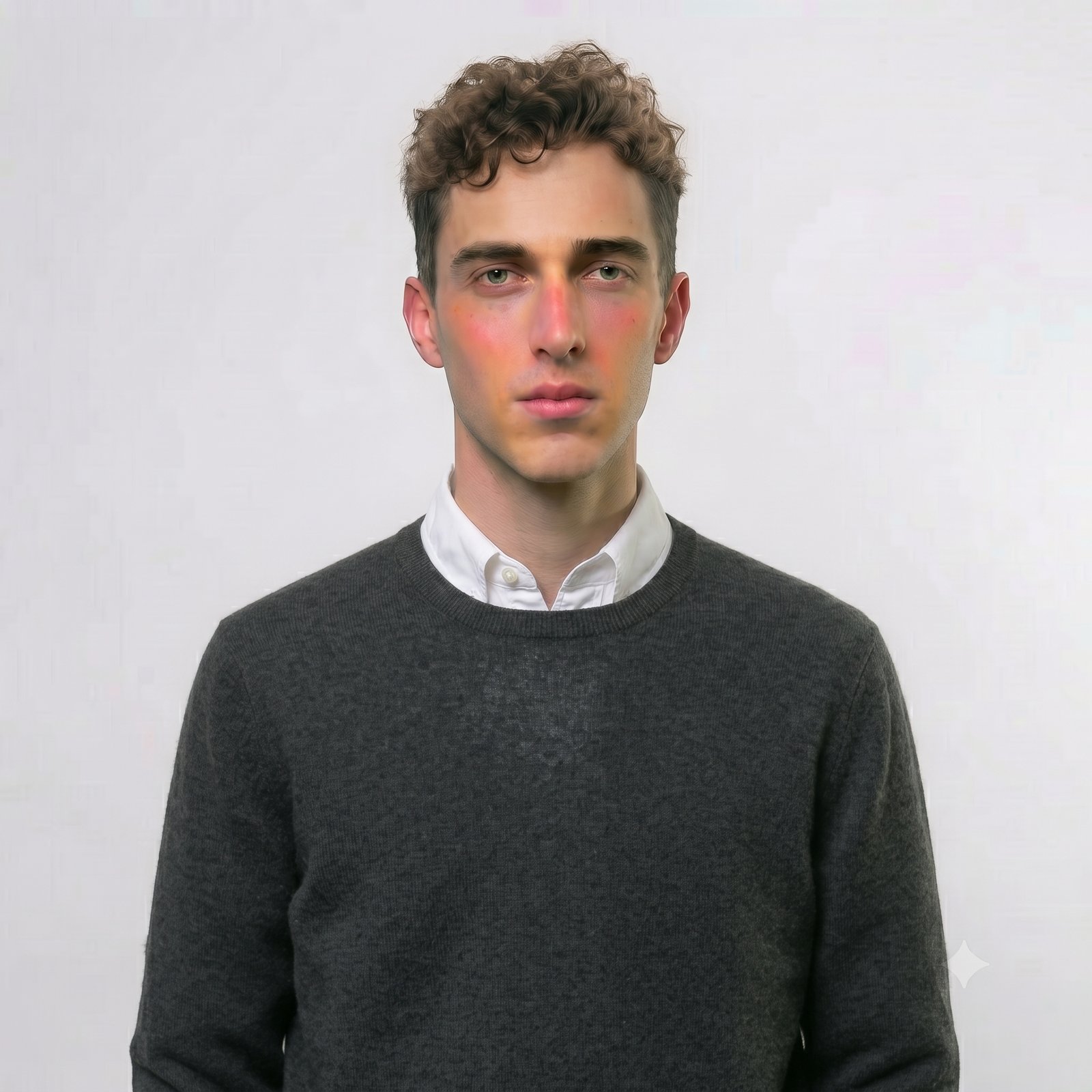
Lee Russell (@lee)
September 28, 2026
Installation
4 months ago
GoBright View - Web Player
Dictate the summary of this article:
Your browser does not support the audio element.
Digital signage can now be displayed using a web browser. The Web Player is on a view-only basis, so you can't make config changes on the screen itself. To use the web player you need to open the url link within the same server tenant. For example, on your Dashboard:However, when you switch to View:It will switch to:As you can see, it has switched from UK1B to UK1S, but you never leave your GoBright portal. In this instance, if you was to use UK1B the browser will alway show an activation code (valid for 12 months). However, when switching to UK1S the digital signage kicks in - as long as you have added the device on the GoBright portal.Please check the correct link on your GoBright portal as GoBright has several servers across different countries. In this instance, Ascentae is on UK1B, so it's UK1S. The full link for this example would be:https://uk1s.gobright.cloud/playerAscentae have tested this on the following browsers: Browser Version Test Result Approved?Chrome148.0.7778.179 (64-bit)👍🏻 YesEdge148.0.3967.83 (64-bit)👍🏻 YesFireFox151.0.2 (64-bit)👍🏻 YesOpera132.0.5905.11 (64-bit)👍🏻 YesSafari11.1 or higher(Tested by GoBright) YesBrave1.90.124 (64-bit)👍🏻 YesWe tested the above in June 2026.Please ensure you are running the latest release of your browser.Lets Get StartedLogin to your GoBright portal at https://portal.gobright.cloudSelect the 4-square grid in the top-right and select 'View'Select the 'Devices' tab and look for the top level location. In this instance, there is just one. Right-click on the location and select Add > DeviceOn this page, enter a relevant name and hit saveYou will then be directed to a new page Now we need to activate your device. The activation code is shown on screenEnter your activation code & allow around 1 minute for the activation to kick-inIf you want to read the full GoBright article, it can be found here.If you have any questions, please log a support ticket.
66 hits
Lee Russell (@lee)
June 2, 2026
Installation
1 week ago
Elsys LoRa Room Sensor (ERS2)
Overview & Battery Information
▲
The ERS2 is a wireless LoRaWAN® sensor for indoor environments that measures temperature, humidity, light, and motion (PIR). This article provides an overview of the Elsys ERS2 LoRa only, the ERS CO₂ LoRa sensor is not covered. As you're are deploying these in your smart office in combination with the GoBright solution, please ensure you have the GoBright AGW installed. This article covers the AGW.
Important: Batteries are not included. The ERS2 requires 2 x AA 3.6V lithium batteries. Standard 1.5V batteries are not supported and will not power the device.
Calculate the battery life for your device
Buy batteries direct from Elsys
When using the recommended batteries, you can expect a battery life of up to 5 years, depending on usage.
Checklist
▼
✓
A smartphone with the GoBright app installed. This is available for free from both the Apple App Store and the Google Play Store.
✓
Full admin access rights for your GoBright account.
✓
The GoBright advanced gateway (AGW) that has been configured and commissioned. We've put together a full guide of how to get up and running in this article.
✓
Bluetooth and NFC enabled on the smartphone.
Recommendations & Info
▼
The sensor has a detection range of up to 5 meters for human presence detection.Calculate the amount of sensors you'll need based on the area coverage.Do not place the sensors near windows (avoid sunlight).Do not place the sensors near HVAC systems as this will result in false occupancy detections and any temperature measurements.
Dimensions
▼
All dimensions shown below are in mm.
Physical Installation
▼
Ensure the backplate is securely fixed to the wall with at least 2 suitable screws & plugs, depending on the surface.Now the backplace is securely in place, clip on the sensor.
LED Status'
▼
The LED indicator is located on the bottom -right (bottom-left if you're looking at the circuit board) and flashes every 30 seconds once powered up.Here's a breakdown of the LED colour status:LED ColorLED IndicationActionLong red blink, long green blinkSensor is starting upShort yellow blinkLoRa join request transmissionShort green blinkLoRa uplink transmission Short red blinkSensor failed to send an uplink. Common cause is duty cycle limits.Long blue blinkSensor has loaded new configuration from NFC.
Configuring The GoBright Portal
▼
In this section we'll guide you through adding the device to the GoBright portal. 1. Load the GoBright app on your smart phone and select Admin tools from the menu option in the top-right corner. 2. Select LoRa Sensors and then Commission a Sensor.3. Select Elsys4.Tap your phone on the front of the sensor. It will automatically read the data from the device and show the serial number (Device EUI).5. Link the device to an appropriate room/ desk.6. Select 'Save' .7. You'll be prompted to scan the device again, so tap your phone on the sensor. The PIR on the device will flash green to show a successful pair and then it'll quickly blink green every 60 seconds.Now you have the sensor commissioned. You can view the devices under the Admin Tools section on the GoBright app:You can also view the sensors on the GoBright portal under Settings > Devices > Sensors:
Technical Support
▼
We're here to help. Log a support ticket by contacting support@ascentae.com with as much information as possible and a member of the team will get back in touch.
60 hits
Lee Russell (@lee)
September 25, 2026
Installation
7 months ago
Removing The GoBright App - IAdea Panels
If your IAdea panel has the GoBright app pre-loaded but you no longer need to use it, you can either disable it in the application menu or completely remove the app.Please note: USB drives must be formatted as FAT32. NTFS is not supported.Please select the best option for you below:
Option 1 - Disabling the GoBright App
1) When the IAdea panel starts to load, you will see a circle with a pause icon in the middle. Press this button and enter 010101 as the code2) On the Basic Settings page, swipe down 2 / 3 times from the top of the screen to bring up the menu and press the settings cog in the bottom-right corner of the menu3) Now you're in the Android interface, select Apps & Notifications and See All Apps4) Select GoBright - Device5) Force stop the app and acknowledge the pop-up6) Select Disable and confirm the pop-up again. Follow any further prompts after thisNow this page will change to show an option to enable GoBright again.Press the back arrow in the top-left corner a few times to return to the Android settings page. Now press the triangle in the bottom menu to return to the IAdea black settings screen.Plug in your relevant USB drive with the new .apk file you wish to install pre-loaded onto it. Swipe down a few times from the top of the screen and select the name of the USB drive and run the installer.
Option 2 - Force Removing the GoBright App
You may wish to completely remove the GoBright app from the panel. First of all, please take note of all of the following information:Model number (e.g. WRP1000-H)S/N of the unitOperating system (e.g Android 12)Firmware versionMAC address - this bit is important - we are unable to help without thisNOTE: Do not send photos of your S/N(s) or MAC(s) - please type them in the body of your email to Ascentae Support. It's your responsibility to provide the complete MAC address(es) as we cannot process photos.All of the above can be found by rebooting the unit and pressing the the pause icon to stop the device booting into GoBright and launching the IAdea back-end. Please enter 010101 as the code.Work your way through the tabs on the menu on the left. For example, you can find the serial number and model number under the Information tab.The Next StepsEnable remote monitoring. Now that you've carried out the above steps and made a note of the information in points 1-5 above, complete the following. Once remote monitoring has been enabled, IAdea will connect your device to their IAdeaCare servers.In the IAdea backend (see above) head to System > Remote MonitoringToggle on this optionWait for the 'initializing' message to appear and then 'waiting for connection'. Hang tight, it's processing any updatesYou will then be presented with 'pairing...' along with a pairing code shortly after. This will be 6 digits.Make a note of this pairing code and leave the panel on this page and switched on.Provide all information to Ascentae and the tech team will liase with the techs at IAdea.The full cycle after IAdea push the update through can take around 10-15 minutes to complete and may reboot several times throughout the process.After this process is complete, you have a blank panel as if it had just left the factory.NOTE: Once the device has been reset by IAdea it cannot be rolled back - you will permanently lose all configuration settingsIf you're using Wi-Fi, you will need to reconfigure your network connection settings under the Network tab on the Android Interface after the process is complete. To get to this interface, swipe down twice from the top of the screen on the black IAdea page and press the settings cog (bottom-right).You can now install any app you wish to use on your IAdea panel and the GoBright app no longer exists.IAdeaCareIAdeaCare is comprehensive device management for all deployed IAdea devices, including essential tools for deployment, management, ongoing maintenance, and troubleshooting. IAdeaCare consolidates operational data from all your devices into a single intuitive interface for in-depth analysis or quick at-a-glance viewing.Please speak to your Ascentae Account Manager for pricing.
60 hits
Lee Russell (@lee)
February 19, 2026
Installation
1 week ago
Elsys LoRa Desk Sensor (EMS2)
Overview & Battery Information
▲
The EMS2 desk sensor is a wireless LoRaWAN® sensor for indoor environments that measures desk occupancy. It can also measure temperature and humidity.
The compact design makes it ideal for mounting under desks.
As you're deploying these in your smart office in combination with the GoBright solution, please ensure you have the GoBright Advanced Gateway (AGW) installed. This article covers the AGW
Batteries are not included. The EMS2 requires 1 x AA 3.6V lithium battery. Standard 1.5V batteries are not supported and will not power the device.
When using the recommended batteries, you can expect a battery life of up to 5 years, depending on usage.
Calculate the battery life for your device
Buy batteries direct from Elsys
Checklist
▼
✓
A smartphone with the GoBright app installed. This is available for free from both the Apple App Store and the Google Play Store.
✓
Full admin access rights for your GoBright account.
✓
The GoBright advanced gateway (AGW) that has been configured and commissioned. We've put together a full guide of how to get up and running in this article.
✓
Bluetooth and NFC enabled on the smartphone.
Installation Recommendations
▼
Ensure the sensor has a clear line of sight to the member of staff sat at the desk.
Place the sensor far enough back under the desk to avoid accidental damage. For optimal occupancy the sensor should be placed between 10 and 20cm from the edge of the desk. However, the sensor can detect occupancy of up to 50cm with a 60° field of view.Do not place the sensor near heat / cooling equipment such as under-desk heaters.
Commissioning Steps
▼
Carefully remove the cover from the device and power it up with the AA 3.6V battery. The LED on the device will quickly flash red and green at the same time. The LED does not constantly stay on, but flashes every 30 seconds after that.
Open the GoBright app on your phone and select the 3 grid lines in the corner and then Admin tools.
Select LoRa Sensors and then Commission a Sensor.
The sensor vendor you need is Elsys.
You will now see the following:
Hold your phone to the rear of the sensor to retrieve the information. You'll then see the following screen:
Link the sensor to the appropriate desk, room or parking space.
On the next page select Commission Sensor. It will then ask you to confirm the link, so hold your phone to the rear of the sensor again.
All done! You will automatically be directed to the following page (same as step 3). However, on this page, select 'LoRa Sensors' and you will see the sensor that you've just commissioned:
This is also shown in your GoBright portal under Settings > Devices > Sensors.
You can update what room / desk / parking space the sensor is linked to easily in the GoBright portal or the app.
The Portal & Hardware
▼
Now you see in the GoBright portal that the desk is showing as occupied (amber).
And...
The image shows when an Interact is linked to the new desk sensor and no booking is in place, but someone is sat at the desk.If an upcoming booking is in place, you can also enable the 'check-in by occupancy sensor' so the Interact will change from amber to red automatically when someone sits at the desk.
Technical Support
▼
We're here to help. Log a support ticket by contacting support@ascentae.com with as much information as possible and a member of the team will get back in touch.
54 hits
Lee Russell (@lee)
September 24, 2026
Installation
6 months ago
GoBright View - Windows Installation
This guide will help you get your digitial signage (View) installed and running on your Windows machine. 1. Download the GoBright View software from https://install.gobright.cloud/view/windows/.2. Create a folder on C:\ named 'gobright-view', and in that folder, create a folder called 'bootstrapper'. Do not use any quotes. For example:3. Find the Zipfile you've downloaded, and unzip it completely, all folders and files. Find the unzipped folder in the download called ‘bootstrapper’ and place all its content within the bootstrapper file at C:\gobright-view\bootstrapper. This folder should now look like this:4. Create a shortcut from the application file in the bootstrapper folder on C:\ and place it on the desktop.5. Place the original downloaded Zip file in C:\gobright-view\ (make sure it is still zipped) and rename it to ‘update’.Now C:\gobright-view\ should look like this:6. Close all open programs like browser, Windows Explorer, etc.7. Rightclick on the bootstrapper shortcut on your desktop and choose the option: ‘Run as administrator’.Key Information:The limit per file for digital signage is 4GB. Supported File Formats:Windows:JPG, JPEG, PNG, GIF, SVG, MP4WebOS & Android:JPG, JPEG, PNG, GIF, SVG, MP4Supported Video Codecs:H.264/AVC, MPEG-4For more information on supported file formats, please review this article:https://support.gobright.com/hc/en-us/articles/360015249459-Media-files
54 hits
Lee Russell (@lee)
March 18, 2026