
Dictate the summary of this article:
If you are installing an Interact on your site but do not want it to be free-standing on a desk, there are other options available.
Under Desk Mount
Product Code: INT1-MOUNT-DESK
Info: Optional extra
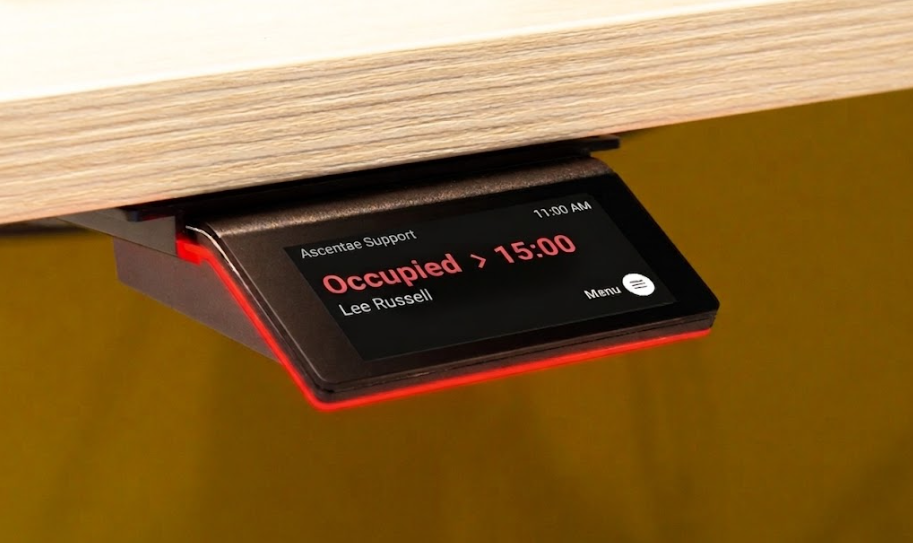
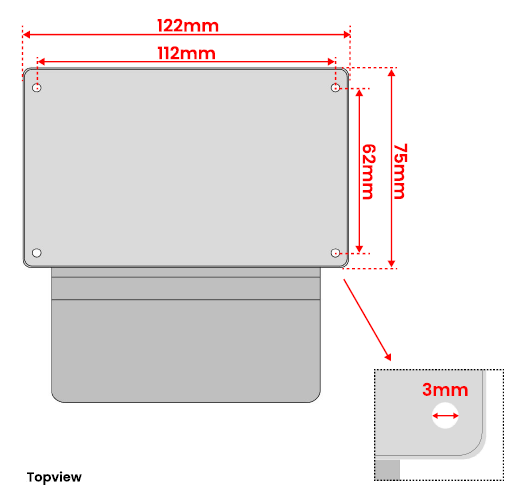
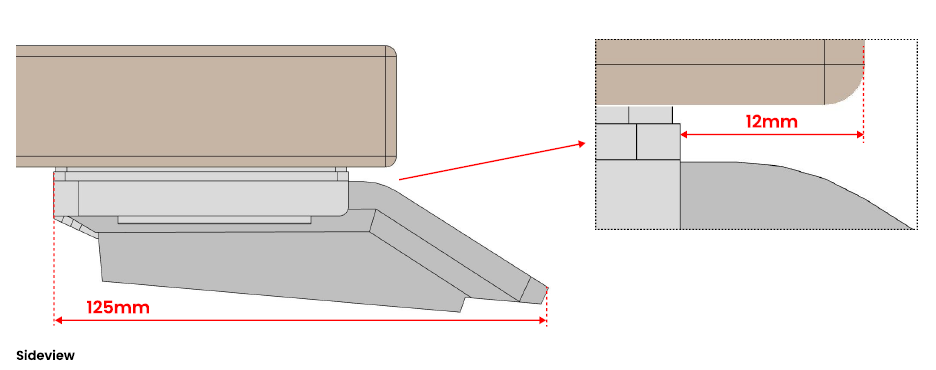
It's possible to mount the Interact so it's fixed under a desk. The design of the bracket means you can easily slide the Interact device in / out if required. This option saves desk space and reduces any risk of accidental damage if it was free-standing on a desk.
Below are some images and dimensions to help you plan your install.
Wall Mount
Info: Included with the device
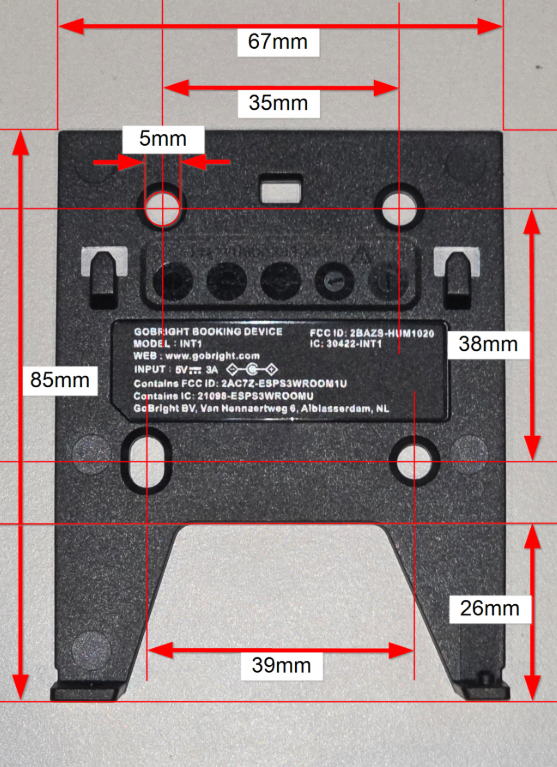
Simply use the backplate that comes with the Interact device. Once the backplate is detached:
Glass Mount
Product Code: INT1-MOUNT-GLASS
Info: Optional extra
It's also possible to mount the Interact to a glass surface. When purchasing your Interact(s) please quote the correct quantity of the above product code. These come with double-sided 3M adhesive tape.
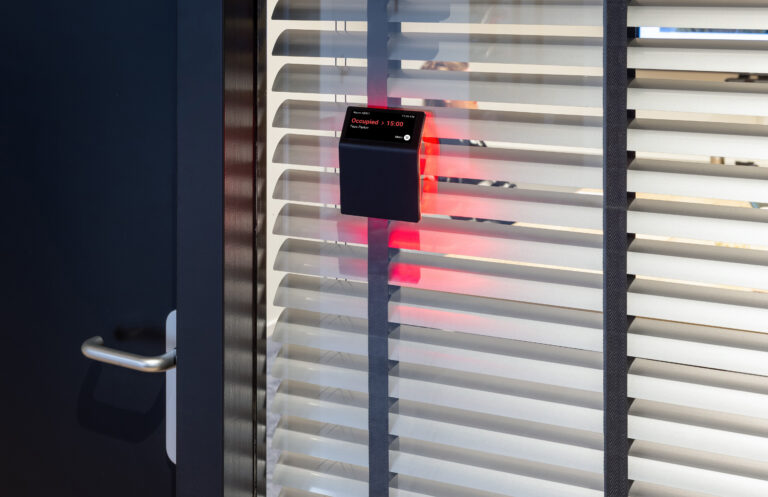
Please quote the above product codes and quantities when requesting a quote from Ascentae.