
Dictate the summary of this article:
Digital signage can now be displayed using a web browser.
The Web Player is on a view-only basis, so you can't make config changes on the screen itself.
To use the web player you need to open the url link within the same server tenant. For example, on your Dashboard:
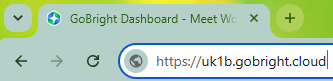
However, when you switch to View:
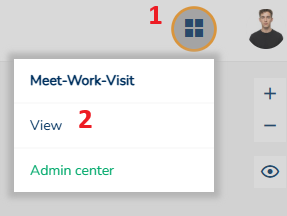
It will switch to:
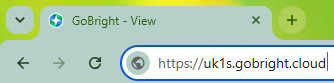
As you can see, it has switched from UK1B to UK1S, but you never leave your GoBright portal.
In this instance, if you was to use UK1B the browser will alway show an activation code (valid for 12 months). However, when switching to UK1S the digital signage kicks in - as long as you have added the device on the GoBright portal.
Please check the correct link on your GoBright portal as GoBright has several servers across different countries.
In this instance, Ascentae is on UK1B, so it's UK1S. The full link for this example would be:
Ascentae have tested this on the following browsers:
| Browser | Version | Test Result | Approved? |
| Chrome | 148.0.7778.179 (64-bit) | 👍🏻 | Yes |
| Edge | 148.0.3967.83 (64-bit) | 👍🏻 | Yes |
| FireFox | 151.0.2 (64-bit) | 👍🏻 | Yes |
| Opera | 132.0.5905.11 (64-bit) | 👍🏻 | Yes |
| Safari | 11.1 or higher | (Tested by GoBright) | Yes |
| Brave | 1.90.124 (64-bit) | 👍🏻 | Yes |
We tested the above in June 2026.
Please ensure you are running the latest release of your browser.
Lets Get Started
- Login to your GoBright portal at https://portal.gobright.cloud
- Select the 4-square grid in the top-right and select 'View'
- Select the 'Devices' tab and look for the top level location. In this instance, there is just one. Right-click on the location and select Add > Device
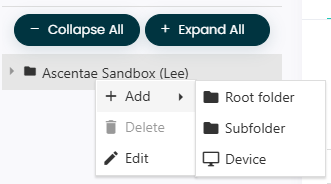
- On this page, enter a relevant name and hit save
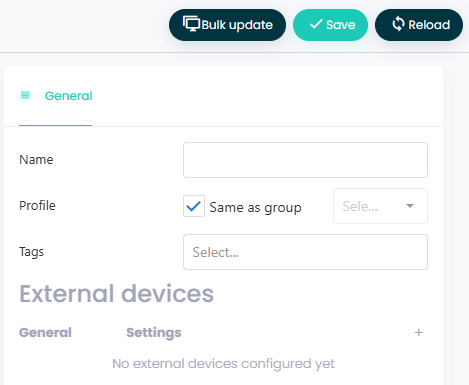
- You will then be directed to a new page
- Now we need to activate your device. The activation code is shown on screen
- Enter your activation code & allow around 1 minute for the activation to kick-in
If you want to read the full GoBright article, it can be found here.
If you have any questions, please log a support ticket.