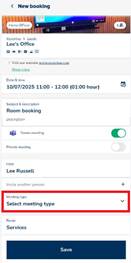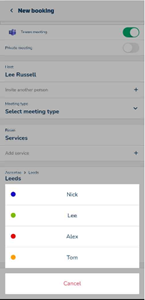
A new feature was released in July 2025 which now allows users to select meeting types which are highlighted by colour. This gives users a better visual overview of upcoming meetings.
This will be shown under both the ‘My Bookings’, ‘All Bookings’ and on the ‘Timeline’.
My Bookings:

All Bookings:
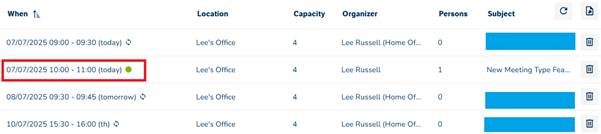
Timeline:

The Configuration
- Under Settings > Meet > Meeting Types add the relevant type(s) and select your colour(s).
- There’s a colour picker available, or you can manually type the RGB values or HEX code.
- Head to Settings > Meet > Profiles and select the relevant profile for the room(s).
- Scroll down to the following section and enable the option:
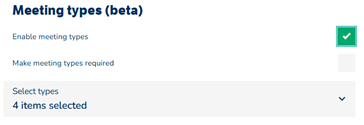
You can make this mandatory.
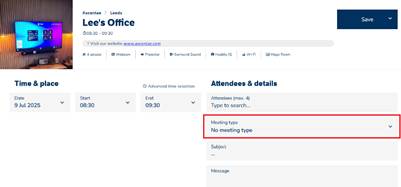
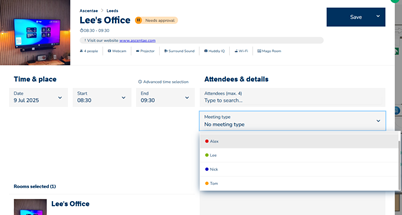
- Once the above has been configured, when booking the room the Meeting Type option will appear:
This is also available when using the GoBright App: