
How To Collect Logs From MAXHUB Screens
Note: All of the pictures in this manual are for reference only, subject to available products. Published by MAXHUB on the 26th of November 2025.
This document is a guide for the user to collect the logs from MAXHUB OS.
1. Download the MAXHUB Log Tool
- Download the MAXHUB-LogTool-v.17. You can find the link here.
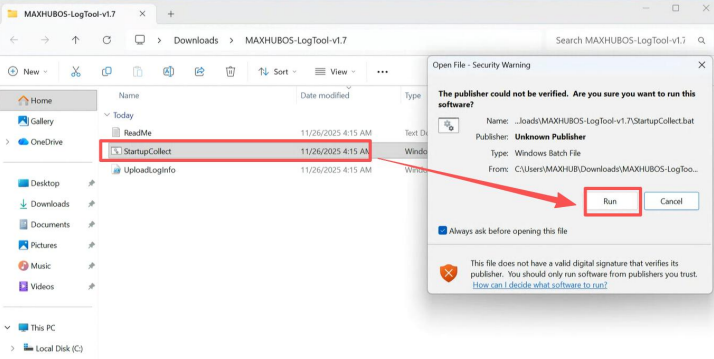
2. Run the StartupCollect
Once you have downloaded the above ZIP file and extracted the contents, run the startup file as shown below:
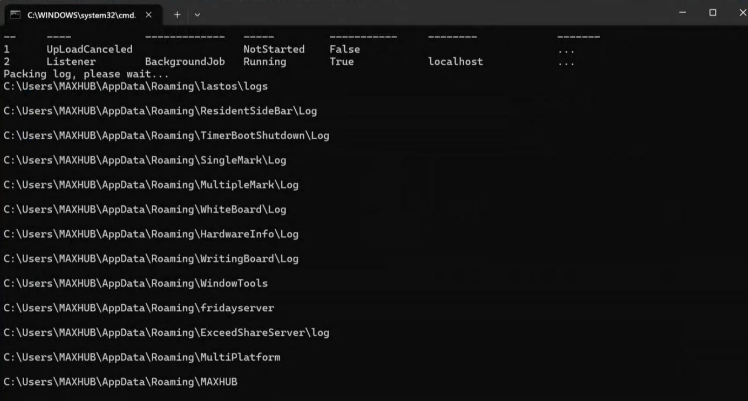
3. Collect the logs
Please note that step 2 in this process can take around 5 minutes to complete.
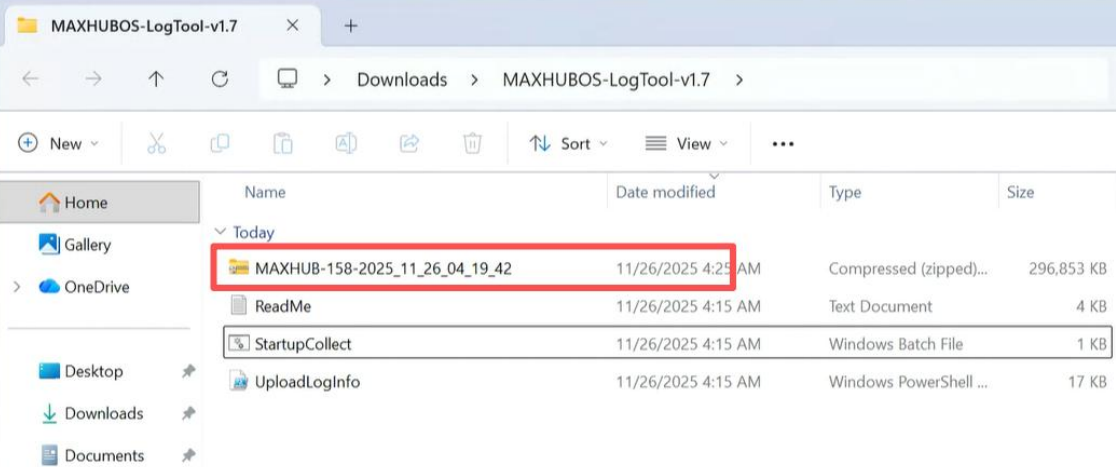
4. Share the logs
Send the logs to support@ascentae.com to log a support ticket. In order for us to assist you quicker, please provide:
- Device model
- Serial number
- Current firmware version
- Date purchased from Ascentae
5. Resource Centre
MAXHUB has a useful resource centre that you can use to find answers to your questions.